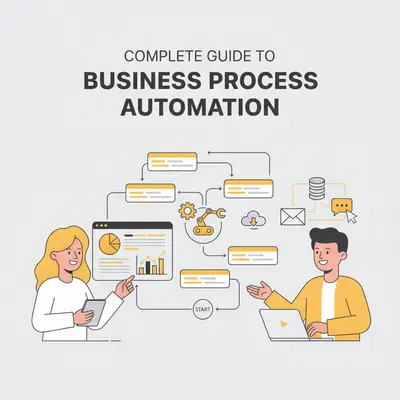
Business Process Automation (BPA) streamlines repetitive tasks and complex workflows using technology, enabling businesses to save time, reduce errors, and focus on high-priority work. By leveraging AI, BPA evolves from basic rule-based systems to intelligent solutions capable of real-time decision-making and handling unstructured data. Key benefits include:
- Efficiency Gains: Automating tasks like invoice approvals, customer onboarding, and inventory management.
- Cost Savings: AI tools have helped 50% of businesses cut HR expenses and 46% reduce supply chain costs.
- Market Growth: The BPA market is projected to grow from $13.7 billion in 2023 to $41.8 billion by 2033.
Emerging trends like hyperautomation, intelligent document processing (IDP), and no-code platforms are reshaping automation, making it more accessible and impactful. To implement BPA successfully, prioritize high-volume, repetitive, and error-prone tasks, ensure stakeholder alignment, and invest in employee training.
Evalics, an AI-powered automation platform, offers tailored solutions for sales, operations, and analytics automation, with service plans ranging from $1,000 to $40,000+. These plans cater to businesses at different stages of their automation journey, from quick task automation to company-wide transformation.
Automation is no longer optional - it's a competitive necessity. Start with clear goals, involve your team, and monitor results to maximize ROI.
How to Automate Any Business Process with AI and No-Code!
Core Components and Methods of BPA
The building blocks of Business Process Automation (BPA) create a structured framework that drives measurable outcomes.
Main Stages of BPA
BPA projects follow a series of well-defined stages, each critical to ensuring successful and sustainable automation.
Process Discovery lays the groundwork for automation. Teams gather insights through stakeholder interviews, operational observations, and data collection to map out existing workflows.
Process Modeling turns these workflows into detailed visual representations. Using flowcharts and diagrams, teams outline steps, decision points, exceptions, and integration needs. Proper modeling minimizes the risk of needing major revisions later on.
Implementation is where automation takes shape. This phase involves configuring automation tools, establishing integrations, and creating workflows. Depending on the complexity, this stage can span several weeks. Rigorous testing ensures everything runs smoothly before going live.
Analysis evaluates the performance of automated workflows compared to their manual counterparts. Metrics such as processing time, error rates, cost savings, and user satisfaction are tracked from day one.
Optimization is an ongoing process. Insights from performance data are used to tweak workflows, refine rules, and improve integrations. Many organizations see their biggest gains after fine-tuning their initial automation efforts.
Governance ensures compliance, security, and alignment with organizational goals. This involves setting clear policies, monitoring access, and maintaining documentation - especially crucial as automation scales across departments.
Key Automation Technologies
Several technologies form the backbone of modern BPA, each serving a specific role in the automation ecosystem.
Robotic Process Automation (RPA) tackles repetitive, rules-based tasks by interacting directly with software systems. RPA bots excel at tasks like data entry, generating reports, and transferring information between systems, making them invaluable in environments reliant on older systems without modern APIs.
Intelligent Document Processing (IDP) automates data extraction from unstructured documents, such as invoices or contracts. By combining optical character recognition (OCR) with machine learning, IDP can handle documents with varying formats, classify them, validate extracted data, and route them to appropriate workflows.
AI-Driven Decision Automation enables systems to make complex decisions by analyzing data and applying predefined business logic. With machine learning models that adapt over time, this technology is ideal for processes like credit approvals, inventory management, or customer service routing.
Workflow Orchestration Platforms act as the command center for automation, coordinating tasks across systems and departments. These platforms ensure workflows execute in the right sequence, handle exceptions effectively, and provide visibility into process statuses - essential for processes involving multiple business functions.
API Integration Technologies connect disparate software systems, enabling smooth data exchange and process coordination. APIs are the backbone of modern automation, allowing organizations to build end-to-end workflows across their technology stack.
Process Intelligence and Analytics
Process intelligence transforms data into actionable insights, ensuring that automated workflows deliver maximum value and adapt to evolving business needs.
Real-Time Process Monitoring provides dashboards displaying metrics like volumes, completion times, and error rates, enabling teams to address issues promptly. Automated alerts further support proactive management when performance thresholds are exceeded.
Process Mining digs into system logs and transaction data to uncover how workflows operate in reality versus how they were designed. This helps identify inefficiencies, bottlenecks, and unexpected workarounds, offering opportunities for improvement.
Predictive Analytics uses historical data to forecast future performance and flag potential issues before they arise. For example, machine learning models can predict high-volume periods, potential failures, or maintenance needs, allowing teams to act preemptively.
Performance Benchmarking compares automation results against industry standards, historical baselines, and organizational goals. This helps assess whether automation efforts are meeting expectations and identifies successful practices that can be scaled across other processes.
Cost-Benefit Analysis evaluates the financial impact of automation, tracking both direct savings (e.g., reduced labor costs) and indirect benefits (e.g., improved accuracy and faster processing). These insights help prioritize future investments and demonstrate value to stakeholders.
Together, these analytical tools create a feedback loop that continuously refines automated processes and guides strategic decisions, ensuring BPA initiatives remain effective and aligned with business objectives.
Finding and Prioritizing Automation Opportunities
To get the most out of automation, choosing the right processes is key. Companies that approach this strategically tend to see better results than those relying on random choices or instincts. Below, we’ll explore how to identify suitable processes, focus on high-impact areas, and assess readiness for automation.
Process Selection Criteria
Some processes are better suited for automation than others. Here are the key traits to look for:
- High-volume, repetitive tasks: These are the easiest to automate and often yield the biggest gains. Think data entry, invoice processing, or routing customer service tickets. The more transactions involved, the greater the potential for efficiency.
- Rule-based processes: Tasks with clear, step-by-step decision trees are ideal. Automation tools excel at handling workflows like credit approvals, expense report checks, or inventory reordering.
- Document-heavy workflows: Processes that deal with unstructured documents, such as forms or contracts, can benefit greatly from AI-powered automation. Examples include insurance claims, loan applications, and vendor onboarding.
- Time-sensitive tasks: Speed matters for processes with tight deadlines, like customer service responses, order fulfillment, or compliance reporting. Automation ensures these tasks are completed on time, every time.
- Error-prone manual tasks: Automation not only saves time but also reduces mistakes in tasks like financial reconciliations, regulatory reporting, or data migrations - areas where errors can be costly.
- Cross-system processes: If employees spend time transferring data between systems, automation can streamline these workflows. Examples include order-to-cash procedures, employee onboarding, and syncing customer data.
High-Impact Business Areas
Once you’ve identified promising processes, focus on areas where automation can deliver the greatest value.
- Finance and accounting: These departments handle structured, high-volume tasks that are perfect for automation. For instance, automating accounts payable can cut invoice processing from days to hours. Month-end closing, reconciliations, and financial reporting also become faster and more accurate.
- Human resources: HR processes like employee onboarding, payroll, and benefits administration often involve repetitive steps that automation can simplify. Tasks like time tracking, expense reporting, and leave management are also ripe for automation.
- Customer service: Automation improves response times and ensures consistent service. For example, ticket routing can direct inquiries to the right team instantly, while automated responses handle common questions. Other tasks like case escalations and follow-ups can also run automatically.
- Supply chain and procurement: From purchase orders to vendor communications, supply chain processes often involve repetitive transactions. Automation can streamline inventory management, demand forecasting, and contract workflows.
- Sales and marketing: Repetitive tasks like lead scoring, campaign management, and proposal generation can be automated to save time. Automation also helps with customer data updates, campaign reporting, and pipeline management.
Automation Readiness Assessment
Before diving in, it’s important to evaluate whether a process is ready for automation.
- Process stability: Automation works best with consistent, well-documented processes. Avoid automating workflows that are constantly changing; standardize them first.
- Decision clarity: Tasks with clear, objective decision points are easier to automate. Processes requiring subjective judgment or emotional intelligence may still need human involvement.
- Data quality and availability: Automation relies on clean, accessible data. If your data is inconsistent or incomplete, you might need to address these issues before proceeding.
- System integration: Processes that span multiple systems need smooth integration through APIs or other tools. Older systems without modern integration options may require alternative approaches.
- Stakeholder support: Automation projects are more successful when stakeholders are on board and users are open to change. Resistance can derail even the most technically sound initiatives.
- Compliance considerations: For regulated processes, automation must include controls like audit trails and approval mechanisms. Make sure automation aligns with compliance requirements.
- Return on investment (ROI): Prioritize processes that offer clear, measurable benefits, such as time savings or error reduction, over those with uncertain outcomes or high complexity.
AI-Powered Automation Solutions: Evalics Overview
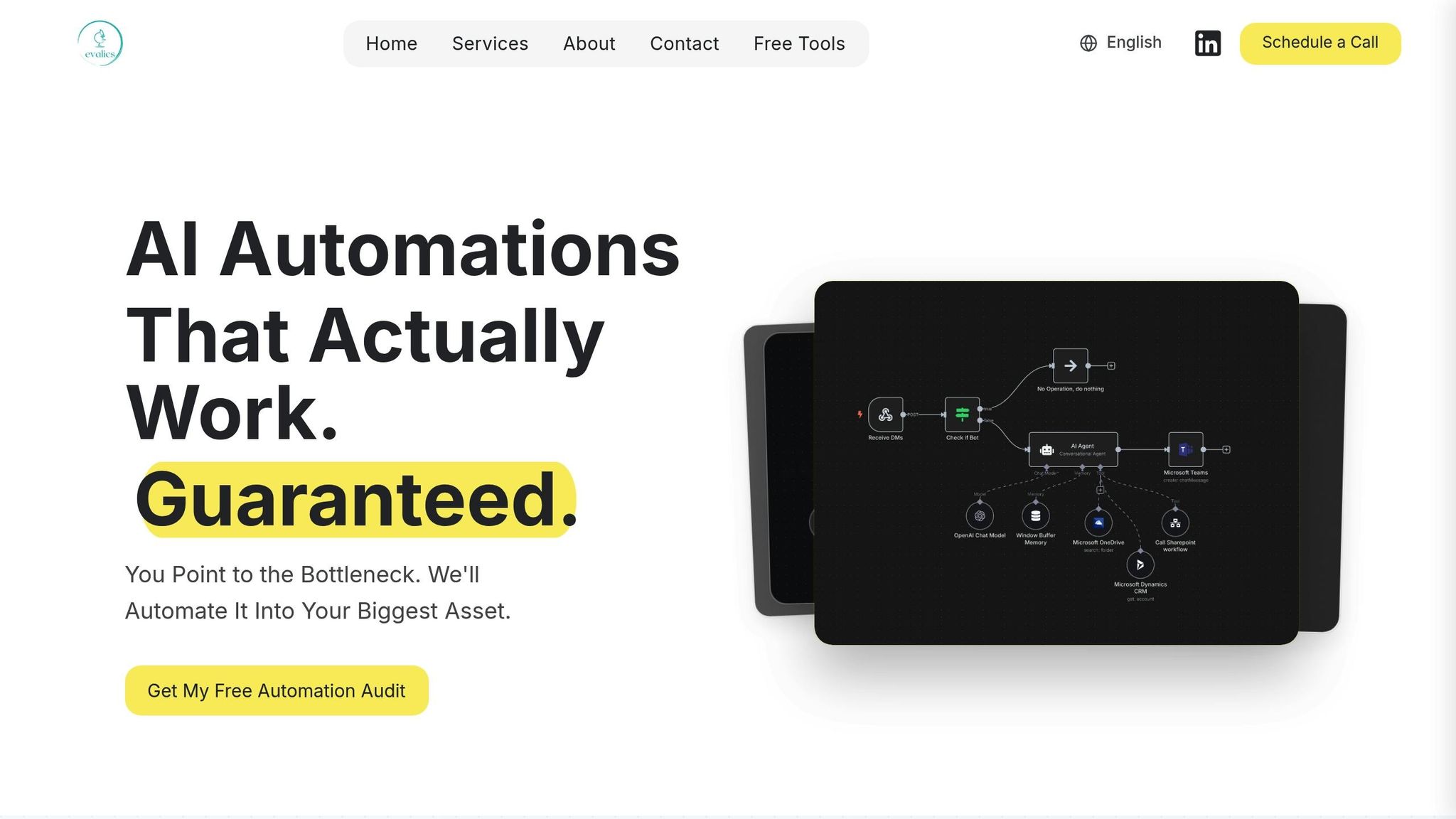
Once you've identified the processes you want to automate, the next step is finding a platform that delivers measurable results. Evalics is an AI-powered automation platform designed to enhance sales, operations, and analytics by focusing on practical, results-driven solutions. Instead of offering flashy features with little real-world impact, Evalics prioritizes solving specific business challenges.
Evalics takes a targeted approach, tailoring its solutions to meet the unique needs of sales teams, operational workflows, and analytics processes. Whether it’s simplifying repetitive tasks or building complex, cross-departmental workflows, Evalics ensures its automation tools deliver real results. Below, we’ll explore Evalics’ core solutions and the service plans it offers to match your automation goals.
Evalics' Main Solutions
Evalics offers three key automation solutions to address common business challenges:
- AI-Driven Sales Automation: This solution eliminates tedious sales tasks by automating lead generation, outreach, and prospect nurturing. It seamlessly integrates with CRM systems and communication tools, streamlining the sales process and freeing up time for more strategic efforts.
- Operational Process Automation: Designed for high-volume, rule-based tasks, this tool automates processes like invoice handling, employee onboarding, inventory tracking, and compliance reporting. By leveraging AI for data extraction, document processing, and workflow management, Evalics reduces manual effort and improves efficiency.
- Advanced Analytics Automation: This feature automates data reporting and analysis, delivering insights, tracking KPIs, and offering actionable recommendations. It’s especially useful for teams managing financial close processes or performance monitoring, helping them make informed decisions faster.
Evalics' Service Plans and Pricing
Evalics offers three service tiers, each tailored to different business needs and automation goals. These plans provide clear timelines and pricing, making it easier for businesses to map out their automation journey.
- AI Automations Plan: Priced between $1,000 and $10,000, this plan focuses on quick, high-impact solutions that can be implemented in just 1–4 weeks. It’s ideal for businesses looking to test automation or solve specific challenges without a large investment. Features include automated lead generation, drag-and-drop workflow creation, integration with existing tools, and the elimination of repetitive tasks.
- Custom Solutions & Collaboration Plan: Ranging from $10,000 to $40,000 with a timeline of 3+ months, this plan is designed for companies ready to tackle more complex, cross-functional automation projects. It includes a thorough business audit, custom workflow development, API integrations for legacy systems, and full onboarding support with detailed documentation.
- AI Accelerator Partnership: Starting at $40,000, this premium plan offers a 6+ month engagement for businesses seeking transformative, company-wide automation. It includes a comprehensive automation roadmap, custom AI product development, extensive team training, continuous optimization, and ROI tracking to measure success.
Service Plan Comparison
| Feature | AI Automations | Custom Solutions & Collaboration | AI Accelerator Partnership |
|---|---|---|---|
| Investment Range | $1,000 – $10,000 | $10,000 – $40,000 | $40,000+ |
| Timeline | 1–4 weeks | 3+ months | 6+ months |
| Scope | Quick-win tasks | Cross-functional workflows | Company-wide transformation |
| Business Audit | Basic assessment | Deep analysis | Comprehensive roadmap |
| Custom Development | Pre-built solutions | Tailored systems | Custom AI products |
| Training & Support | Setup assistance | Full onboarding | Ongoing team development |
| Integration Level | Current tools | Custom APIs | Enterprise-wide |
| Documentation | Basic guides | Complete SOPs | Full knowledge transfer |
| Performance Tracking | Basic metrics | Deployment metrics | Continuous ROI monitoring |
The main difference between these plans lies in their scope and long-term impact. The AI Automations tier is perfect for businesses just starting with automation or those working with smaller budgets, as it focuses on solving immediate pain points. The Custom Solutions & Collaboration plan is better suited for companies with established processes that need tailored, in-depth automation. Finally, the AI Accelerator Partnership is designed for organizations aiming for a company-wide transformation, making automation a strategic advantage.
Best Practices for Implementation
Implementing Business Process Automation (BPA) effectively requires strong stakeholder engagement, thorough employee training, and ongoing performance monitoring. These steps help ensure that your investment in automation translates into real operational benefits.
Stakeholder Engagement and Teamwork
Getting stakeholders on board is critical. Without their support, even the most advanced automation projects can hit roadblocks or fail to deliver the desired results.
Start by identifying key decision-makers and influencers - this might include department heads, IT leaders, finance teams, and the employees who will directly use the automated systems. Each group has unique concerns and insights, so addressing their perspectives early is essential.
Next, assemble a cross-functional team with representatives from all affected departments. This group should meet regularly to discuss progress, resolve concerns, and make decisions about priorities. Bringing diverse voices into the conversation helps uncover potential challenges early and ensures the automation works effectively for everyone involved.
Transparency is key to successful stakeholder engagement. Clearly communicate goals, timelines, and expected outcomes from the very beginning. Share specific metrics you’ll be tracking and explain how automation will benefit each group. For instance, if you’re automating invoice processing, demonstrate to the finance team how it will reduce manual tasks while showing management how it improves cash flow visibility.
Address concerns openly. Stakeholders may worry about job security, increased complexity, or disruptions to workflows. Acknowledge these fears and explain the steps you’re taking to manage risks. When people feel heard and informed, they’re more likely to support the initiative.
Once stakeholders are aligned, the focus shifts to preparing employees to embrace the new systems.
Employee Training and Change Management
Even the most advanced automation platform won’t succeed without proper training. Start early and tailor the training to different skill levels and learning preferences. This gives employees time to get comfortable with the tools, ask questions, and provide feedback that can improve the final rollout. A great way to build momentum is by creating a pilot group of enthusiastic early adopters who can help train and motivate others.
Offer training in multiple formats - such as hands-on workshops, video tutorials, or written guides - so employees can learn in the way that suits them best. Give them the flexibility to absorb the material at their own pace.
More importantly, focus on the "why" behind the changes rather than just the "how." Help employees see how automation can make their jobs easier, more engaging, or even more strategic. When people understand the personal benefits, they’re more likely to embrace the new processes.
Change management doesn’t stop after the initial training. Set up clear communication channels where employees can ask questions, report issues, and suggest improvements. Regular check-ins during the first few months can help catch and resolve problems before they escalate.
Celebrate early wins to build enthusiasm. For example, share stories of how automation has saved time or improved accuracy. When employees see tangible results, they’re more likely to become advocates for further automation efforts.
With employees equipped and engaged, continuous monitoring ensures the automation delivers on its promises.
Monitoring and Optimization
To keep automation performing at its best, continuous monitoring and refinement are essential. This not only ensures sustained benefits but also maximizes your return on investment.
Start by establishing baseline metrics to measure improvements over time. Track both quantitative data - like processing speeds, error rates, and cost savings - and qualitative feedback, such as employee satisfaction and customer experience.
Use real-time dashboards to monitor performance. These dashboards should be accessible to key stakeholders and display metrics tied to your business goals. For example, if you’ve automated lead qualification, track metrics like response time, conversion rates, and sales team productivity.
Performance reviews should be regular and thorough. Look for patterns in the data, identify bottlenecks, and pinpoint areas where additional automation could streamline operations further.
Create feedback loops to quickly address issues. Automated alerts can notify you when something isn’t working as expected, while employee feedback can uncover improvement opportunities that data alone might miss.
From the start, plan for ongoing improvements. Automation often reveals new opportunities for optimization once it’s in use. Allocate resources for these enhancements to ensure the system continues to deliver value over time.
Document lessons learned during the implementation and optimization phases. This creates a valuable knowledge base for future automation projects, helping your organization avoid repeating mistakes and build on past successes.
Finally, track the long-term return on investment. Measure ongoing savings from reduced manual work, better accuracy, and faster processing. Compare these benefits to the total cost of ownership, including licensing, maintenance, and staff time. This analysis not only justifies continued investment but also helps guide decisions for future automation initiatives.
Conclusion
Business Process Automation has the power to reshape how organizations operate, offering a way to streamline workflows, cut costs, and stay competitive in today’s fast-paced market. As we've discussed, AI-driven automation doesn’t just handle repetitive tasks - it enhances precision and allows teams to zero in on high-value, strategic goals.
The key to successful automation lies in starting with well-defined processes. Areas like lead generation, invoice processing, customer service, and data entry are ripe for automation and can deliver quick, measurable results when approached effectively.
However, technology alone isn’t enough. The human element plays a critical role in making automation work. Engaging stakeholders and investing in comprehensive training ensures that teams can seamlessly integrate new tools into their workflows. The most successful organizations combine cutting-edge technology with the expertise and creativity of their people.
To keep automation efforts effective, it’s essential to regularly review and refine processes. This not only maximizes return on investment but also helps uncover new opportunities to improve efficiency.
The case for AI-driven automation is clear. Businesses across industries are seeing major improvements in accuracy and productivity when they implement these solutions thoughtfully. For those ready to take the next step, Evalics offers tailored solutions that combine advanced technology with a people-centered approach. By choosing the right partner and strategy, you can unlock lasting improvements and stay ahead in an ever-evolving landscape.
FAQs
What are the key steps to successfully implement Business Process Automation, and why are they important?
Implementing Business Process Automation involves four essential steps: analysis, implementation, integration, and maintenance. Each step is crucial to creating a smooth and effective automation strategy that delivers results.
- Analysis: Begin by pinpointing repetitive tasks and workflows that could benefit from automation. This helps focus on areas where automation can make the biggest difference in saving time and cutting costs.
- Implementation: Choose and deploy the right automation tools and technologies that align with your business objectives and operational needs.
- Integration: Ensure the automation tools work seamlessly with your existing systems. This step is key to maintaining consistency and avoiding disruptions.
- Maintenance: Keep an eye on automated processes, making adjustments as needed to stay effective and adapt to changes in your operations.
By carefully following these steps, businesses can streamline their workflows, cut down on manual effort, and see noticeable improvements in both productivity and efficiency.
What’s the best way for businesses to identify processes that should be automated for greater efficiency and cost savings?
To identify processes suitable for automation, start by zeroing in on tasks that are repetitive, time-intensive, and follow specific rules. Common examples include data entry, processing invoices, and generating reports. The best candidates for automation usually have clear inputs and outputs, consistent workflows, and handle a high volume of transactions. Tasks that involve integrating multiple systems or are frequently affected by human error are also worth considering. Automating these areas can help businesses simplify operations, cut costs, and boost efficiency.
Why are stakeholder engagement and employee training important for successful Business Process Automation?
When it comes to successfully adopting Business Process Automation (BPA), two key factors stand out: engaging stakeholders and training employees.
Getting stakeholders involved early ensures everyone is on the same page about goals, priorities, and expectations. This not only helps secure their support but also gives you the chance to address any concerns or resistance before they become roadblocks. Essentially, it’s about creating a shared vision and smoothing the path for change.
On the other hand, employee training is just as critical. By providing your team with the know-how to use automation tools effectively, you’re setting them up for success. Training builds confidence, minimizes mistakes, and encourages your workforce to fully embrace the new tools. The result? A more seamless transition to automation and a greater return on your investment.