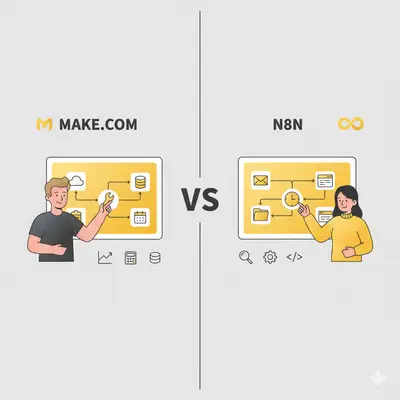
Choosing between Make and n8n for automating business tasks in 2025 can feel overwhelming. Both platforms are powerful, but they follow different philosophies — Make focuses on cloud simplicity and visual usability, while n8n prioritizes flexibility and ownership, offering both self-hosted and cloud-managed options.
Whether you’re a startup testing AI workflows or an enterprise automating complex, multi-branch systems, your decision ultimately depends on budget, technical skill, and data control preferences.
In this article, we’ll break down Make vs n8n (2025) across features, pricing, integrations, and security, with a focus on AI automations and scalability.
Key Takeaways
- Make.com offers an intuitive, no-code cloud experience with 3,000+ native app integrations — perfect for fast setup and non-technical teams.
- n8n Cloud bridges ease of use with customization, removing self-hosting complexity while keeping developer flexibility.
- n8n Self-Hosted provides maximum control, best for enterprises needing custom integrations or strict data compliance.
- AI automation workflows are more flexible in n8n, while Make’s modules are faster for simpler, repeatable processes.
- Pricing predictability: Make’s subscriptions are fixed; n8n’s total cost depends on whether you choose Cloud or host it yourself.
Platform Architecture: Cloud Convenience vs Full Control
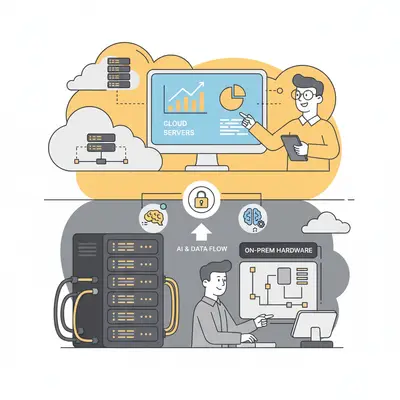
The biggest difference between Make and n8n lies in where and how they run.
n8n Cloud vs n8n Self-Hosted vs Make.com
- n8n Cloud – Managed by the n8n team, offering the same flexibility as self-hosted but without setup or maintenance.
- n8n Self-Hosted – Run n8n on your own infrastructure for full ownership and data sovereignty.
- Make.com – 100% managed SaaS (cloud only), with automatic scaling and zero backend management.
| Platform | Setup & Maintenance | Customization | Data Control | Target User |
|---|---|---|---|---|
| Make.com | Fully managed, instant use | Moderate | Vendor-managed | No-code users, SMEs |
| n8n Cloud | Managed by n8n | High | Shared cloud | Teams/developers |
| n8n Self-Hosted | Manual, technical setup | Very high | Full control | Enterprises/Devs |
In short:
If you want a plug-and-play solution, go for Make.
If you want more flexibility but not server headaches, n8n Cloud is ideal.
If compliance or customization is your top priority, n8n Self-Hosted wins.
Comparing AI Automation Features
AI workflows highlight the core philosophical divide between Make and n8n — simplicity vs flexibility.
AI Integrations and Agent Workflows
- n8n supports agent-style workflows, allowing chained AI models and dynamic decisions using OpenAI, Anthropic, or local APIs.
- Make offers popular AI modules (e.g., ChatGPT, Google Cloud Vision) but less support for branching or self-evolving agent logic.
| Feature | n8n (Cloud & Self-Hosted) | Make.com |
|---|---|---|
| AI Agent Flows | Yes, native support | Limited |
| Custom AI APIs | Full JS/HTTP nodes | Guided HTTP module |
| On-Device Execution | Yes (self-hosted only) | No |
Verdict: n8n leads in AI flexibility and multi-model logic.
Make shines for simple AI automations like text summarization, tagging, or sentiment analysis.
Integration Ecosystem and API Access
Built-In Apps
Make advertises 3,000+ native apps. n8n does not publish a single total: its integrations are built-in nodes, extended by community nodes and the HTTP Request node for any service with an API.
| Platform | Built-in Integrations | Notable Strengths |
|---|---|---|
| Make | 3,000+ native apps | Rich SaaS coverage — Google, Airtable, Notion, Slack |
| n8n | No published total (+ community nodes) | Developer-first; add any app with API or custom node |
Custom APIs and Flexibility
- Make: Easy, guided API setup — ideal for non-technical users.
- n8n: Allows direct scripting with JS, REST, and GraphQL nodes for deep integration control.
If your workflows rely on custom APIs or private apps, n8n is the more powerful option.
For plug-and-play SaaS connections, Make’s library wins hands-down.
Pricing and Long-Term Value
Automation tools often look cheap until you scale — that’s when pricing structure really matters.
| Plan Type | Make.com (Cloud) | n8n Cloud | n8n Self-Hosted |
|---|---|---|---|
| Entry paid plan | Core (credit-based) | Starter, €20/month billed annually | Free Community Edition (plus hosting) |
| Infrastructure | Included | Included | You manage |
| Cost Predictable | Yes | Yes | Variable |
| Maintenance | None | Minimal | You maintain |
- Make – Billed in credits since August 2025, usually one credit per action; check the current plan prices.
- n8n Cloud – Subscription per plan; Starter includes 2,500 workflow executions a month with unlimited steps.
- n8n Self-Hosted – Can be cheapest for heavy workloads, but requires infrastructure.
Pro Tip: For startups and teams scaling fast, predictable pricing is key.
Choose Make or n8n Cloud to avoid hidden maintenance costs.
Security, Privacy & Compliance
Security can be a deciding factor — especially for enterprises.
Data Ownership
| Factor | Make.com (Cloud) | n8n Cloud | n8n Self-Hosted |
|---|---|---|---|
| Data Control | Make’s servers | Managed by n8n | 100% yours |
| Region Choice | Limited | Limited | Fully customizable |
| Compliance (GDPR, SOC2) | Built-in | Built-in | Fully configurable |
- Make: Says it has completed SOC 2 Type II and SOC 3 audits, runs an ISO 27001 certified security program and adheres to GDPR (Make security).
- n8n Cloud: n8n says its security program is aligned to SOC 2, shares the SOC 2 report with enterprise customers and publishes a SOC 3 report (n8n security).
- n8n Self-Hosted: Total freedom, ideal for finance, healthcare, or regulated sectors.
If compliance, data residency, or internal governance matter — n8n Self-Hosted gives the edge.
Otherwise, both cloud models (Make/n8n Cloud) provide reliable baseline security.
Usability & Team Onboarding
| Category | Make.com | n8n Cloud / Self-Hosted |
|---|---|---|
| UI Simplicity | Drag-and-drop, visual | Developer-focused |
| Templates | 1,000+ pre-built | Fewer, but more flexible |
| Docs & Support | Broad, beginner-friendly | Technical, strong community |
| Collaboration | Built-in team roles | Available on paid tiers |
n8n Cloud notably improves onboarding with managed hosting and access control — something early versions of n8n lacked.
For non-technical teams, Make offers the shortest learning curve.
For developers, n8n’s logic-based builder feels natural and powerful.
Scalability & Performance

When workflows scale into the thousands, stability and throughput matter.
- Make: Auto-scales in the cloud; performance depends only on your plan.
- n8n Cloud: Handles scaling dynamically, similar to Make.
- n8n Self-Hosted: Requires manual scaling — you’ll need to manage CPU, memory, and job queues.
| Platform | Scaling Type | Maintenance Effort | Ideal For |
|---|---|---|---|
| Make | Automatic | None | Non-technical users |
| n8n Cloud | Automatic | Minimal | Teams, developers |
| n8n Self-Hosted | Manual | High | Enterprises, tech teams |
For long-term performance with low overhead, Make or n8n Cloud are easier to maintain.
Self-hosted n8n wins only when you need deep performance tuning or private cloud deployment.
Conclusion
There’s no one-size-fits-all winner — the best automation tool depends on your team’s priorities:
- Use Make.com if you want ease of use, fast onboarding, and predictable costs.
- Choose n8n Cloud if you want developer flexibility without hosting headaches.
- Go with n8n Self-Hosted if compliance, data privacy, or custom integrations drive your automation strategy.
And if you’re exploring beyond these two, consider Latenode, which blends visual workflows with custom logic — sitting comfortably between Make’s simplicity and n8n’s flexibility.
💡 Final tip: Start small. Test both platforms with one real automation workflow.
The tool that helps you move faster and sleep better at night is the right one for you.
Frequently Asked Questions
Which is better for beginners — Make or n8n?
Make is more beginner-friendly with its drag-and-drop builder and prebuilt templates. n8n Cloud simplifies setup but still leans technical.
Does n8n offer a cloud version?
Yes. n8n Cloud gives you full access to its workflow builder without hosting or maintenance — ideal for small teams who don’t want to self-host.
Which platform handles AI automations better?
n8n supports more advanced AI use cases (agent chains, conditional logic). Make works well for simpler AI triggers and data flows.
How do the prices compare?
Make's paid plans start with Core and are billed in credits; see Make's pricing for current prices. n8n Cloud starts at €20/month billed annually for 2,500 executions, while the self-hosted Community Edition is free but requires infrastructure.
Which is safer for sensitive data?
n8n Self-Hosted offers the highest level of control since all data stays on your own servers. Make and n8n Cloud both meet enterprise-grade compliance but rely on vendor infrastructure.