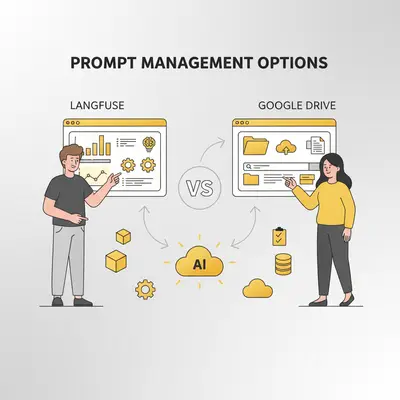
You're managing 50+ AI prompts across Google Docs, Notion, and your codebase. A prompt breaks in production—which version is live? Who changed it? How do you roll back without breaking customer experiences?
Path 1: Keep using Docs/Notion/Airtable—free, familiar, you can start today. But when you need to trace a production issue or roll back a prompt that's degrading performance, you're digging through revision history and manual logs.
Path 2: Migrate to a dedicated prompt ops tool like Langfuse or PromptLayer. Both have free tiers, and paid plans start at $29/month (Langfuse Core) and $49/month (PromptLayer Pro). You get version control, rollback, experimentation, and traceability out of the box, for some setup time.
Here's the truth most people miss: When prompt drift causes a production issue, lightweight repos force you to debug blindly. Dedicated tools let you trace the exact prompt version that caused problems—saving hours to days of investigation time.
Quick Win: Most teams start with lightweight repositories (Docs/Notion/Airtable) because they're familiar and fast. But once you're managing 50+ prompts or have a team of 3+, the lack of version control, rollback, and traceability starts costing more than a paid plan, which starts at $29–$49/month.
This guide cuts through the noise to help you choose the right prompt management approach for your scale. We'll cover:
- The real costs of each path (including the hidden time investment)
- When lightweight works vs. when you need dedicated tools
- How to know if you're underestimating maintenance and debugging complexity
- A practical decision framework to choose your path
By the end, you'll know whether to stay with lightweight repos, graduate to dedicated tools, or take a hybrid approach—and you'll understand the realistic timeline and costs for whichever path you choose.
Ready to make the right decision? Book a free consultation to get personalized recommendations for your prompt ops needs.
Why Prompt Management Matters in 2025
AI applications are no longer experiments — they're product features. As you scale, prompt ops must mature. Here's why prompt management is now mission critical:
- Scalability & organization: With multiple domains, languages, or personas, prompt volume grows fast. Folder-based systems (Drive, Sheets) break under volume.
- Versioning & lineage: You must track prompt updates, compare versions, rollback when performance degrades. A proper registry supports diff view and history.
- Experimentation & evaluation: Running A/B prompt experiments over datasets (input → expected outputs) helps you identify the top prompt variant.
- Observability & trace: In production, knowing which user saw which prompt version, latency, cost, and errors is vital for debugging.
- Collaboration & governance: Teams need role-based access, tagging metadata, prompt review workflows — Google Docs lacks these at scale.
When AI projects fail, drift in prompt versions is often the culprit. Managing it well prevents regressions, ensures consistency, and accelerates iteration.
Key Insight: Prompt drift in production causes subtle regressions that are expensive to debug. Without version control and traceability, you're flying blind when issues arise. One incident that takes a day to debug can cost more in engineering time than a year of a $29/month plan ($348).
Reality Check: Folder-based systems (Drive, Sheets) feel manageable at 10–20 prompts. At 50+ prompts across multiple domains, versions, and languages, they become unwieldy. You spend hours searching for the right prompt, lose track of which version is live, and can't easily roll back when things break.
Lightweight vs Dedicated — The Core Comparison
Here’s a head-to-head comparison of the two anchor options:
Langfuse Overview
Langfuse is an open-source platform for prompt ops — it supports prompt registry, versioning, tracing, metrics, and prompt experiments. It integrates easily with LangChain, OpenAI, LlamaIndex, and more. Strengths
- Central prompt registry with metadata
- Version diffing and history
- Experiment UI (run prompt variants on datasets)
- Traceability of prompt usage in live systems
- Analytics: cost, latency, failure rates
Weaknesses / Challenges
- Steeper learning curve
- Integration overhead for legacy systems
- Hosting / operational costs for self-managed deployments
Docs/Notion/Airtable (Lightweight) Overview
Many early‑stage teams start with lightweight repositories (Google Docs/Sheets, Notion, or Airtable) to centralize prompts. They rely on shared folders/databases, naming conventions, comments, and built‑in version history rather than code‑heavy workflows. This works for small volumes and quick iteration, but becomes hard to audit, diff, and scale once you have multiple personas, locales, or products.
Strengths
- Ubiquitous, zero setup, easy collaboration and comments
- Works well for small teams and rapid iteration
- Low/no cost; fast onboarding
Limitations
- Weak diffing and lineage across many variants
- Hard to trace which prompt version ran in production
- No experiment datasets, metrics, or rollbacks
Feature Comparison Table
| Feature | Dedicated Registries (e.g., Langfuse/PromptLayer/Helicone) | Lightweight Repositories (Docs/Notion/Airtable) |
|---|---|---|
| Version Diff / History | ✅ Full diff & history | ⚠️ Basic revision history |
| Prompt Experiment Support | ✅ Dataset-based runs / evals | ❌ Not supported |
| Traceability (live usage) | ✅ Tracks prompt → user / request | ❌ Manual / difficult |
| Analytics (latency, cost, errors) | ✅ Built-in dashboards | ❌ External tools/manual |
| Collaboration / Permissions | ✅ Role-based, metadata, approvals | ✅ Comments/sharing; limited structure |
| Setup / Cost | Infra/SaaS subscription | Low/no cost |
| Scaling to teams | ✅ Designed for scale | ⚠️ Becomes unwieldy at volume |
Verdict:
For early prototypes, lightweight repositories might suffice. But as your AI system matures, dedicated registries with observability (e.g., Langfuse + PromptLayer/Helicone) are superior for scalability, traceability, and control — paying off in fewer regressions, clearer audits, and faster iteration cycles.
Pro Tip: Start with lightweight repos to validate your prompt management needs. Graduate to dedicated tools when you're spending 4+ hours/week finding/debugging prompts, you have 50+ prompts across multiple domains, or you need audit trails for compliance/security.
Other Prompt Management Options Worth Considering
To expand your toolkit, here are three additional prompt ops tools worth evaluating:
1. PromptLayer
PromptLayer offers prompt versioning, logging, analytics, and A/B testing. It's a popular choice in the prompt engineering space because it balances usability and features. Teams use it to track prompt runs across multiple models, measure latencies & cost, and collaborate over variants.
2. Helicone
Helicone is more focused on observability: logging prompts, tracking cost and latency, and enabling search over prompt histories. It’s frequently paired with prompt registries to monitor runtime performance.
3. Mirascope
Mirascope is a developer-centric, open-source option for managing prompts within code workflows. Good for teams that already manage prompts in repositories or Jupyter notebooks — it integrates prompt versioning into developer pipelines without requiring a full UI layer.
These alternatives help round out your choices. Depending on your team's needs (analytics, UI, dev focus), they can complement or substitute parts of the Langfuse vs Drive story.
Decision Framework: 5 Questions to Choose Your Prompt Management Approach
Before choosing lightweight repos or dedicated tools, ask these five questions honestly. Most teams skip this and end up choosing based on what's familiar—which often leads to frustration at scale.
Question 1: How Many Prompts Are You Managing?
Current state assessment:
- <10 prompts → Lightweight repos work fine
- 10–50 prompts → You're approaching the limit where lightweight becomes unwieldy
- 50+ prompts → Dedicated tools start paying off with search, organization, and version control
Future growth:
- Do you expect to double prompt volume in the next year?
- Are you building multiple personas/languages/locales?
- How many domains/products will you support?
If volume is growing → Dedicated tools prevent pain later
Question 2: Do You Need Version Rollback and Traceability?
Lightweight repos provide:
- Basic revision history in Docs
- Manual tracking of what changed and why
- No easy rollback to specific production versions
Dedicated tools provide:
- Explicit version tagging and diff views
- Traceability: Which prompt version ran for each user request
- One-click rollback to previous stable versions
If you're in production and prompt changes affect users → Dedicated tools reduce risk
Question 3: Is Someone Available to Learn and Maintain the System?
Lightweight requirement:
- Minimal learning curve (uses familiar tools)
- Someone manages folder organization and naming conventions
- ~2–4 hours/month for organization and search
Dedicated tools requirement:
- Someone learns the platform (1–2 weeks for Langfuse, 1 week for PromptLayer)
- Ongoing maintenance for integrations and tooling (3–5 hours/month)
- Team member becomes "prompt ops expert"
If no one can dedicate learning time → Lightweight is pragmatic
Question 4: What's Your Budget for Tooling and Time Investment?
Lightweight true cost:
- Platform cost: Often already covered by your Notion or Google Workspace plan
- Time investment: 2–4 hours/month managing organization
- Hidden cost: 8–24 hours/year debugging production issues without traceability
Dedicated tools true cost:
- Platform cost: Free to self-host, $29–$199/month on Langfuse Cloud, or $49–$500/month on PromptLayer
- Learning curve: 20–40 hours ($2K–$4K opportunity cost at $100/hour)
- Ongoing maintenance: 3–5 hours/month ($300–$500/month opportunity cost)
Total first-year cost: Lightweight is mostly your team's time. Dedicated adds a plan from $0 to $500/month, plus the learning and maintenance hours above.
If budget is very tight → Lightweight until you hit scale/complexity pain
Question 5: How Fast Do You Need Production-Grade Prompt Ops?
Timeline pressures:
- Immediate: Lightweight repos let you start organizing today
- 1–2 weeks: Dedicated tools require learning curve and integration
- No rush: You can learn dedicated tools on your own timeline
Speed vs. capability trade-off:
- Lightweight: Fast to start, hits limits at scale
- Dedicated: Slower to onboard, but scales indefinitely
If you need traceability and rollback urgently → Dedicated tools If you're prototyping and speed matters → Lightweight repos
Decision Matrix Summary
| Question | Lightweight Repos | Dedicated Tools |
|---|---|---|
| Prompt volume | <50 prompts | 50+ prompts |
| Need rollback? | No | Yes |
| Production system? | No/early stage | Yes |
| Team size | 1–2 people | 3+ people |
| Budget | Minimal cash | $0–$500/month plus setup time |
| Learning time available | No | Yes (20–40 hours) |
| Timeline pressure | Start today | 1–2 weeks setup OK |
Quick decision rule:
- Answer 3+ questions pointing to dedicated tools → Graduate to Langfuse/PromptLayer
- Answer 3+ questions pointing to lightweight → Stay with Docs/Notion for now
- Mixed answers → Start lightweight, plan migration at 50+ prompts or when you hit production issues
Reality Check: Most teams underestimate prompt volume growth and debugging complexity. If you're managing 30+ prompts and haven't hit pain yet, you will within 6–12 months as you add personas, locales, or new products.
Step-by-Step Guide to Choosing & Implementing Prompt Ops
Here’s a 6-step approach to migrate from a scattered prompt storage to a robust prompt operations stack.
-
Audit Existing Prompts
- Gather every prompt file or variant, name them, tag metadata (domain, version, model).
- Create an index: which are live, archived, experimental.
-
Define Requirements & Evaluate Features
- List must-have features: diff view, prompt experiments, metrics, traceability, permissions.
- Test candidate tools (Langfuse, PromptLayer, Helicone) with a small subset of prompts.
-
Integrate Prompt Registry into Code / APIs
- Replace inline prompt strings with registry references (IDs).
- Implement fallback logic / templating.
-
Set Up Experimentation & Benchmarking
- Build datasets with inputs + human-judged expected outputs.
- Run prompt variants, evaluate against metrics (accuracy, error rate).
- Collect results in UI or via APIs.
-
Enable Monitoring & Rollback Capabilities
- Log which prompt version was served for each user request.
- Track latency, cost, errors, output drift.
- Allow rollback to previous prompt version if performance declines.
-
Govern, Collaborate & Scale
- Define roles and user permissions (author, reviewer, admin).
- Use tagging, metadata, search filters in prompt registry.
- Regular audits: retire stale prompts, version older ones, ensure prompt hygiene.
Quick Win: Start with one domain (e.g. chatbot) for your pilot before extending across all AI products. This lets you validate the tool and process with minimal risk before scaling to all prompts.
Actionable timeline estimate: Full migration for 50–100 prompts takes 4–8 weeks:
- Week 1–2: Tool selection, audit existing prompts, design taxonomy
- Week 3–4: Integrate registry into code, set up APIs
- Week 5–6: Build benchmark datasets, run initial experiments
- Week 7–8: Enable monitoring, train team, go live
Opportunity cost: Expect to invest 60–100 hours total (including learning curve, integration, and testing). At $100/hour, that's $6K–$10K in time investment—but it pays for itself when you trace a production issue in minutes vs. days.
Ready to implement? Book a free consultation to get a personalized prompt ops migration plan.
When Lightweight Works (And When It Doesn't)
Choose Lightweight When:
- <10–20 prompts across 1–2 domains
- 1–2 person team managing all AI prompts
- Prototyping/early stage where speed > rigor
- No compliance/audit needs (no healthcare, finance, or security requirements)
- Cash-constrained with no budget for tooling
- Informal workflows where "good enough" organization suffices
Example: Early-stage SaaS building an AI writing assistant. 5 prompts for different use cases, managed in Notion. Works great for 6 months. Then they add 3 languages, and suddenly they have 20 prompts. Still manageable, but they're starting to hit limits.
Choose Dedicated Tools When:
- 50+ prompts or expected to reach 50+ within 12 months
- 3+ person team where coordination and collaboration matter
- Production system where prompt changes affect real users
- Need audit trails for compliance, security, or debugging
- Budget available for tooling (paid plans start at $29–$49/month)
- Multiple domains/products requiring organization and search
- A/B testing or experimentation is part of your workflow
Example: B2B SaaS company with AI-powered email parsing, lead scoring, and customer support. 80 prompts across 5 products, managed by 4-person team. They upgrade to a dedicated tool after debugging a production issue takes 2 days instead of 2 hours.
Reality Check: The transition point from lightweight to dedicated is usually 30–50 prompts or when debugging production issues becomes expensive (8+ hours without clear answers). If you're there, it's time to graduate.
When Dedicated Tools Pay Off
Cost-Benefit Analysis
Scenario: Small team with 60 prompts in production
Without dedicated tools:
- Finding the right prompt: 20 minutes × 5 times/week = 1.7 hours/week
- Debugging production issues without traceability: 8–24 hours/incident × 2 incidents/quarter = 48 hours/quarter
- Manual version tracking: 1 hour/week
- Total: ~83 hours/quarter = $8,300/quarter at $100/hour
With Langfuse Pro ($199/month):
- Finding prompts: Instant search
- Debugging with traceability: 1–4 hours/incident × 2 incidents/quarter = 8 hours/quarter
- Version management: Automated
- Total: ~$600/quarter + 8 hours/quarter ($800) = $1,400/quarter
ROI: Saves about $6,900/quarter in this scenario
Risk Reduction: Version Control Prevents Costly Mistakes
The cost of prompt drift:
- Prompt performance degrades over time
- Without rollback: Lost revenue, support tickets, reputation damage
- With rollback: One-click revert to stable version
Example: A prompt update raises the error rate. Without version control, finding the change takes days. With versioned prompts, you roll back in minutes.
Time-to-Value Analysis
Learning curve investment:
- Langfuse self-hosted: 40–60 hours to set up and learn ($4K–$6K at $100/hour)
- Langfuse Cloud: 20–30 hours to learn ($2K–$3K at $100/hour)
- PromptLayer: 15–25 hours to learn ($1.5K–$2.5K at $100/hour)
Break-even:
- If you have <10 production incidents/year that take 8+ hours to debug without tools → Lightweight is fine
- If you have 10+ incidents or long debugging sessions → Dedicated tools break even within Year 1
Key Insight: The "free" lightweight approach becomes expensive at scale. Time spent searching for prompts, debugging without traceability, and losing productivity to manual management often exceeds the cost of dedicated tools by Year 2.
Book a consultation to calculate ROI for your specific prompt ops situation.
Real Case Studies: Teams Upgrading Prompt Ops in 2025
1. AI Design Platform (Langfuse Migration)
Magic Patterns, an AI platform for generating UI components, managed millions of design generations but faced challenges in visibility and support. They migrated to Langfuse, integrating it for tracing multi-step AI pipelines with AWS Bedrock and Anthropic APIs. Within months, they achieved:
- Less than 8-minute average support resolution
- Processing millions of generations while profitable
- 50% month-over-month growth Their success highlights how structured prompt ops enable rapid iteration and deep visibility. 📖 Source: Building AI Design Tools at Scale - Langfuse
2. Customer Support Helpdesk (PromptLayer Implementation)
Gorgias, the #1 helpdesk for Shopify, used PromptLayer to automate customer support with AI Agent. They stored, versioned prompts, ran evaluations, and reviewed logs for improvements. Over five months, a 10-person team made:
- 1,000+ prompt iterations
- 500 evaluation reports
- AI handling 20% of email conversations This scaled automation 20x, turning AI into a key revenue driver. 📖 Source: Gorgias Uses PromptLayer to Automate Customer Support at Scale
3. AI Testing Company (Helicone Observability)
QA Wolf, an AI company for testing, used Helicone for LLM observability in their multi-agent system. They implemented random sampling of production data for prompt evaluation, logging, and iteration. This enabled:
- Faster iterations with real-world data
- Better generalization without overfitting
- Cost-effective monitoring Helicone supported agile development, improving AI agents efficiently. 📖 Source: Prompt Evaluation Explained: Random Sampling vs. Golden Datasets
Common Mistakes to Avoid in Prompt Management
These are the patterns I see most often—and they all lead to the same outcome: wasted time debugging production issues and missed opportunities for iteration.
1. "We Don't Need Version Control" Mistake
The mistake: Using lightweight repos past 50+ prompts, assuming manual tracking works.
The reality: Without explicit versioning, you can't answer "which prompt version caused this bug?" or "when did performance degrade?"
How to avoid: Track version numbers manually (prompt_v1.md, prompt_v2.md) even in lightweight repos. Or graduate to dedicated tools when you hit 30–50 prompts.
2. Hard-Coding Prompts in Code
The mistake: Embedding prompt strings directly in application code without a registry.
The reality: Changes require code deploys, you can't A/B test variants, and there's no central source of truth.
How to avoid: Use environment variables or a registry (even a simple spreadsheet/Notion table) to store prompts. Reference by ID in code.
3. Poor Naming Conventions
The mistake: "customer_support_v3_final_updated.md" and "customer_support_new.md" in the same folder.
The reality: Can't find prompts, duplicate work, unclear which is live.
How to avoid: Use consistent naming: domain_persona_language_version.md (e.g., support_helpful_english_v2.md). Document conventions and enforce them.
4. Skipping Prompt Experiments
The mistake: Deploying prompt changes without testing variants first.
The reality: Prompt B might perform worse than Prompt A, but you won't know until it's in production affecting users.
How to avoid: Run A/B tests on datasets before deploying. Dedicated tools make this easier, but even lightweight repos can use spreadsheets to test variants.
5. No Monitoring or Rollback Plan
The mistake: Deploying new prompts without monitoring or a plan to roll back if things break.
The reality: Production issues persist for days while you debug, causing revenue loss and user frustration.
How to avoid: Set up alerts for error rates, latency increases, or output quality degradation. Have a rollback procedure ready.
6. Underestimating Maintenance Effort
The mistake: Assuming lightweight = low maintenance.
The reality: As prompt volume grows, time spent searching, organizing, and debugging increases exponentially. At 100+ prompts, you're spending 10–15 hours/week managing the system.
How to avoid: Acknowledge that maintenance scales with volume. Dedicated tools reduce per-prompt maintenance time through automation and search.
Reality Check: Most teams stay with lightweight repos too long because it feels "free." At 50+ prompts, the time spent finding, tracking, and debugging prompts by hand can exceed the cost of a dedicated tool.
Avoiding these helps maintain prompt hygiene and reliability.
Conclusion
Prompt management is no longer optional — it’s foundational to scalable AI. Dedicated registries + observability offer a feature‑rich, scalable solution; lightweight repositories work only in early stages. Adding PromptLayer, Helicone, Mirascope gives you flexibility depending on your team’s needs.
Key takeaway: Migrate from ad-hoc prompt storage to versioned prompt systems, run prompt experiments, monitor usage, and enable rollback.
The decision framework above helps you choose the right path for your scale. Most teams should start lightweight and graduate to dedicated tools at the 30–50 prompt mark or when production debugging becomes expensive.
Ready to build prompt ops in your AI stack? Book a consultation with Evalics today to get a personalized prompt ops roadmap.
FAQ
What is prompt management?
It’s the practice of versioning, storing, tracing, and analyzing prompts in LLM-based systems—like a content management system for prompts.
Why not just stay in Docs/Notion/Airtable?
Lightweight tools are easy but lack robust diffing, experiment support, traceability, metrics, and rollback capabilities at scale.
Is Langfuse open source?
Yes — it provides open-source components for prompt ops with enterprise enhancements.
How much does a prompt ops tool cost?
True costs vary significantly:
Lightweight (Docs/Notion/Airtable):
- Platform: $0–$25/month
- Time: 2–4 hours/month managing organization (~$200–$400/month at $100/hour)
- Hidden cost: 8–24 hours/year debugging without traceability
Dedicated Tools:
- Langfuse Cloud: free, $29/month (Core), or $199/month (Pro) (Langfuse pricing)
- PromptLayer: free, $49/month (Pro), or $500/month (Team) (PromptLayer pricing)
- Self-hosted (Langfuse): Infrastructure + 40–60 hours setup time
- Learning curve: 20–40 hours ($2K–$4K one-time opportunity cost)
First-year total: Lightweight ~$2K–$5K (mostly time). Dedicated: $2K–$4K of learning time plus $0–$6,000 a year in plan fees, depending on the plan.
ROI typically comes in Year 2 for teams managing 50+ prompts or experiencing frequent debugging.
Can small teams benefit from prompt ops?
Absolutely — versioning, rollback safety, and analytics save time and prevent costly mistakes even at smaller scale.
Decision rule for small teams (1–3 people):
- <20 prompts → Start with lightweight repos (Docs/Notion)
- 20–50 prompts → Consider graduation to dedicated tools if you're debugging 4+ hours/month
- 50+ prompts → Dedicated tools start paying off with ROI in Year 1–2
Most teams need basic organization first. Dedicated tools add advanced features, but they come with a learning curve.