Prefer a full transcript? Open the video watch page.
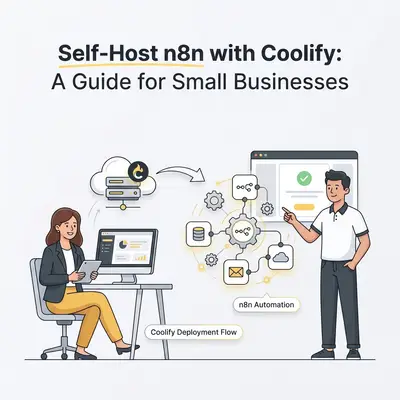
Self-hosting n8n with Coolify is the process of running your own automation server on a private Virtual Private Server (VPS) using a management dashboard to handle the technical heavy lifting. This approach allows small businesses to bypass expensive per-workflow pricing models while maintaining full data sovereignty and control over their automation infrastructure.
Why Should Small Businesses Self-Host n8n with Coolify?
Self-hosting n8n via Coolify allows small businesses to bypass expensive per-workflow pricing models while maintaining full data sovereignty. By leveraging a VPS and Coolify’s intuitive dashboard, you gain unlimited automation potential for a flat monthly cost. This ensures your business processes scale without your software subscription costs scaling alongside them.
Self-hosting replaces per-execution SaaS pricing with a fixed server cost, which is why it tends to win at high volume. It also gives you full access to your own execution logs, rather than whatever a third-party platform chooses to surface.
What Prerequisites Do You Need Before Starting?
To begin your self-hosting journey, you need a Virtual Private Server (VPS) running Ubuntu 22.04 or higher, a registered domain name, and basic familiarity with SSH. Having these components ready ensures a smooth deployment process, as Coolify acts as the orchestration layer that handles the complex containerization and networking for your n8n instance.
You do not need to be a Linux expert to manage this setup. Coolify acts as a bridge, translating your clicks in a web browser into the necessary Docker commands on your server. Ensure your VPS has at least 2GB of RAM to handle n8n and the underlying Coolify services comfortably.
How Do You Install Coolify on Your Server?
Installing Coolify is a streamlined process that requires running a single installation script on your fresh VPS. This script automatically configures Docker, sets up the necessary networking, and prepares your server to act as a private cloud, allowing you to deploy n8n and other automation tools with just a few clicks.
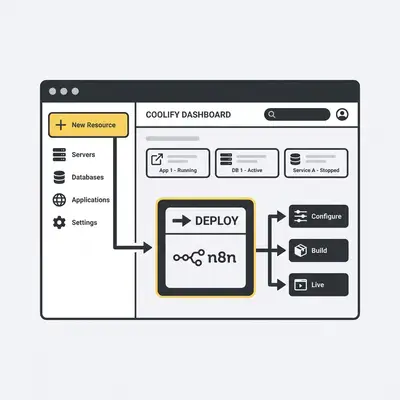
Once the script finishes, you will receive a URL to access your Coolify dashboard. From there, you can connect your GitHub account or use public Docker images to start building your private automation stack.
How Do You Deploy n8n Using Coolify?
Deploying n8n through Coolify involves a simple 7-step workflow that eliminates the need for manual Docker Compose file editing. Follow these steps to get your automation engine running:
- Log into your Coolify dashboard and select "New Resource."
- Choose "Public Repository" and search for the official n8n Docker image.
- Define your project name and environment settings.
- Configure your environment variables, specifically setting
N8N_HOSTandN8N_PORT. - Map your domain name to the container within the Coolify "Domains" tab.
- Click "Deploy" and wait for the container status to turn green.
- Access your new n8n instance via your browser to begin building workflows.
Pro Tip: Always enable SSL/TLS within the Coolify domain settings to ensure your automation webhooks are secure and encrypted.
What Are the Common Pitfalls When Self-Hosting?
The most common pitfalls include failing to configure persistent storage, neglecting security updates, and mismanaging environment variables. Without persistent storage, your workflows will be wiped if the container restarts. Without regular updates, you risk exposing your business data to vulnerabilities that the n8n team has already patched in newer versions.
Reality Check: Self-hosting requires you to take responsibility for your own backups. While Coolify makes deployment easy, you must ensure your VPS provider has a snapshot or backup system enabled to protect your workflow data.
How Do You Maintain and Scale Your n8n Instance?
Maintenance involves regular one-click updates via the Coolify dashboard and monitoring your VPS resource usage to ensure your workflows have enough RAM. As your business grows, you can easily scale by upgrading your VPS tier or adding more containers for specialized tasks, all managed from the same centralized Coolify interface.
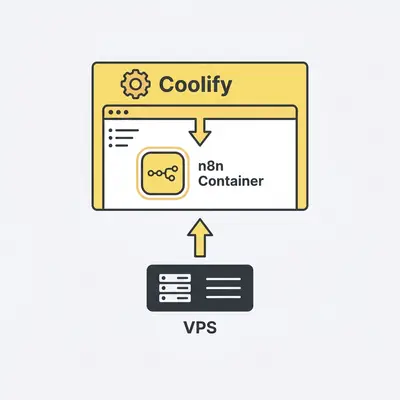
Key Insight: Because you own the infrastructure, you can scale your automation capacity by simply upgrading your VPS CPU and RAM. This is significantly more cost-effective than paying for "premium" tiers on SaaS platforms that limit your execution speed or concurrent workflow runs.
Quick Win: Need help setting up your first automated workflow? Contact the Evalics team for a custom automation audit.