
You’re setting up your first AI automation, and everything is going smoothly. Then, you hit a wall. The application asks for your "API Key," and suddenly, you're wondering if you've stumbled into a members-only club where you don't know the secret handshake.
Don't worry—you're not alone. This is a common stumbling block for beginners, but the concept is much simpler than it sounds. An API key is just a tool, and by the end of this guide, you'll understand what it is, why it's important, and how to use it safely and confidently.
What's an API Key, Really? (In Simple Terms)
Think of an API key as a secure password, but for applications instead of people. It’s a unique string of letters and numbers that gives your software permission to talk to another piece of software.
When you use a tool like Zapier to connect to OpenAI's GPT-4, the API key acts as your digital key. It proves that your request is legitimate and authorized to access the service. It’s how OpenAI knows the request is coming from you (or, more specifically, your application) and not from an unauthorized user.
Key Insight: An API key isn't just a password for you; it's a unique identifier for your application. It tells services like OpenAI, "Hey, it's me, this specific automation, and I'm authorized to make a request."
Where Do I Find My API Key? (A Quick Walkthrough)
Finding your API key is usually a straightforward process. Let’s walk through how to find it on OpenAI’s platform, as it’s one of the most common tools for AI automation.
- Log in to your OpenAI account: Go to the OpenAI website and sign in.
- Navigate to the API section: Look for a menu item or link that says "API" or "Developers."
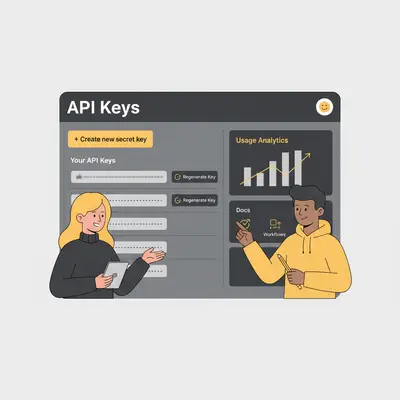
- Find your API keys: In your account settings, you should see a section labeled "API Keys." Here, you can view your existing keys or generate a new one.
The process is similar for most other platforms, like Google Workspace or Stripe. Just look for a "Developer," "API," or "Settings" section in your account.
The Golden Rule: How to Keep Your API Key Safe
Your API key is powerful. If it falls into the wrong hands, someone could use it to make requests on your behalf, which could lead to unexpected costs or data breaches. Protecting it is non-negotiable.
Reality Check: Leaking an API key can lead to someone else using your account, racking up huge bills, and potentially accessing your data. This isn't a theoretical risk; it happens all the time.
Here are a few crucial safety tips to keep your keys secure:
- Never share it publicly: Avoid posting your API key in public forums, client-side code, or version control systems like GitHub.
- Use environment variables: Instead of hardcoding keys directly into your scripts, store them as environment variables. This keeps them separate from your code.
- Don't send it in emails or chats: Treat your API key like a password. Avoid sharing it through insecure channels.
- Revoke and regenerate: If you ever suspect your key has been compromised, immediately revoke it in your account settings and generate a new one.
For more detailed information, check out these API security best practices.
Understanding API Costs: No More Surprise Bills
Many APIs, including OpenAI's, operate on a pay-as-you-go model. This means that every time your automation makes a request, it can incur a small cost. While these costs are often minimal, they can add up if your automation runs frequently or if your key is misused.
To avoid surprise bills, it’s essential to set spending limits.
Pro Tip: Always start with a low spending limit when testing a new automation. You can set a monthly budget cap (e.g., $5) in your OpenAI account settings to prevent any runaway costs.
By monitoring your usage and setting limits, you can experiment with AI automation without worrying about breaking the bank. You can find more details in the OpenAI API documentation.
Conclusion: You've Got the Keys to the Kingdom
API keys might seem technical, but they're just a simple, secure way for your applications to communicate. Now that you understand what they are, where to find them, and how to protect them, you're ready to start building powerful AI automations with confidence.
You've moved past the secret handshake and are now an official member of the club. The key to unlocking the full potential of AI automation is now in your hands—just be sure to keep it safe.
Ready to put your newfound knowledge to use? If you want to build powerful, secure automations for your business, we're here to help. Book a demo with Evalics to see how we can bring your ideas to life.
FAQ
1. What's the difference between an API key and a password? A password grants access to a user account, while an API key grants access to an application or script. Think of it as a password for your software.
2. Is it safe to store an API key directly in my code? No, this is a significant security risk. If your code is ever exposed, so is your key. Always use environment variables or a secure secret manager.
3. What should I do if my API key gets stolen or exposed? Immediately log in to your account, revoke the compromised key, and generate a new one. Update your applications with the new key.
4. How often should I change (or rotate) my API key? For high-security applications, it's good practice to rotate keys every 90 days. For personal projects, you can do it less frequently, but be sure to change it immediately if you suspect a leak.
5. Can I use the same API key for multiple applications? You can, but it's better to generate a separate key for each application. This way, if one key is compromised, you can revoke it without affecting your other tools.
6. Do all APIs require a key to use? No, many public APIs are open and don't require a key. However, most commercial or data-sensitive APIs require one for authentication and to track usage.
7. How can I monitor my API usage to track costs? Most platforms, including OpenAI, provide a dashboard where you can see your API usage in real-time and view your billing history.
By Kevin Michael Schindler, AI Automation Expert at Evalics