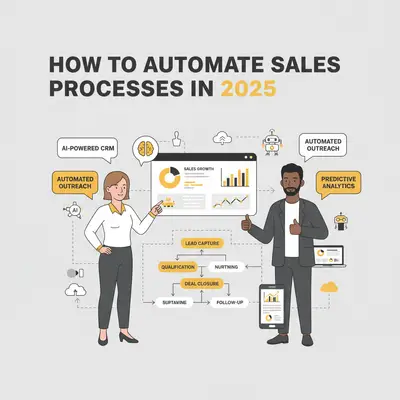
Sales automation in 2025 is all about saving time, boosting efficiency, and improving sales outcomes using AI tools. These tools handle repetitive tasks like data entry, lead routing, and follow-ups, allowing sales teams to focus on selling. Beyond time savings, AI predicts lead behavior, personalizes outreach, and improves decision-making with accurate forecasting.
Key Benefits of Sales Automation:
- More Productivity: Automates admin work, freeing up time for selling.
- Faster Sales Cycles: Quickly routes leads and schedules meetings.
- Personalized Outreach: Tailors messages based on customer behavior.
- Better Forecasting: Analyzes data to predict trends and risks.
Top Tools and Features:
- CRM Automation: Updates profiles, scores leads, and manages follow-ups.
- Predictive Analytics: Identifies high-priority leads and forecasts revenue.
- AI Chatbots: Qualifies leads, handles inquiries, and schedules meetings.
- Automated Outreach: Sends personalized, behavior-driven messages.
To get started, map your sales process, identify bottlenecks, and set clear goals. Choose tools that integrate with your systems and align with your team’s needs. Regularly monitor performance, test improvements, and refine workflows to ensure ongoing success.
I Built an AI Sales Rep That Books Calls Automatically (2025)
AI Technologies That Power Sales Automation
Today's sales automation tools are powered by advanced AI technologies that simplify data management and predict deal outcomes. Knowing how these technologies work can help you select tools that fit your sales strategy, making your team more effective and focused.
CRM Automation
AI has transformed traditional CRM systems into proactive sales assistants that streamline customer interactions. These advanced systems can automatically score leads by analyzing behaviors such as email opens, website activity, and social media engagement. Instead of manually evaluating prospects, sales reps get instant insights into a lead's readiness to buy.
Automated data entry is another game-changer. AI captures details from emails, calls, and meetings, keeping customer profiles current without human effort. This ensures every profile reflects the latest interaction history, preferences, and deal progress, saving sales teams countless hours.
Smart CRMs also handle follow-ups automatically. They monitor when prospects last engaged and send reminders to reach out at the right time. Some systems even draft follow-up messages tailored to previous conversations and customer behaviors.
Lead routing becomes instantaneous with AI, assigning prospects to the most appropriate sales reps based on predefined criteria. This seamless process sets the stage for predictive analytics to further refine sales strategies.
Predictive Analytics
Predictive analytics uses data from past deals and current trends to forecast future sales, helping teams focus on the most promising opportunities. By analyzing thousands of data points, these systems identify patterns that indicate which deals are most likely to close and when.
Deal scoring is a standout feature. AI evaluates factors like engagement levels, company size, budget, and timelines to prioritize high-probability opportunities. This allows sales reps to dedicate their energy to leads most likely to convert while automating follow-ups for less urgent prospects.
Pipeline forecasting becomes more precise with AI's ability to process multiple data sources. By considering deal stages, historical close rates, seasonal trends, and market conditions, these systems provide accurate revenue predictions. This helps managers allocate resources wisely and set realistic goals.
AI also flags potential risks by monitoring changes in prospect behavior, such as reduced email engagement or delayed responses. These alerts give sales teams a chance to intervene early and prevent deals from slipping away.
Beyond analysis and forecasting, AI enhances customer interactions through chatbots and virtual assistants.
AI Chatbots and Virtual Assistants
AI chatbots are available around the clock, handling initial customer interactions, capturing leads, and qualifying prospects - even when your team is offline. These bots engage visitors with questions tailored to their behavior, ensuring a personalized experience.
Real-time lead qualification is another strength. Chatbots ask targeted questions about budgets, timelines, and decision-making authority to identify high-quality prospects. They can then schedule meetings or direct leads to the right team members.
Quick responses are crucial during the early stages of engagement. AI assistants ensure prospects receive immediate answers to their inquiries, keeping their interest alive. Whether it’s replying to a contact form submission or addressing a question, these bots provide relevant information and next steps without delay.
Scheduling meetings is also effortless with virtual assistants. They integrate with calendar systems to propose times, send invites, and even reschedule appointments based on natural language requests.
From here, AI-driven outreach tools take over to maintain proactive engagement across multiple channels.
Automated Sales Outreach
AI-powered outreach tools enable personalized communication at scale. By analyzing prospect data, these tools craft tailored emails, LinkedIn messages, and call scripts that resonate with individual recipients.
Automated email sequences guide leads through multi-touch campaigns that adjust based on recipient behavior. For instance, if someone opens an email but doesn’t reply, the system might follow up with a different message. If they click a specific link, it triggers content focused on that interest.
Personalization goes beyond just including a prospect’s name. AI pulls in details like company news, recent promotions, or industry challenges to create messages that feel genuinely relevant. For example, it might reference a prospect’s recent career milestone or their company’s new product launch.
Timing is everything in sales, and AI ensures messages are sent when prospects are most likely to engage. By analyzing historical data, these tools determine the best times to reach specific industries, roles, or individuals. They even adjust for time zones and past engagement patterns.
AI also coordinates outreach across multiple channels, such as email, social media, and phone calls. It ensures consistent messaging while varying the method and timing to maximize responses without overwhelming prospects.
Together, these AI technologies create a seamless automation system that handles repetitive tasks while empowering sales teams with actionable insights. The key is selecting tools that integrate seamlessly and align with your sales process.
How to Select and Deploy Sales Automation Tools
Choosing the right sales automation tools is all about identifying your team's challenges and finding solutions that fit seamlessly into your workflow. The goal? Turn insights into action and deliver measurable results that make a difference from day one.
Steps to Find the Right Tools for Your Business
Start with a deep dive into your sales process. Map out every step, from how leads enter your system to how deals close. Get input from your team to uncover where leads originate, how they move through your pipeline, and where things slow down or fall apart. This process will help you spot bottlenecks and inefficiencies.
As you review, look for tasks that eat up time, such as manual data entry, lead research, follow-ups, or updating the pipeline. Did you know sales reps spend only about 35% of their day actively selling? The rest is swallowed by administrative work [3].
Identify your biggest obstacles. What tasks are slowing your team down, causing leads to slip through the cracks, or delaying deals? These pain points will guide you to the areas where automation can have the most impact.
Set clear goals. Before diving into tools, define what success looks like. Whether it’s cutting response times, boosting lead conversions, or shortening sales cycles, having specific targets will help you choose tools that can deliver. For instance, responding to leads within five minutes can quadruple lead qualification rates [1].
Also, think about your team’s comfort level with new technology. Tools that are overly complex or require extensive training may face resistance. Start with user-friendly options that can deliver immediate results, then build toward more advanced solutions.
Finally, evaluate how well each tool integrates with your current systems and whether it can scale as your business grows.
Comparing Features and Integration Options
Focus on integration over features. A tool’s ability to connect seamlessly with your CRM, email, calendar, and communication platforms is more important than having an overwhelming list of features. Pre-built integrations with platforms like Salesforce, HubSpot, Microsoft 365, and Google Workspace are often more reliable and easier to maintain than custom-built solutions.
Plan for growth. Choose tools that can handle more data and evolving workflows as your team expands. Avoid systems that might require a costly overhaul down the line.
When comparing costs, look beyond the initial price tag. Factor in implementation time, training, support, and potential integration expenses. Sometimes, a tool that seems affordable upfront can end up costing more in the long run due to hidden costs like customization and maintenance.
Test tools in real-world scenarios. Use your actual data and processes to see how well each tool performs. This will give you a better sense of whether it can meet your specific needs.
Lastly, consider the vendor’s track record. Partner with companies that stay on top of AI advancements and consistently roll out updates, so your automation strategy doesn’t fall behind.
Setting Up Automation Solutions with Evalics
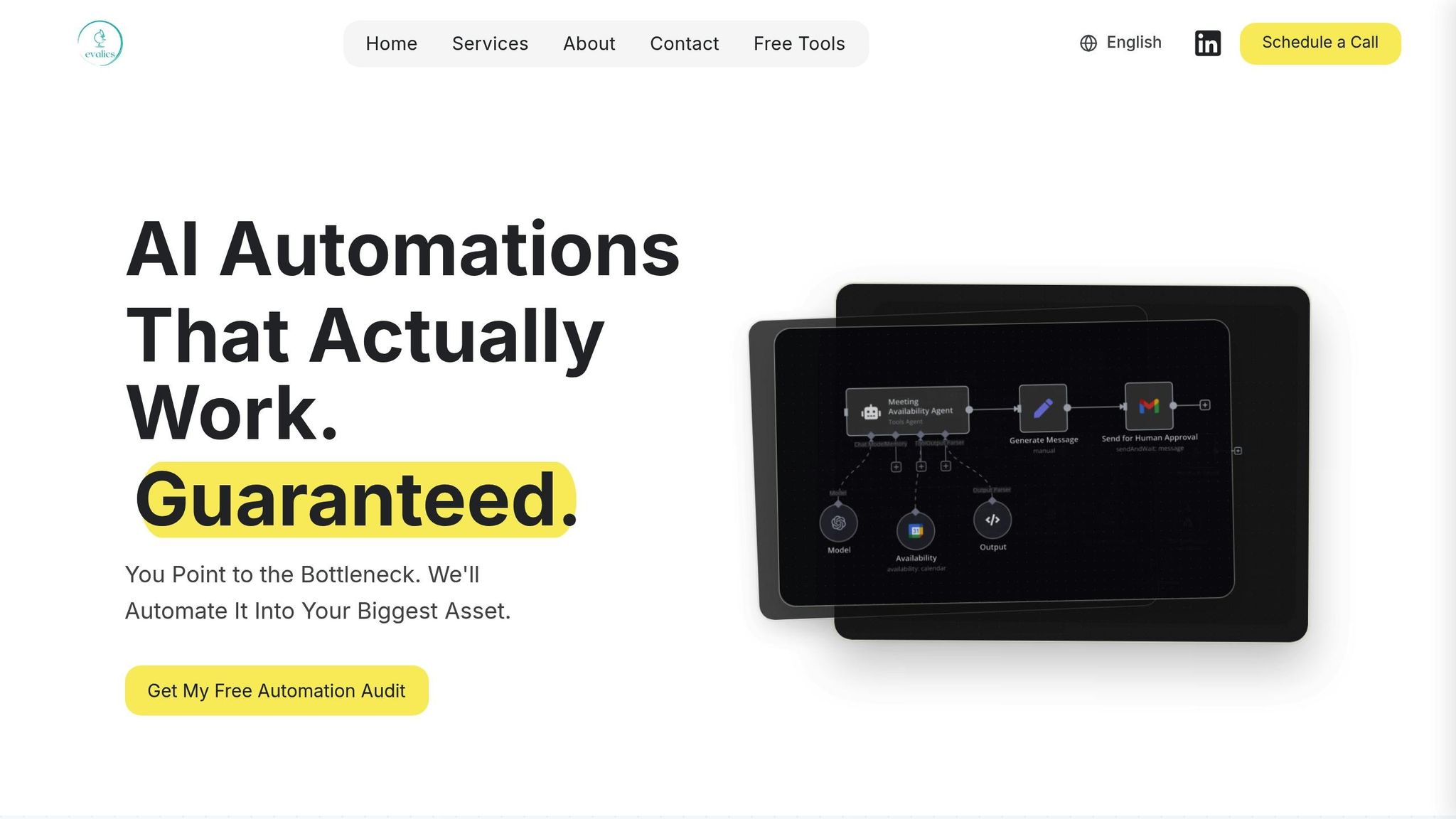
Once you’ve narrowed down your options, it’s time to implement tools that deliver quick wins. Evalics, for example, offers tiered solutions designed to meet businesses at different stages of growth.
- AI Automations Package ($1,000–$10,000, 1–4 weeks): This entry-level option focuses on eliminating repetitive tasks with a simple drag-and-drop interface. It integrates easily with your existing tools and automates high-impact processes like lead generation and outreach while keeping personalization intact.
- Custom Solutions & Collaboration ($10,000–$40,000, 3+ months): This package includes an in-depth audit of your sales ecosystem. It creates cross-functional workflows that connect sales, marketing, and customer success teams through tailored API integrations and detailed documentation.
- AI Accelerator Partnership ($40,000+, 6+ months): Designed for enterprise-level organizations, this option provides ongoing optimization and team training. It ensures your automation strategy evolves alongside your business while building internal expertise for sustained success.
Implementation with Evalics begins with mapping workflows and identifying bottlenecks. From there, high-impact automations are deployed quickly, delivering measurable ROI within the first month. This momentum sets the stage for more advanced automations down the road.
Training and support are central to Evalics’ approach. The platform offers hands-on sessions, comprehensive standard operating procedures (SOPs), and ongoing assistance to ensure your team fully benefits from the tools.
Businesses using Evalics report 23% higher win rates, 18% shorter sales cycles, and a 31% boost in sales productivity compared to those relying on traditional methods [2]. The platform's analytics also provide ongoing insights, helping you fine-tune automations for maximum ROI as your business scales. With Evalics, your investment in automation doesn't just pay off - it keeps growing with you.
Best Practices for Automated Sales Workflows
Getting the most out of automation in sales requires a thoughtful approach. The difference between automation that simplifies your processes and one that creates more problems lies in how you plan and implement it.
Start with Simple, High-Impact Automations
Kick things off with automations that solve obvious problems and deliver quick wins. Focus on repetitive tasks that eat up time, like assigning leads, sending follow-up emails, or syncing data between systems. These are straightforward changes that can make a noticeable difference.
For example, if your sales team spends hours every week manually updating CRM records, automating that process can free up valuable time. Prioritize automations that happen frequently or impact a lot of people - this ensures you're tackling areas where efficiency gains will be most felt.
Stick to automations with clear, measurable outcomes. Tools like automated lead scoring or email nurturing can help your team quickly identify and engage high-priority prospects. Resist the urge to dive into complex, multi-step workflows right away. While advanced automations can be powerful, they’re also more prone to glitches and require more troubleshooting. Start small with reliable, single-step automations and build from there as your team grows comfortable with the tools.
Before rolling out any automation across your entire organization, test it thoroughly. Begin with a pilot program involving a small group of users. This allows you to identify and fix any issues before they impact your broader sales operations. Once you’ve ironed out the kinks, you can extend these optimized processes to other teams for smoother collaboration.
Work Across Teams
Automation works best when it connects your marketing, sales, and customer success teams, creating a unified experience for customers. Collaboration across these departments ensures smoother handoffs and shared visibility into the customer journey.
Start by mapping how leads move through your pipeline - from marketing generating leads to sales converting them and customer success ensuring satisfaction. Each transition point is a chance to use automation to reduce friction and keep leads from slipping through the cracks.
Training and change management are key. Even the most advanced automation tools won’t work if your team doesn’t know how to use them effectively. Offer targeted training sessions to show how automation fits into everyday workflows. Create clear documentation for each automated process, detailing what triggers it, what actions it performs, and when human input is needed. This documentation is invaluable for troubleshooting and onboarding new team members.
To make the transition smoother, designate "automation champions" within each team. These power users can help their colleagues adjust to new workflows and act as liaisons between technical implementation and day-to-day use. Involving team members - especially skeptics - in the setup process can also help foster buy-in. People are more likely to embrace changes when they’ve had a say in shaping them.
Track and Improve Workflows
Monitoring and refining your automations is just as important as setting them up. Use dashboards to track metrics like completion rates, error frequencies, and time saved. This data helps you see what’s working well and what could use a tweak.
Don’t rely solely on numbers - listen to user feedback too. Even if an automation functions as planned, it might still frustrate your team if it doesn’t align with their actual workflow. Regular check-ins can help you catch and address these issues early.
Schedule monthly reviews with representatives from all affected teams to evaluate how automations are performing and brainstorm improvements. A/B testing can also be a powerful tool for refining processes. For instance, test different email subject lines or send times to see what resonates most with your audience. Similarly, adjust your lead scoring criteria to find the best way to prioritize prospects.
As your business evolves, your automations will need to evolve too. Plan for regular updates to ensure your workflows stay relevant. And don’t hesitate to retire automations that no longer provide value. Sometimes, simplifying your processes is the most effective way to improve them - focus on what truly drives results and let go of the rest.
Measuring Results and Making Improvements
Setting up automation is just the beginning. To maintain and boost efficiency, you need to measure your results and refine your workflows. Without ongoing analysis, even the most advanced automation setups can fall short. Regularly evaluating performance ensures your processes stay effective and aligned with your goals.
Tracking Key Performance Indicators (KPIs)
The success of your automation strategy hinges on the metrics you monitor. Focus on KPIs that directly impact revenue and efficiency rather than superficial numbers that look impressive but don't drive meaningful outcomes.
Start by tracking conversion rates at every stage of your funnel - from lead to qualified prospect, prospect to opportunity, and opportunity to a closed deal. A well-implemented automated lead scoring system should result in higher conversion rates for high-priority leads compared to those handled manually.
Another key metric is pipeline velocity, which measures how quickly deals move through your sales process. This includes tracking the average time it takes for a lead to progress from initial contact to closing. Automation can eliminate bottlenecks and ensure timely follow-ups. For instance, automated email sequences can nurture leads while your sales team focuses on strategic tasks.
Time-to-close is another critical metric, showing how long it takes to close a deal once it's in your pipeline. Tools like predictive analytics can help sales teams prioritize deals likely to close faster, shortening the sales cycle.
Don't overlook activity-based metrics like email open rates, response rates, and meeting booking rates for your automated outreach campaigns. These numbers reveal how well your touchpoints are connecting with prospects and where adjustments might be needed.
Finally, track your cost per acquisition (CPA) to understand the financial impact of automation. Compare the costs of acquiring customers through automated processes versus traditional methods. Many companies find that automation reduces CPA while improving overall efficiency.
Using Advanced Analytics
Advanced analytics turns raw data into actionable insights, helping you make smarter decisions about your automation strategy.
- Predictive modeling identifies patterns in your sales data, such as which leads are most likely to convert, when deals might close, or which customers are at risk of churning. This lets you proactively adjust your automation rules.
- Cohort analysis breaks down results by groups, such as lead sources, time periods, or regions. This granular approach helps you understand which processes work best for specific segments.
- Attribution modeling shows which touchpoints contribute most to conversions. By understanding the entire customer journey, you can optimize workflows and allocate resources more effectively.
- Real-time dashboards provide instant updates on your automation performance. Alerts for sudden changes - like a drop in email response rates - enable quick adjustments to avoid bigger problems.
- Behavioral analytics track how prospects interact with your automated content. For example, you can see which email templates get the most engagement or which call-to-action buttons drive the most clicks. Use this data to fine-tune your messaging and timing.
Regular Reviews and Updates
Automation isn't a one-and-done solution. As your business evolves and market conditions shift, your workflows need to keep up.
Hold monthly performance reviews with key stakeholders from sales, marketing, and operations. Use these sessions to analyze KPIs, celebrate successes, and pinpoint areas for improvement. Assign clear responsibilities to ensure follow-through on action items.
Every quarter, take a step back and assess whether your automation goals align with your broader business objectives. If you've launched new products or entered new markets, your lead scoring criteria and nurturing workflows might need updates.
Make A/B testing a regular habit. Experiment with different elements of your automated processes, such as email subject lines, send times, or call-to-action placements. Run tests long enough to gather meaningful data before implementing changes.
Stay aware of external factors that could impact your automation efforts. Changes in email algorithms, privacy laws, or buyer behavior can all affect performance. Regular audits help you stay compliant and effective.
Finally, keep your documentation up to date. Record all automation rules, triggers, and workflows to ensure continuity when team members leave or new ones join. Conduct annual audits of your entire automation system to identify redundancies, gaps, or opportunities for improvement. Sometimes, simplifying overly complex workflows can be the most impactful change you make. These reviews ensure your automation remains aligned with your evolving business goals.
Conclusion
By 2025, leveraging sales automation will be a game-changer for businesses looking to stay ahead of the competition. Companies that integrate AI-driven technologies into their workflows will eliminate repetitive tasks, free up valuable time, and focus on activities that directly contribute to revenue growth.
To get started, focus on automating high-impact areas like lead scoring and email sequences. Once those are running smoothly, consider expanding into more advanced tools like predictive analytics and AI-powered chatbots. The goal isn’t to replace human effort but to enhance it, making teams more efficient and effective.
Selecting the right platform is equally important. Look for solutions that seamlessly integrate with your existing tools, allow for customization, and provide actionable insights. Evalics, for instance, offers AI automation solutions tailored to businesses aiming to transform their sales operations. Their scalable tools adapt to your needs and align with your growth goals.
Remember, automation isn’t a one-and-done deal. It requires regular monitoring, testing, and fine-tuning to ensure it evolves alongside your business. This commitment to refinement will deliver lasting benefits and keep your processes sharp.
Sales automation has never been more accessible - or impactful. The real question isn’t whether to automate but how quickly you can implement the right tools to start seeing results.
FAQs
What steps should businesses take to successfully integrate sales automation tools with their current systems?
To seamlessly integrate sales automation tools with your current systems, start by ensuring your data is clean, consistent, and well-organized. Messy or inaccurate data can cause headaches during the integration process and reduce the impact of your automation efforts.
Next, check the compatibility between the automation tools and your existing platforms. Many tools come with APIs or built-in integration options, but it’s essential to confirm that these align with your systems to prevent any hiccups. Working closely with your IT team or a knowledgeable consultant can help simplify the setup and avoid unnecessary delays.
Lastly, don’t overlook the importance of training your team. Even the best tools can fall short if your team isn’t confident using them. Equip your staff with the knowledge they need to make the most of the new processes, as successful integration relies as much on people as it does on technology.
What should I look for in an AI-powered CRM to automate sales processes?
When selecting an AI-powered CRM to automate your sales process, it’s important to focus on features that simplify your tasks and enhance productivity. Choose tools that can automate routine tasks, deliver detailed performance analytics, and help you pinpoint bottlenecks in your sales cycle.
It’s also worth prioritizing systems that make content management easier and provide actionable, data-backed insights to refine your sales strategies. These functionalities not only save time but also enable smarter decision-making and can contribute to increasing your revenue.
How will sales automation reshape the roles of sales teams in 2025?
In 2025, sales automation is set to transform the way sales teams operate by taking over repetitive tasks like lead scoring, data entry, and email personalization. With these responsibilities handled by AI-driven tools, sales professionals will have more time to focus on building genuine, meaningful connections with their customers. The result? More time spent on what truly matters: relationships.
AI will also play a key role in delivering actionable insights, enabling teams to prioritize leads, allocate resources wisely, and make smarter, data-backed decisions. By streamlining routine processes, sales teams can channel their efforts into high-impact activities - like closing deals and solving complex customer challenges. This shift not only enhances efficiency but also paves the way for stronger performance and increased revenue.