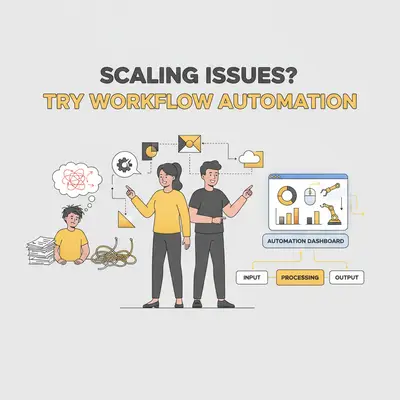
When businesses grow, they often face challenges like repetitive tasks, disconnected systems, and increased errors. These issues can slow operations, frustrate employees, and hurt customer satisfaction. Workflow automation offers a clear solution by streamlining processes, reducing manual work, and improving efficiency.
Key Insights:
- Repetitive tasks: Automation handles tasks like data entry, invoice processing, and report generation, freeing up your team for more important work.
- Disconnected systems: Automated tools integrate systems, ensuring smooth data flow and reducing delays caused by silos.
- Error reduction: Automation minimizes mistakes in areas like compliance, payroll, and inventory management.
Why It Matters:
Automation not only saves time but also ensures scalability, allowing businesses to handle growth without sacrificing quality. Tools like Evalics offer tailored automation solutions for businesses of all sizes, from quick fixes to full-scale transformations.
Takeaway:
If your team is overwhelmed by manual tasks or struggling to keep up with growth, automation can help you work smarter, not harder. It's not about replacing people - it’s about giving them the tools to focus on what drives success.
What Are The Best Strategies To Scale Business Workflow Automation? - Emerging Tech Insider
Main Obstacles That Block Business Growth
Scaling a business is never without its challenges. As companies grow, they often face recurring roadblocks that can turn momentum into stagnation. Tackling these obstacles head-on is critical, and automation offers a powerful way to overcome them. Let’s take a closer look at the key hurdles that can hold businesses back and how automation can help.
Manual Processes That Drain Time and Resources
Repetitive manual tasks are one of the biggest culprits when it comes to slowing down growth. When employees spend hours on mundane, administrative work, they have little time left for the strategic efforts that actually drive revenue.
Tasks like processing invoices, entering data, or managing paper-based approvals eat up valuable time. These activities not only reduce productivity but also pull focus away from the core operations that fuel expansion. In a fast-moving business environment, relying on manual processes means falling behind competitors who are leveraging automation to work smarter.
Disconnected Systems and Data Silos
Another major challenge for growing businesses is the lack of integration between systems. When departments rely on isolated tools that don’t communicate, critical data gets trapped, leading to inefficiencies, delays, and missed opportunities.
Imagine a scenario where sales, marketing, and customer service teams each use their own databases. Without a unified system, updates - like a new deal closed or changes to customer information - don’t flow seamlessly between teams. This disconnect can result in delayed customer onboarding, misaligned messaging, and hours wasted consolidating data for reports. For businesses operating across multiple channels, the problem becomes even bigger, with inventory mismatches and unhappy customers becoming common issues. Add manual errors into the mix, and the situation becomes even more complicated.
Increased Errors and Compliance Risks
As businesses grow, their operations naturally become more complex, and manual workflows can amplify the risk of costly mistakes. Errors that seem minor in a small business can escalate into serious compliance issues or financial setbacks on a larger scale.
For instance, mistakes in data entry or manual processing can lead to incorrect calculations or regulatory violations. Trying to manage compliance manually becomes especially overwhelming for companies operating in multiple regions, each with its own set of rules. This can result in errors in tax filings, payroll, or documentation, which not only waste time but also put the business at risk during audits. Hunting down the right records from disorganized files can drain resources and delay responses when they’re needed most.
Addressing these challenges through automation isn’t just helpful - it’s essential for scaling operations efficiently and staying competitive.
How Workflow Automation Fixes Growth Problems
Scaling a business often comes with hurdles like overwhelming manual tasks and disconnected data systems. These challenges, however, don’t have to hold you back. AI-powered workflow automation steps in as a game-changer, offering targeted solutions to eliminate bottlenecks and simplify processes. Here's how automation transforms these obstacles into opportunities for growth.
Automating Repetitive and Administrative Tasks
One of the standout advantages of workflow automation is its ability to take over repetitive, time-consuming tasks. Think about processes like data entry, invoice approvals, scheduling, and reporting - these can all be automated. For instance, consider invoice processing: instead of manually reviewing, routing approvals, and entering data, automated systems can handle it all. They can read invoices, extract key details, direct them to the right approvers, and update accounting systems - all without human involvement.
This shift lets your team reclaim their time and focus on high-value activities, like nurturing client relationships, innovating products, or exploring new markets.
Better Data Management and System Integration
Automation doesn’t just handle tasks; it also brings data together in a way that’s seamless and efficient. By integrating systems and automating workflows, businesses can ensure real-time data flow, which speeds up decision-making and reduces the risk of errors. For example, when a sales rep closes a deal, automation can trigger a series of actions: onboarding begins, inventory updates, billing kicks off, and the marketing team gets fresh data to fine-tune their strategies.
Using Evalics for Growth-Ready Automation Solutions
Evalics provides a range of automation services to help businesses scale, offering solutions tailored to different needs and budgets. Here’s a breakdown of their offerings:
- AI Automations ($1,000 – $10,000, delivered in 1–4 weeks): These quick-turnaround solutions address repetitive tasks with user-friendly, drag-and-drop interfaces that require minimal technical know-how.
- Custom Solutions & Collaboration ($10,000 – $40,000, implemented over 3+ months): Designed for more complex challenges, this option includes business audits, cross-functional workflow designs, and custom API integrations to create tailored automation systems.
- AI Accelerator Partnership ($40,000+, ongoing for 6+ months): For businesses looking for a comprehensive approach, this service includes company-wide automation roadmaps, custom AI tools, continuous employee training, and ongoing optimization with ROI tracking.
Each service level is designed to transform manual tasks into efficient, scalable workflows, integrating systems and minimizing errors - ultimately setting the stage for long-term growth.
Step-by-Step Guide to Implementing Workflow Automation
Tackling workflow automation can seem daunting, but with the right approach, it becomes a manageable process. By assessing your workflows, identifying inefficiencies, and tracking improvements, you can introduce automation without disrupting your team’s daily operations.
Reviewing Your Current Workflows
Before jumping into automation tools, take a close look at your existing workflows. Map out the day-to-day activities in your business, focusing on tasks that are repetitive, low in complexity, and frequently performed. Research shows that 62% of companies face at least three major inefficiencies that could be addressed through automation, and 51% of employees spend over two hours daily on repetitive tasks [4].
"Workflows aren't simple checklists. They're structured sequences of tasks, dependencies, and roles that move work from start to finish. When those sequences aren't clear, you see delays, confusion, and wasted effort." - Wispa [1]
To get started, identify task owners, dependencies, and bottlenecks. For instance, delays often occur when a process relies on one person’s approval or when critical knowledge is confined to a single team member. High-impact opportunities for automation usually involve data-heavy tasks that cross multiple departments. For example, if your sales team spends hours manually entering leads that are later processed by marketing, accounting, and customer success, this is a prime candidate for automation.
Managers, on average, spend 8 hours per week on manual data tasks, with 25% dedicating more than 20 hours weekly to repetitive administrative work [4]. Documenting these time-consuming activities can highlight areas where automation would have the greatest impact.
"Creating effective workflows starts with mapping the logic behind every task, dependency, and decision point." - Synergy Codes [2]
Develop standard operating procedures (SOPs) for workflows you plan to automate. Clear documentation reduces the risks of automating poorly defined processes and ensures consistency across your organization.
Once you’ve mapped workflows and pinpointed inefficiencies, the next step is selecting the right tools to address these gaps.
Selecting the Right Automation Tools
The automation tools you choose should align with your business size, technical needs, and growth goals. Evalics offers three service tiers tailored to various requirements and budgets:
| Service Level | Investment | Timeline | Best For |
|---|---|---|---|
| AI Automations | $1,000 – $10,000 | 1–4 weeks | Small businesses looking to automate simple tasks like lead generation and data entry |
| Custom Solutions & Collaboration | $10,000 – $40,000 | 3+ months | Mid-sized companies needing multi-department workflows, API integrations, and detailed documentation |
| AI Accelerator Partnership | $40,000+ | 6+ months | Enterprises seeking a company-wide automation strategy with ongoing support |
For businesses just starting out, AI Automations provide an easy-to-use drag-and-drop interface that integrates with existing tools. This option is ideal for automating straightforward tasks like lead outreach or data entry.
For more complex needs, Custom Solutions & Collaboration includes a thorough business audit, design of workflows across departments, and custom integrations. This approach also provides full documentation, including SOPs, to ensure a smooth transition.
The AI Accelerator Partnership is designed for enterprises ready to overhaul their operations. It includes custom AI tools, team training, and ongoing ROI tracking to optimize processes over time.
When selecting a solution, consider the complexity of your workflows and your technical requirements. Once you’ve chosen the right tools, the focus shifts to preparing your team for the transition.
Training Teams and Tracking Results
The success of automation depends on how well your team adapts to the changes. It’s essential to onboard employees before rolling out new tools. Clearly explain that automation is meant to eliminate repetitive tasks - not replace jobs.
Provide hands-on training to show how automated workflows integrate with daily responsibilities. Teach employees how to handle exceptions when human intervention is needed, ensuring they feel confident in the new processes.
Track performance metrics like time savings, error reduction, and process completion rates. For example, if you automate invoice processing, compare approval times and error rates before and after implementation.
Schedule regular check-ins to address any issues that arise. Automation often uncovers hidden inefficiencies, so reviewing and refining workflows monthly can lead to ongoing improvements and greater efficiency over time.
Measurable Results from Workflow Automation
Workflow automation does more than just cut down on manual tasks - it delivers clear, measurable benefits. It improves efficiency, trims costs, and enhances customer experiences. These improvements directly contribute to smoother operations, leaner expenses, and happier customers.
Improved Efficiency and Scalability
Manual processes often slow things down, but automation changes the game. Routine tasks like processing invoices or qualifying leads are handled faster, freeing up your team to focus on bigger priorities. This not only increases productivity but also ensures smoother operations, better planning, and more effective communication with customers.
Lower Costs and Higher ROI
One of the standout benefits of workflow automation is cost savings. By reducing the hours spent on manual work and minimizing errors, businesses can cut expenses significantly. Plus, it allows teams to dedicate more time to activities that drive revenue, making the investment in automation well worth it.
Enhanced Customer Experience
Automation isn’t just an internal win - it directly impacts your customers too. Faster inquiry routing, quicker order processing, and timely follow-ups all lead to a better customer experience. The result? Happier customers who are more likely to return and recommend your business to others.
Conclusion: Use Automation for Long-Term Growth
Growing businesses often face a pivotal decision: stick with manual processes that limit their potential or embrace automation to scale effectively. The benefits of automation are clear and measurable, with companies reporting significant improvements in efficiency and cost savings.
For example, 80% of businesses have seen improved operational efficiency through automation [5]. Additionally, organizations that adopt automation report cutting costs by approximately 10% while increasing profits by 8% [3]. A case in point is Mass General Brigham in Boston, where the finance team automated manual data processing tasks previously handled by three administrators. This shift allowed the team to focus on more strategic, high-value initiatives as workloads grew [3].
Evalics provides solutions designed to take these benefits even further. Our systems integrate seamlessly across platforms, simplify decision-making, and adapt to your evolving business needs with the help of artificial intelligence [5]. Whether you're looking for quick, targeted automations starting at $1,000 to reduce repetitive tasks or a company-wide transformation through our AI Accelerator Partnerships, Evalics has the expertise and tools to help you scale efficiently.
The real power of automation lies in its ability to continuously improve. By integrating AI and machine learning, automated systems can analyze data, make smarter decisions, predict inefficiencies, and refine processes dynamically [5]. This ongoing optimization ensures that businesses see consistent gains with minimal manual intervention.
Beyond cutting costs, automation drives broader benefits like improved employee satisfaction and faster growth [3]. The time to act is now. The question isn't whether to adopt workflow automation - it's how soon you can start. Evalics is here to help you build the foundation for efficient scaling, cost reduction, and delivering standout customer experiences for sustained success. Let’s get started.
FAQs
How can workflow automation help my business scale effectively?
Workflow automation allows your business to grow by taking over repetitive tasks, letting your team concentrate on more strategic and high-value initiatives. By simplifying processes and cutting down on manual mistakes, it boosts efficiency and equips your business to handle more work without a need for major staff increases.
Beyond saving time and cutting costs, automation ensures operations run smoothly with consistent quality. As your business expands, it helps maintain productivity and keeps you ready to meet rising demands effortlessly.
What are the first steps to successfully implement workflow automation in my business?
To kick off workflow automation, start by mapping out your current processes. Pinpoint repetitive tasks that eat up time, are prone to errors, or could be handled more efficiently through automation.
Then, select automation tools that are easy to use and adaptable to your existing systems. Make sure these tools align with your business goals and can support future growth.
It's also important to bring your team on board. Highlight the advantages of automation, address any concerns, and provide adequate training to ensure everyone feels confident with the changes. Lastly, test your automated workflows extensively before fully implementing them. This step helps you catch any issues early and ensures everything operates as intended.
How does Evalics customize its workflow automation solutions to meet the unique needs of businesses of all sizes?
Evalics creates workflow automation solutions tailored to meet the unique needs of businesses, whether you're running a small startup or managing a large enterprise. By using advanced AI-driven tools, Evalics helps simplify repetitive tasks, boost efficiency, and scale operations as your business expands.
Designed with adaptability in mind, Evalics ensures its solutions seamlessly integrate with your existing systems. This means businesses can tackle their specific challenges without causing interruptions to daily operations. This personalized approach allows organizations to handle growing workloads efficiently while keeping performance and productivity levels high.