
A context window is the maximum number of tokens a language model can process in a single request. That cap covers your system prompt, chat history, uploaded files, and the model's reply. When the total exceeds the limit, something gets dropped: early messages, instructions, or the request fails.
Your AI agent stops mid-conversation when history outgrows that cap. Your chatbot asks for the order number again because the first messages fell off the window. Your automation errors when a PDF plus ten turns of chat no longer fit.
Quick Win: Before you switch models, measure one real request: system prompt tokens + last N messages + expected output. If you are near the model limit, trim history or summarize older turns instead of paying for a bigger window on every call.
This guide defines context windows in plain language, links to vendor documentation for current limits, and shows practical ways to stay inside the cap without guessing.
You will learn:
- What counts toward the context window (input, output, and shared total)
- Why stateless APIs re-send full history every turn
- How limits affect chat quality and API bills
- Practical fixes: rolling windows, summarization, retrieval
- When a larger model window is worth the cost
For the failure mode in production chatbots, read The Context Window Trap. For token math, see How Many Pages Are X Tokens.
What Is a Context Window? (Simple Explanation)
A context window is the maximum amount of text (measured in tokens) that an AI model can process in a single conversation or request. Think of it like short-term memory: the model can only "remember" and work with information that fits within this limit.
The Memory Limit Analogy
Imagine you're having a conversation with someone who can only remember the last 500 words you said. If you try to tell them a 1,000-word story, they'll forget the beginning. That's exactly how context windows work for AI models.
Technical basics:
- Tokens are the units AI models use to process text (roughly 0.75 words per token for many models; newer tokenizers can differ)
- Input tokens are what you send to the model (your prompt, conversation history, documents)
- Output tokens are what the model generates (its response)
- Context window is the total limit for input + output tokens combined
Example: If a model has a 128K token context window:
- Your prompt, history, documents, and the reply together must fit in 128,000 tokens
- The reply is also capped by a separate output limit, which is usually much smaller than the window
- Check both numbers on the model's documentation page
Key Insight: Context windows are fixed limits set by the model architecture. You can't increase them—you can only work within them or switch to a model with a larger window.
How Context Windows Work Technically
When you send a request to an AI model, here's what happens:
- Tokenization: Your text is converted into tokens (subword pieces)
- Context Assembly: The model combines your prompt, conversation history, and any documents into a single context
- Limit Check: If the total exceeds the context window, the model either:
- Truncates older messages (forgets the beginning)
- Rejects the request with an error
- Uses summarization techniques to compress the context
Visual analogy: Think of a context window like a fixed-size whiteboard. You can write as much as fits, but when it's full, you must erase the oldest content to add new information.
Why Context Limits Matter for AI Agents
Context limits impact everything: conversation quality, cost, performance, and reliability. Understanding these impacts helps you choose the right model and optimize your workflows.
Impact on Conversation Continuity
The problem: When an AI agent hits its context limit, it forgets earlier parts of the conversation. This breaks continuity and forces you to repeat information.
Typical symptom: A chatbot that re-sends the full chat history on every turn eventually exceeds its window. Older messages get dropped, so it asks again for details the customer gave at the start.
The cost: Each time the agent forgets context, you lose:
- User trust and satisfaction
- Time spent re-explaining context
- Quality of responses (the agent can't reference earlier information)
Cost Implications
The problem: Filling a large window costs more, because every token you send is billed. Long chat histories and full documents add up on every call.
Worked example: 50,000 reports a month at 5,000 tokens each is 250 million input tokens. At $2 per million tokens that is $500 a month. At $0.50 per million it is $125. The window size is the same in both cases. The per-token rate is what changes the bill.
The cost: Context window size directly affects:
- Model pricing: You pay per token sent, not for the size of the window. A bigger window only costs more if the model's per-token rate is higher or you actually fill it
- Token usage: Longer conversations consume more tokens
Pro Tip: Many small business tasks stay well under 128K tokens. Measure your largest real request before you pay for a bigger window.
Performance Degradation
The problem: As you approach the context window limit, model performance degrades. Responses become slower, less accurate, and less coherent.
Why this happens:
- Attention mechanisms: Models must process all tokens in context, so larger contexts require more computation
- Information overload: Too much context can confuse the model about what's most relevant
- Token position: Information at the beginning or end of context is often better retained than middle content
Research: Liu et al. found that models used information at the start or end of a long input better than information in the middle (Lost in the Middle, 2023).
The cost: Performance degradation means:
- Lower quality outputs requiring manual review
- Slower response times affecting user experience
- Higher error rates leading to rework
Common Context Window Sizes Across Popular Models
Different AI models have different context window sizes. Understanding these helps you choose the right model for your use case and avoid overpaying for capacity you don't need.
Context Window Comparison Table
| Model | Context Window | Input Price (per 1M tokens) | Output Price (per 1M tokens) | Best For |
|---|---|---|---|---|
| Gemini 3.1 Pro | 1,048,576 tokens | $2.00 (prompts up to 200K) | $12.00 (prompts up to 200K) | Long documents, complex reasoning |
| Gemini 3 Flash | 1,048,576 tokens | $0.50 | $3.00 | High-volume, cost-sensitive tasks |
| Claude Sonnet 5.5 | 1M tokens | $2.00 | $10.00 | Balanced speed and quality |
| Claude Haiku 5.5 | 1M tokens | from $0.10 | from $0.50 | Classification, extraction, routing |
Checked on the official model and pricing pages in October 2026: Gemini API pricing, Gemini 3 Flash model card, Claude models overview. For OpenAI models, see OpenAI pricing.
Key insights:
- 128K tokens ≈ 96,000 words at 0.75 words per token
- 200K tokens ≈ 150,000 words (Anthropic's estimate)
- 1M tokens ≈ 555,000 words on Anthropic's current tokenizer, or about 750,000 words at 0.75 words per token
Reality Check: A 1M token window costs nothing extra if you only send 10K tokens, because you pay per token sent. What matters is whether your largest request fits, and what the model charges per token.
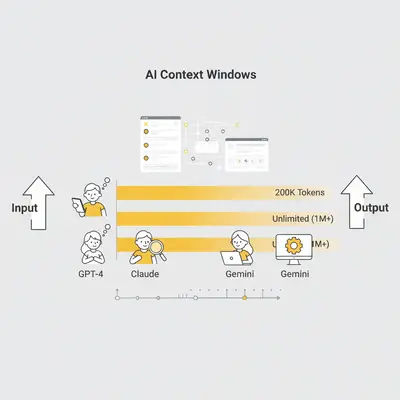
Sources: Gemini API pricing, Claude pricing, and OpenAI pricing.
Free vs. Paid Tier Differences
Free tiers (ChatGPT, Claude free):
- Context limits: Often smaller than the API, and not always published
- Performance: Slower, less reliable
- Cost: Free, but limited functionality
Paid tiers (API access, premium subscriptions):
- Context limits: The full window listed in the vendor's documentation
- Performance: Faster, more reliable
- Cost: Pay per token or monthly subscription
When to upgrade: If you're hitting context limits regularly or need consistent performance, paid tiers are worth it. For occasional use, free tiers may suffice.
How Context Limits Affect Costs and Performance
Context limits directly impact both your costs and the quality of your AI outputs. Understanding these relationships helps you optimize spending and performance.
Token Pricing Breakdown
How pricing works:
- Input tokens: What you send to the model (prompts, documents, conversation history)
- Output tokens: What the model generates (responses)
- Pricing: Usually per million tokens (MTok), with output priced higher than input (6x on Google's Gemini 3 rates)
Example calculation: A customer service chatbot handles 5,000 conversations/month:
- Average input: 100 tokens per conversation
- Average output: 200 tokens per conversation
- Total input: 500,000 tokens/month
- Total output: 1,000,000 tokens/month
Monthly costs by model:
| Model | Input Cost | Output Cost | Total/Month |
|---|---|---|---|
| Gemini 3 Flash (1M) | $0.25 | $3.00 | $3.25 |
| Gemini 3.1 Pro (1M) | $1.00 | $12.00 | $13.00 |
Key Insight: Same use case, same context needs, but Pro costs 4x what Flash costs. Whether Flash's answers are good enough is something to test on your own task.
Cost Escalation Examples
Scenario 1: Document Analysis A consulting firm analyzes 50 client reports/month. Each report is 5,000 tokens. They need summaries (500 tokens output).
With Gemini 3.1 Pro:
- Input: 50 × 5,000 = 250,000 tokens = 0.25 MTok × $2.00/MTok = $0.50
- Output: 50 × 500 = 25,000 tokens = 0.025 MTok × $12/MTok = $0.30
- Total: $0.80/month
With Gemini 3 Flash (same task):
- Input: 0.25 MTok × $0.50/MTok = $0.125
- Output: 0.025 MTok × $3/MTok = $0.075
- Total: $0.20/month (75% savings)
Scenario 2: Long Conversations A support team uses an AI agent for customer support. Average conversation: 50 messages, 10,000 tokens total.
With Gemini 3.1 Pro:
- 1,000 conversations/month × 10,000 tokens = 10M tokens
- Input: 7M tokens × $2/MTok = $14
- Output: 3M tokens × $12/MTok = $36
- Total: $50/month
Optimization: Switch to Gemini 3 Flash (same window):
- Input: 7M tokens × $0.50/MTok = $3.50
- Output: 3M tokens × $3/MTok = $9
- Total: $12.50/month (75% savings)
Reality Check: Many teams default to the premium tier for every request. Test the cheaper tier on a sample of real requests first. If its answers hold up, the per-token saving applies to every call.
Performance Degradation at Limits
What happens as you approach the context limit:
- Response time increases: More tokens take longer to process
- Accuracy decreases: Models struggle to maintain coherence with very large contexts
- Token position effects: Information at the beginning and end is better retained than middle content
What to do: If quality drops on long inputs, split the document into sections, process them separately, then combine the results.
Test this on your own documents: compare answers from the full document with answers from the split version.
Practical Strategies to Work Within Limits
You don't always need a larger context window—often, you need better strategies to work within existing limits. These techniques can reduce costs, improve performance, and eliminate the need to upgrade.
Strategy 1: Chunking Techniques
What it is: Break large documents or conversations into smaller chunks that fit within context limits, then process each chunk separately.
When to use: Processing long documents, analyzing large datasets, handling extensive conversation history.
How it works:
- Split your content into chunks (e.g., 10K-15K tokens each)
- Process each chunk independently
- Combine or summarize results
Example: A 200K-token contract does not fit a 128K window in one call:
- Chunk the contract into 20 sections (10K tokens each)
- Process each section with a cheaper model
- Combine the analysis results
Pro Tip: Overlap chunks by 500-1,000 tokens to maintain context between sections. This prevents losing important information at chunk boundaries.
Strategy 2: Summarization Strategies
What it is: Summarize conversation history or documents before sending to the model, reducing token usage while preserving key information.
When to use: Long conversations, extensive document history, maintaining context across sessions.
How it works:
- Summarize older conversation messages into key points
- Keep recent messages in full detail
- Send summary + recent messages to maintain context
Example: A customer support chatbot maintains conversation history. Instead of sending all 50 messages (15K tokens):
- Summarize first 40 messages into 500 tokens (key points: customer issue, attempted solutions, current status)
- Keep last 10 messages in full (2K tokens)
- Send summary + recent messages (2.5K tokens total)
- Token reduction: 83%
Quick Win: Summarization trades some detail for fewer tokens. Check that the summary keeps the facts later turns depend on, such as names, order numbers, and decisions.
Strategy 3: Prompt Optimization
What it is: Write more concise, focused prompts that achieve the same results with fewer tokens.
When to use: All use cases—optimizing prompts should be standard practice.
How it works:
- Remove unnecessary instructions
- Use specific, direct language
- Structure prompts efficiently
- Eliminate redundant context
Example: Cutting a 2,000-token prompt to 800 tokens removes 60% of its input tokens on every call. Check that output quality holds before you ship the shorter version.
Optimization techniques:
- Remove fluff: Cut unnecessary explanations and examples
- Be specific: Direct instructions work better than lengthy explanations
- Structure efficiently: Use clear sections, bullet points, and formatting
- Eliminate redundancy: Don't repeat the same information multiple times
Pro Tip: Prompt trimming is the cheapest change to try first, because it needs no new infrastructure.
Strategy 4: Architecture Patterns
What it is: Design your AI system architecture to minimize context usage through smart patterns like retrieval-augmented generation (RAG) or hierarchical processing.
When to use: Complex workflows, multi-step processes, systems requiring extensive knowledge bases.
How it works:
- RAG pattern: Store documents in a vector database, retrieve only relevant chunks when needed
- Hierarchical processing: Process at multiple levels (summary → detail → action)
- Caching: Cache common responses or context to avoid reprocessing
Example: Instead of sending a whole 50K-token report:
- Store reports in vector database
- Retrieve only relevant sections based on query (5K tokens)
- Process retrieved sections with full context
- Token reduction: 90% for that request (5K instead of 50K tokens)
Key Insight: RAG adds a retrieval step that you have to build and maintain. It pays off when the same large documents are queried often.
When to Upgrade vs. Optimize Your Prompts
Not every context limit problem requires a model upgrade. Sometimes optimization is the better path. This decision framework helps you choose the right approach.
Decision Framework
Upgrade to a larger context window when:
- ✅ You're processing entire books or massive datasets in single requests
- ✅ Chunking would break critical context (e.g., cross-references, dependencies)
- ✅ You've optimized prompts and still hit limits regularly
- ✅ The cost of optimization (time, complexity) exceeds upgrade costs
Optimize instead of upgrading when:
- ✅ You can chunk documents without losing critical context
- ✅ Summarization maintains sufficient context quality
- ✅ Prompt optimization can reduce token usage by 30%+
- ✅ Current model performance is acceptable, you just need to reduce costs
Worked example: 1,000 papers a month at 150K tokens each is 150 million input tokens. A paper does not fit a 128K window in one call, so you either use a larger window or split each paper.
Option 1: Use a larger window (Gemini 3.1 Pro, 1,048,576 tokens)
- Cost: $2.00/MTok input (prompts up to 200K)
- Setup: Immediate
- Monthly input cost: $300 (150 MTok × $2.00/MTok)
Option 2: Chunk each paper and use Gemini 3 Flash
- Cost: $0.50/MTok input
- Setup: You build and test the chunking logic
- Monthly input cost: $75 (150 MTok × $0.50/MTok)
- Savings: 75% ($225/month)
Decision: Chunking is worth it when sections stand alone. If the analysis needs cross-references across the whole paper, the larger window is simpler.
Reality Check: Try trimming, summarizing, or chunking before you switch models. You can always switch later.

Cost-Benefit Analysis
Upgrade costs:
- Model pricing: Depends on the model's per-token rate, not its window size
- Setup time: Usually minimal (just switch API endpoint)
- Monthly impact: Every request pays the higher rate, even short ones
Optimization costs:
- Development time: You build and test the trimming, summarizing, or chunking logic
- Complexity: Slightly more complex architecture
- Monthly impact: Fewer tokens on every call
Break-even example: If the work costs $6,000 and saves $2,000 a month, it pays back in 3 months.
Pro Tip: Start with prompt trimming, then decide whether you still need summarization or chunking.
Conclusion
Context windows are the memory limits of AI models. Knowing how they work helps you avoid failed requests and paying for tokens you do not need.
Key takeaways:
- Context windows are fixed limits—you can't increase them, only work within them or switch models
- Measure before you upgrade: Many tasks fit well under 128K tokens
- Optimization often beats upgrading: Trimming, summarization, and chunking cut the tokens on every call
- Quality can drop on long inputs: Information in the middle of a long input is used less well (Liu et al., 2023)
- Cost depends on the per-token rate: The same task costs 4x more on Gemini 3.1 Pro than on Gemini 3 Flash
Next steps:
- Audit your current token usage and identify context limit issues
- Trim prompts first (quickest change)
- Add chunking or summarization if needed
- Only upgrade to larger context models if optimization doesn't solve the problem
Ready to optimize your AI context usage and reduce costs? Book a free consultation to get personalized recommendations for your specific workflows.
FAQ
What is a context window in AI? A context window is the maximum amount of text (measured in tokens) that an AI model can process in a single conversation or request. It's like the model's short-term memory limit.
How do I know if I'm hitting context window limits? Signs you're hitting limits: the model forgets earlier conversation, requests fail with "context too long" errors, performance degrades with longer inputs, or you're truncating content to fit.
What's the difference between input and output tokens? Input tokens are what you send to the model (your prompts, documents, conversation history). Output tokens are what the model generates (its responses). Both count toward the context window limit.
Can I increase a model's context window? No—context windows are fixed limits set by the model architecture. You can't increase them, but you can work within limits using chunking, summarization, or switch to a model with a larger window.
How much does a larger context window cost? You pay per token sent, not for the window size. A larger window only costs more if the model's per-token rate is higher, or if you actually send more tokens.
Should I always use the model with the largest context window? No. Using a 1M token model for a 10K token task does not cost more by itself, because you pay per token. Pick the model by per-token rate and quality on your task, and make sure your largest request fits.
What's the best strategy for working within context limits? Start with prompt trimming. If needed, add summarization for long chats or chunking for long documents. Switch to a larger-window model only if those do not solve the problem.