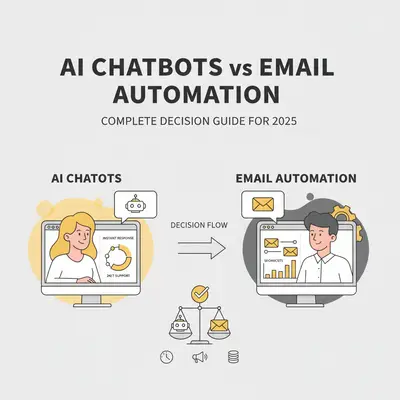
A customer visits your website at 2 AM with a question. Your email automation sends a welcome sequence three hours later. By then, they've moved on to a competitor who answered instantly.
This scenario plays out daily for businesses choosing the wrong communication tool. AI chatbots excel at real-time conversations and instant support. Email automation shines for nurturing campaigns and long-form content. But most businesses use one when they should use the other—or worse, they don't use either effectively.
Reality Check: Automation projects usually take longer than first estimated. Understanding the true timeline and cost upfront—whether you choose chatbots, email automation, or both—keeps a project from quietly outgrowing the budget you approved.
Here's what most marketers miss: Chatbots and email automation aren't competitors—they're complementary tools that work best together. A chatbot can qualify a lead in seconds, then trigger an email sequence that nurtures them over weeks. But choosing the wrong tool for a specific use case wastes time, money, and customer relationships.
This guide cuts through the marketing noise to give you a clear decision framework. We'll cover:
- The fundamental differences between chatbots and email automation
- When each tool excels
- Cost comparisons and implementation complexity
- How to integrate both tools for maximum impact
- The common ways businesses pick the wrong tool, and what goes wrong
- A decision framework to pick the right tool for your needs
By the end, you'll know exactly when to use chatbots, when to use email automation, and how to combine both for a complete customer communication strategy.
Key Takeaways
- AI chatbots excel at real-time support, instant lead qualification, and handling FAQs—perfect for immediate customer needs.
- Email automation shines for nurturing campaigns, long-form content, follow-ups, and building long-term relationships.
- Cost reality: Platform prices vary widely by vendor, tier and volume, so get current quotes before you compare. Implementation often takes longer than first estimated.
- Integration is key: Chatbots can trigger email sequences, and email campaigns can drive users to chatbot conversations—using both together maximizes impact.
- The wrong choice costs: Choosing email for support, or chatbots for nurturing, means paying for a tool that cannot do the job you bought it for.
Understanding the Fundamental Differences
The core difference between chatbots and email automation comes down to timing and interaction style.
Chatbots deliver instant, conversational responses. They're designed for real-time interactions where customers expect immediate answers. A visitor asks a question, the chatbot responds in seconds, and the conversation flows naturally.
Email automation sends scheduled, structured messages. It's designed for asynchronous communication where you control the timing and content. A customer signs up, receives a welcome email, then gets a series of follow-ups over days or weeks.
Response Time Expectations
Chatbots operate in seconds. Customers expect immediate answers when they click a chat widget. If a chatbot takes more than 30 seconds to respond, users assume it's broken or ignore it entirely.
Email operates in hours or days. Customers understand that email isn't instant. A welcome email sent within 24 hours feels timely. A follow-up sequence spread over weeks feels natural.
Engagement Depth Comparison
Chatbots excel at short, focused interactions. They answer specific questions, qualify leads quickly, and handle simple tasks. Chatbot conversations work best when they are short and cover one topic.
Email excels at deep, educational content. You can send long-form guides, case studies, and multi-part series. An email sequence can span weeks and cover multiple topics in detail.
Key Insight: Chatbots are for immediate needs. Email is for building relationships. Understanding this distinction prevents the most common mistake: using email for support or chatbots for nurturing.
Interaction Patterns
Chatbot interactions:
- Customer-initiated (they click to chat)
- Real-time and conversational
- Short, focused exchanges
- Immediate resolution or handoff
Email interactions:
- Business-initiated (you send campaigns)
- Asynchronous and structured
- Long-form content delivery
- Relationship building over time
Use Cases: When Each Tool Excels
Understanding when each tool excels prevents costly mistakes. Here's where chatbots and email automation shine—and where they fail.
Chatbots: Best for Immediate Support and Qualification
Use chatbots for:
1. Customer Support A customer has a question about your product. They click the chat widget, ask "How do I reset my password?", and get an instant answer. No waiting for email responses or phone calls.
2. Lead Qualification A visitor asks about pricing. Your chatbot asks qualifying questions: "What's your company size?" and "What's your primary use case?" In 2 minutes, you have a qualified lead ready for your sales team.
3. FAQ Handling Common questions like "Do you offer refunds?" or "What's your return policy?" can be automated. Your chatbot answers instantly, freeing your team for complex issues.
4. Appointment Scheduling A customer wants to book a demo. Your chatbot checks calendar availability, suggests times, and confirms the appointment—all without human intervention.
5. Product Recommendations A customer asks "What product is best for my needs?" Your chatbot asks a few questions, then recommends the right solution based on their answers.
What this looks like in practice: A software company puts a chatbot in front of support. The chatbot answers the questions that repeat all day, and the team gets its attention back for the issues that actually need a person. Source: Intercom Customer Service Trends
Email Automation: Best for Nurturing and Education
Use email automation for:
1. Welcome Sequences A new customer signs up. They receive a welcome email immediately, then a series of onboarding emails over the next week. Each email teaches them how to use your product effectively.
2. Nurturing Campaigns A lead downloads your ebook but isn't ready to buy. You send a 5-email sequence over 2 weeks, sharing case studies, testimonials, and educational content. By email 5, they're ready to talk to sales.
3. Re-engagement Campaigns A customer hasn't logged in for 30 days. You send a re-engagement email series reminding them of your value, sharing new features, and offering help.
4. Newsletter and Content Distribution You publish weekly blog posts. Your email automation sends them to subscribers every Friday, keeping your audience engaged and driving traffic to your site.
5. Long-form Educational Content You want to teach customers about advanced features. Email lets you send detailed guides, step-by-step tutorials, and comprehensive case studies that wouldn't fit in a chatbot conversation.
What this looks like in practice: An agency nurtures new leads with an email sequence spread over a few weeks, so a lead who is not ready to buy today still hears from them when they are. Source: HubSpot Marketing Statistics
Pro Tip: Chatbots handle the "now" questions. Email handles the "later" relationship building. Use chatbots for immediate needs, email for long-term nurturing.
Cost Comparison and Implementation Complexity
Cost is often the deciding factor—but most businesses underestimate both the price and the implementation effort. Here's the real cost breakdown.
Chatbot Platform Costs
Entry-level platforms (Intercom, Drift, Zendesk):
- Starter plans: $50–$150/month
- Professional plans: $200–$500/month
- Enterprise plans: $1,000+/month
- Setup time: 2–4 weeks (realistic: 4–8 weeks)
- Maintenance: 2–4 hours/month for updates and optimization
Custom chatbot solutions:
- Development cost: $10K–$50K upfront
- Hosting: $100–$500/month
- Maintenance: 5–10 hours/month
- Setup time: 8–16 weeks
Hidden costs:
- Training your team: 10–20 hours
- Content creation (FAQ answers, scripts): 20–40 hours
- Integration with CRM/email tools: 5–10 hours
- Ongoing optimization: 2–4 hours/month
Budgeting note: Add the platform subscription to the setup and ongoing hours above, priced at whatever your own time is worth. The time side is the part most first-year budgets leave out.
Email Automation Costs
Entry-level platforms (Mailchimp, ConvertKit, Sendinblue):
- Starter plans: $20–$50/month
- Professional plans: $100–$300/month
- Enterprise plans: $500+/month
- Setup time: 1–2 weeks (realistic: 3–6 weeks)
- Maintenance: 1–2 hours/month for campaign management
Advanced platforms (HubSpot, Marketo, Pardot):
- Starter plans: $50–$200/month
- Professional plans: $800–$2,000/month
- Enterprise plans: $3,000+/month
- Setup time: 4–8 weeks (realistic: 8–16 weeks)
- Maintenance: 3–5 hours/month
Hidden costs:
- Email template design: $500–$2,000 (one-time)
- Content creation (sequences, campaigns): 20–40 hours
- List segmentation setup: 5–10 hours
- A/B testing and optimization: 2–3 hours/month
Budgeting note: As with chatbots, the subscription is the visible cost and the setup and maintenance hours are the hidden one. Price both before you compare platforms.
Implementation Complexity Reality
Implementation usually takes longer than first estimated. The timelines below are planning assumptions, not benchmarks:
Chatbot implementation:
- Optimistic estimate: 2 weeks
- Planning range (assumption): 4–8 weeks
- Why it takes longer: Content creation, testing, integration with existing tools, team training, optimization based on real conversations
Email automation implementation:
- Optimistic estimate: 1 week
- Planning range (assumption): 3–6 weeks
- Why it takes longer: Template design, content writing, list segmentation, testing, compliance setup (GDPR, CAN-SPAM), team training
Reality Check: Implementation always takes longer than estimated. Add a generous buffer to your initial timeline, especially if you're learning the platform while building. If time is critical, consider an agency that has set up similar systems before, and ask for references and a fixed scope.
Where the time goes: Platform setup is usually the part people estimate, and it is rarely the part that runs long. Writing the content, testing the sequences, and training the team each take their own block of time, and none of them appear on the vendor's setup guide.
Integration Possibilities: Using Both Together
The most effective customer communication strategies use both chatbots and email automation together. They're not competitors—they're complementary tools that amplify each other's impact.
How Chatbots Can Trigger Email Sequences
Scenario 1: Lead Qualification A visitor chats with your chatbot about pricing. The chatbot qualifies them as a high-value lead and collects their email. Immediately, they're added to a "Pricing Inquiry" email sequence that sends:
- Email 1 (immediate): Pricing guide and case studies
- Email 2 (3 days later): Customer testimonials
- Email 3 (7 days later): ROI calculator and demo offer
Scenario 2: Support Handoff A customer chats with your chatbot but needs human help. The chatbot collects their email and issue details, then hands off to your team. The customer automatically receives:
- Email 1 (immediate): "We're looking into your issue"
- Email 2 (24 hours later): Solution and follow-up
- Email 3 (7 days later): Satisfaction survey
Scenario 3: Product Recommendations A customer asks your chatbot "What product is best for me?" The chatbot asks qualifying questions, recommends a product, and collects their email. They receive:
- Email 1 (immediate): Detailed product guide
- Email 2 (5 days later): Customer success stories
- Email 3 (10 days later): Special offer for recommended product
How Email Can Drive Users to Chatbots
Scenario 1: Support Campaign You send an email about a new feature. At the bottom, you include: "Have questions? Chat with us instantly" with a link to your chatbot. This drives engaged readers to real-time support.
Scenario 2: Re-engagement A customer hasn't engaged in 30 days. Your email says: "We miss you! Chat with us to see what's new" with a chatbot link. This re-engages them through immediate conversation.
Scenario 3: Event Promotion You're hosting a webinar. Your email promotes it and includes: "Quick question? Ask our chatbot" with a link. This captures last-minute questions and increases event attendance.
Unified Customer Journey Example
Here's how a complete customer journey uses both tools:
Day 1: Customer visits your website, chats with your chatbot about features, gets instant answers, and provides their email.
Day 1 (immediate): Email 1 arrives: Welcome email with getting started guide.
Day 3: Email 2 arrives: Case study showing how similar businesses succeed.
Day 7: Email 3 arrives: Advanced features guide with "Chat with us for questions" CTA.
Day 10: Customer clicks chatbot link from email, asks about pricing, gets qualified by chatbot.
Day 10 (immediate): Email 4 arrives: Pricing guide and ROI calculator.
Day 14: Email 5 arrives: Demo offer with chatbot scheduling link.
Day 15: Customer schedules demo via chatbot, becomes a customer.
This unified approach combines instant chatbot support with long-term email nurturing, maximizing conversion at every stage.
Quick Win: Integrate your chatbot and email platform using Zapier, Make.com, or native integrations. When a chatbot conversation ends with an email capture, automatically add them to the right email sequence. This creates a seamless customer experience without manual work.
Common Mismatches: When Businesses Choose Wrong
The examples below are illustrative scenarios, not case studies. They show the shapes of tool mismatch we see described most often, without attaching numbers to them.
Mismatch 1: Using Email for Customer Support
The setup: A small e-commerce business routes every customer question through email automation.
Why it fails: Simple, repetitive questions about returns, shipping, and product details sit in a queue for a day or more. Customers who want an immediate answer go elsewhere, and the support team spends its time on questions a chatbot could have answered instantly.
The fix: Put a chatbot in front of the common questions and let email handle only the complex cases that genuinely need a written, considered reply.
Mismatch 2: Using Chatbots for Long-term Nurturing
The setup: A B2B software company tries to nurture leads with chatbot messages sent over several weeks.
Why it fails: Chatbot notifications interrupt. A nurture sequence is meant to arrive when the reader chooses to read it, and pushing it into a chat widget reads as pressure rather than help. Recipients disengage or turn the notifications off.
The fix: Move nurturing to email, where the reader controls the pace, and keep the chatbot on immediate questions and lead qualification.
Mismatch 3: Running Both Tools in Isolation
The setup: A consulting firm has a chatbot and an email platform, but nothing connects them.
Why it fails: Chatbot conversations never trigger an email sequence, so someone has to move contacts across by hand, and some never get moved at all. Email campaigns, meanwhile, never point readers back to the chatbot.
The fix: Connect the two so a chatbot conversation that captures an email address enters the right sequence automatically, and email campaigns include a chatbot call to action.
Key Insight: The cost of a tool mismatch is not one number. It is the questions that go unanswered, the leads that never get followed up, and the manual work someone does to bridge two systems that should have been connected. Match the tool to the job, and connect the tools to each other.
Decision Framework: Which Tool Fits Your Needs
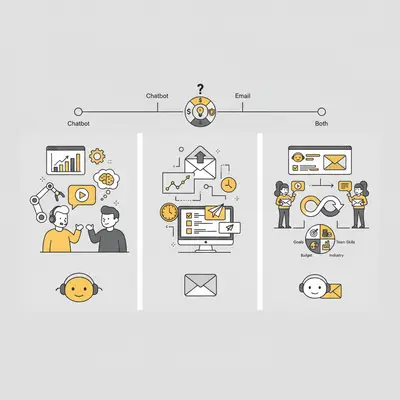
Use this framework to decide whether you need chatbots, email automation, or both.
Step 1: Identify Your Primary Goals
Choose chatbots if your primary goal is:
- Instant customer support
- Lead qualification and routing
- FAQ handling
- Appointment scheduling
- Real-time product recommendations
Choose email automation if your primary goal is:
- Long-term lead nurturing
- Educational content delivery
- Newsletter distribution
- Re-engagement campaigns
- Relationship building over time
Choose both if you need:
- Complete customer communication strategy
- Immediate support AND long-term nurturing
- Maximum conversion at every stage
- Seamless customer journey
Step 2: Assess Your Budget
Budget under $100/month:
- Start with email automation (Mailchimp, ConvertKit)
- Add chatbot later when budget allows
Budget $100–$300/month:
- Email automation (professional plan)
- Basic chatbot (Intercom starter, Drift starter)
- Focus on integration between both
Budget $300+/month:
- Both tools with professional features
- Advanced automation and personalization
- Full integration and optimization
Step 3: Evaluate Your Team's Skills
Non-technical team:
- Email automation: Easy to learn, visual builders
- Chatbots: Choose platforms with visual builders (Intercom, Drift)
- Consider agency help for setup (it can save setup time)
Technical team:
- Email automation: Can handle advanced platforms (HubSpot, Marketo)
- Chatbots: Can build custom solutions or use advanced platforms
- Can handle integrations and optimization
Step 4: Consider Your Industry
E-commerce:
- Chatbots: Essential for product questions, returns, shipping
- Email: Essential for abandoned cart, post-purchase, newsletters
- Recommendation: Both
B2B SaaS:
- Chatbots: Great for demos, pricing questions, support
- Email: Essential for onboarding, feature updates, case studies
- Recommendation: Both
Professional services:
- Chatbots: Useful for appointment scheduling, FAQ
- Email: Essential for nurturing, thought leadership, case studies
- Recommendation: Email first, chatbot second
Content/Media:
- Chatbots: Less critical
- Email: Essential for content distribution, engagement
- Recommendation: Email automation
Step 5: Decision Matrix
| Goal | Budget | Team Skills | Industry | Recommendation |
|---|---|---|---|---|
| Support | Any | Any | E-commerce, SaaS | Chatbot |
| Nurturing | Any | Any | B2B, Services | |
| Both | $200+/month | Any | E-commerce, SaaS | Both |
| Content | Any | Any | Media, Education | |
| Qualification | $100+/month | Any | B2B | Chatbot |
Pro Tip: Start with one tool, master it, then add the second. Most businesses start with email automation (easier, cheaper), then add chatbots when they need instant support. This approach reduces complexity and cost while building expertise gradually.
Conclusion
Choosing between AI chatbots and email automation isn't about picking one winner—it's about understanding when each tool excels and how to use both together.
The key takeaways:
- Chatbots handle immediate needs: support, qualification, FAQs
- Email automation builds long-term relationships: nurturing, education, engagement
- Using both together creates a complete customer communication strategy
- The wrong choice costs you in lost revenue and wasted effort, and it compounds for as long as it goes unnoticed
Most businesses make the mistake of choosing one tool when they need both, or choosing the wrong tool for their specific use case. The companies that succeed use chatbots for instant support and email for long-term nurturing—integrated seamlessly for maximum impact. For more on automation decision-making, see our guide on building vs buying automation solutions.
Your next steps:
- Assess your primary goals: Do you need instant support, long-term nurturing, or both?
- Evaluate your budget: Can you afford one tool, both tools, or should you start with one?
- Consider integration: How will chatbots and email work together in your customer journey?
- Start small: Master one tool first, then add the second when ready
For step-by-step guidance on implementing your first automation, check out our complete guide to your first AI automation.
Ready to build a complete customer communication strategy? Book a demo with Evalics to get personalized recommendations for your business.
Frequently Asked Questions
What's the main difference between chatbots and email automation?
Chatbots provide instant, real-time conversations for immediate customer needs like support and lead qualification. Email automation sends scheduled, structured messages for long-term relationship building like nurturing campaigns and educational content. Chatbots operate in seconds; email operates in hours or days.
Can I use both chatbots and email automation together?
Yes, and you should. Chatbots can trigger email sequences when they capture leads, and email campaigns can drive users to chatbot conversations. This creates a seamless customer journey that combines instant support with long-term nurturing. Most successful businesses use both tools together.
How much do chatbot and email automation platforms cost?
Prices vary widely by vendor, plan tier and volume for both chatbot and email automation platforms, so check each vendor's current pricing page or request a quote. The true cost also includes setup time (often longer than first estimated), content creation, and ongoing maintenance. Add up subscription fees, setup hours and maintenance hours for the first year before you decide.
Which tool is better for customer support?
Chatbots are better for customer support because they provide instant answers to common questions, reduce response time from hours to seconds, and free your team for complex issues. Email support works for complex issues that require detailed responses, but most support questions are simple and benefit from instant chatbot answers.
Should I start with chatbots or email automation?
Start with email automation if you're on a tight budget or need to nurture leads over time. Start with chatbots if you have high support volume or need instant lead qualification. Most businesses start with email (easier, cheaper), then add chatbots when they need instant support. The best approach is using both together from the start if budget allows.
How long does it take to implement chatbots or email automation?
As a planning assumption, allow 4–8 weeks for a chatbot and 3–6 weeks for email automation, rather than the 2 weeks and 1 week that optimistic estimates suggest. This includes platform setup, content creation, testing, team training, and optimization. Add a buffer to your initial estimate to avoid frustration.
What happens if I choose the wrong tool?
Choosing the wrong tool costs you in lost revenue, wasted support time, and missed opportunities. For example, using email for support leads to slow response times and lost sales. Using chatbots for nurturing leads to low engagement and customer complaints. The solution is understanding when each tool excels and using both together for maximum impact.
By Kevin Michael Schindler, AI Automation Expert at Evalics