
Building vs Buying: When to Build Custom vs Buy
You need lead generation automation for your business. You're weighing three paths:
Path 1: Hire an agency for $75,000—they'll build it in 6 weeks, you'll have a fully customized solution with training and support.
Path 2: Subscribe to a SaaS platform like Clay.com or Salesforce Einstein for $10,000/year—you'll be live in days, but you're locked into their workflow.
Path 3: Build it yourself using n8n or Make.com—you've got the tech skills, and you're thinking "how hard could it be?" Estimated time: 2 weeks. Reality: probably 4-6 months.
Here's the truth most people miss: Building from scratch can cost as much as five years of subscriptions. But sometimes it's worth it—if you're building a core differentiator or existing tools don't meet your needs.
Quick Win: Most automation projects take 3–4x longer than estimated. Understanding the true timeline and cost upfront—whether you hire experts, buy software, or build yourself—prevents the $80K mistakes we see companies make regularly.
This guide cuts through the marketing noise to give you a clear decision framework. We'll cover:
- The real costs of each path (including opportunity costs)
- How to know if you're falling into the 80/20 trap where the last 20% takes 80% of your time
- When DIY makes sense vs. when you're just procrastinating on hiring help
- The skill assessment: is automation really your core competency?
By the end, you'll know whether to write the check, spin up a SaaS trial, or roll up your sleeves—and you'll have a realistic timeline for whichever path you choose.
Ready to make the right decision? Book a free consultation to get personalized recommendations for your situation.
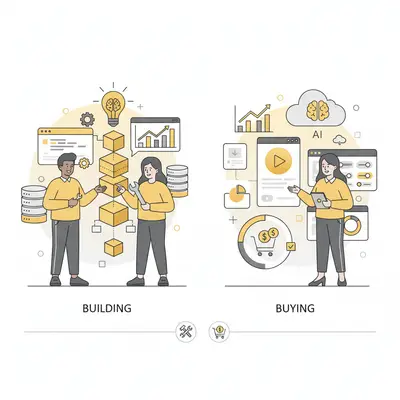
Should You Hire an Agency, Buy SaaS, or Build Custom Automation?
When you need automation, you have three clear paths. Each has different cost structures, time commitments, and trade-offs. Understanding these upfront prevents the most common mistake: choosing the wrong path for your situation.
Path 1: Hire an Automation Agency or Consultant ($30K–$75K for small businesses)
Best for: Businesses that want results without becoming automation experts. True hands-off solution.
Why agencies are the most hands-off option:
- No learning curve: Experts already know the tools—you don't become a student
- Domain-specific customization: Built for your industry/niche, not generic solutions
- Expert-driven: You explain what you need, they deliver the working solution
- Ongoing support: When things break, you call them (not YouTube tutorials)
- Focus preservation: Your team stays on revenue-generating activities, not tool training
Experience multiplier:
- Agencies have built similar systems 10–50 times, avoiding common pitfalls
- Pre-built patterns for error handling, monitoring, and edge cases
- 4–8 weeks typical delivery vs. 4–6 months first-time internal builds
Cost breakdown:
- Initial development: $30K–$75K for small businesses (more for enterprise)
- Maintenance & support: $3K–$12K/year (optional)
- Training & handoff: Included or $2K–$5K additional
Timeline: 4–8 weeks from kickoff to launch
Real-world example: A 12-person consulting firm hired an agency for $55K to build CRM automation. Live in 6 weeks. Generated $300K+ in additional closed deals within 8 months. Their internal team estimated 6–9 months to build the same system.
Trade-offs: Higher upfront cost, vendor dependency for maintenance, may require scope negotiation for changes.
Pro Tip: If automation isn't your core competency and you need it to work reliably, agencies are the most cost-effective path when you factor in opportunity cost. You're paying for results, not paying to learn.
Path 2: Buy a SaaS Platform Subscription ($500–$5K/month, typically $10K–$60K/year)
Best for: Standard business workflows, need immediate results, want vendor support and updates, prefer predictable costs.
The reality most vendors won't tell you:
- Not plug-and-play: Expect 1–3 months learning curve to configure properly
- Generic, not domain-specific: Built for everyone, customized for no one
- You still need expertise: Someone on your team needs to become the "platform expert"
- Customization limitations: If your niche has specific needs, you'll hit walls
Cost breakdown:
- Annual subscription: $6K–$60K (typical CRM/customer success tools)
- Setup fees: Often $0–$5K (some platforms waive for annual contracts)
- Learning curve: 40–80 hours ($8K–$16K opportunity cost)
- Ongoing management: 3–5 hours/week ($7K–$13K/year opportunity cost)
- Add-ons & per-seat pricing: Can add 20–40% to base costs
- True first-year TCO: $21K–$89K (not just the subscription price)
- 5-year TCO: $30K–$300K+
Timeline: 4–8 weeks to learn and configure properly (not "1–4 weeks" in reality)
Common platforms:
- Salesforce Einstein: Complete CRM with AI ($150/user/month+)
- HubSpot AI: Marketing and sales automation ($800–$3,200/month)
- Clay.com: Advanced lead gen with AI enrichment (custom pricing)
- Microsoft Copilot: Office 365 AI assistance ($30/user/month+)
Pros: Faster than DIY, vendor handles infrastructure, built-in best practices
Cons:
- Not hands-off: Requires ongoing involvement and expertise
- Generic solutions: Not customized for your industry/niche
- Limited customization: Hit walls with specific requirements
- Vendor lock-in: Switching costs $5K–$15K
- Hidden learning curve: 1–3 months to become proficient
Real-world example: A 10-person agency bought HubSpot thinking it was "plug and play." Reality: Spent 2 months learning the platform, hired a $5K consultant to set it up properly, and still needed 4 hours/week ongoing management. Total first-year cost: $35K (not the $18K subscription they budgeted).
Reality Check: SaaS platforms are NOT "set it and forget it." You're trading upfront cost for ongoing learning and management. If you don't have someone willing to become the platform expert, you'll struggle.
Path 3: DIY with Low-Code Builders ($0–$100/month + your time)
Best for: Simple automations that can be completed in under one week, teams with technical aptitude, unique workflows with no off-the-shelf solution.
Cost breakdown:
- Platform: $0–$100/month (n8n is open-source; Make.com is ~$9–$29/month)
- Your time opportunity cost: This is the real cost ($100–$200/hour × hours spent)
- Realistic 2-week project: 80–160 hours = $40K–$160K in opportunity cost
- One-year TCO with maintenance: $50K–$200K typically
Timeline estimation trap: Your 2-week estimate often becomes 2–3 months in reality
Common platforms:
- n8n: Open-source workflow automation with self-hosted option
- Make.com: Visual automations (formerly Integromat)
- Zapier: Dead simple but less flexible
Pros: Full control, no vendor lock-in, perfect customization, free/low monthly cost
Cons: You're now becoming an automation company, maintenance is on you, learning curve costs time, the 80/20 trap is real (last 20% takes 80% of the effort)
Example use case: Connecting your CRM to a unique internal tool that no SaaS product integrates with. Takes 4 days to build, saves your team 5 hours/week. Worth it.
Reality Check: If your automation will take more than 1 week to build, or you're not technical enough to debug it when it breaks, you should either hire an agency or buy a platform. The "2 weeks" timeline has a habit of becoming 2 months.
Key Insight: The 80/20 rule applies heavily here. You can get 80% of the functionality done in 20% of the time. But that last 20%—edge cases, error handling, maintenance, scaling—takes 80% of the total time and requires the most expertise.
The Hidden Costs of SaaS: Why It's Not As Easy As It Looks
SaaS vendors sell the dream of "plug and play" automation. The reality is different.
What they don't tell you:
1. The Learning Curve (1–3 months)
- Every platform has its own logic, terminology, and workflow
- You need to become proficient before you see value
- 40–80 hours learning = $8K–$16K opportunity cost
2. Generic Solutions Need Customization
- Built for everyone = optimized for no one
- Your industry/niche has specific needs the platform doesn't address
- You spend time working around limitations or hiring consultants
3. Ongoing Management Required (3–5 hours/week)
- Someone needs to be the "platform expert"
- Troubleshooting when integrations break
- Keeping up with platform updates and changes
- Training new team members
4. Limited Domain Expertise
- SaaS platforms can't advise on your specific use case
- You're figuring out best practices through trial and error
- Support teams help with "how to use the platform," not "what you should do"
Real cost comparison:
SaaS ($15K/year subscription):
- Annual subscription: $15K/year
- Learning: $12K (60 hours × $200/hour) - Year 1 only
- Setup consultant: $5K (many need this) - Year 1 only
- Ongoing management: $10K/year (2.5 hours/week × $200/hour)
- True first-year cost: $42K
- 3-year TCO: $92K
Agency ($45K one-time):
- Zero learning curve
- Domain-specific from day one
- Ongoing support: $6K/year (optional)
- First-year cost: $51K
- 3-year TCO: $63K
Objective insight: When you factor in learning curve and ongoing management, agencies often cost LESS than SaaS over 2–3 years—and deliver better results because they're domain-specific experts.
Why Most Timeline Estimates Are Wrong
Whether you hire an agency, use SaaS, or build yourself, understanding realistic timelines prevents costly mistakes.
The pattern across all approaches:
- Week 1–2: Initial setup and "happy path" implementation
- Week 3–4: Edge cases emerge (what happens when APIs fail, data is malformed, rate limits hit)
- Week 5–8: Error handling and monitoring consume more time than expected
- Week 9+: Maintenance, documentation, and user training often overlooked
What experienced teams know:
- The 80/20 rule: 80% functionality in 20% of time, last 20% takes 80% of effort
- Multiply your initial estimate by 3x for realistic timeline
- Production-grade systems need error recovery, monitoring, and documentation
Reality Check: Track record from 500+ automation projects: SaaS platforms deploy in 1–4 weeks, agencies in 4–8 weeks, first-time internal builds in 4–9 months. Factor this into your decision.
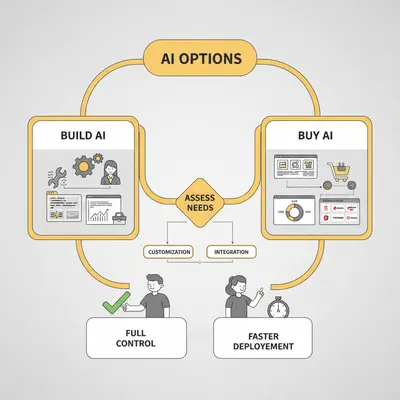
Automation Cost Breakdown: Agency vs SaaS vs DIY
The Challenge: Comparing Apples to Oranges
Most businesses compare sticker prices without calculating total cost of ownership. "$45K agency vs. $15K/year SaaS vs. $0/month n8n" misses 60–80% of the real costs.
The Solution: True Cost of Ownership
Real small business example: Marketing agency with 8 people
A digital marketing agency needed lead qualification automation. They analyzed three options with realistic costs:
Option 1 - Build with n8n (DIY):
- Founder's time: 120 hours over 3 months ($24,000 opportunity cost at $200/hour)
- Tools and integrations: $600/year
- Ongoing maintenance: 8 hours/month ($19,200/year at $200/hour)
- First-year total: $43,800
- 3-year TCO: $82,200
Option 2 - Buy Clay.com (SaaS):
- Annual subscription: $15,000/year
- Learning curve: 50 hours ($10,000 opportunity cost)
- Setup consultant: $3,000 (needed for proper configuration)
- Ongoing management: 3 hours/week ($31,200/year opportunity cost)
- First-year total: $59,200
- 3-year TCO: $107,400
Option 3 - Hire agency:
- One-time build: $45,000
- Zero learning curve
- Minimal ongoing involvement
- Optional maintenance: $6,000/year
- First-year total: $51,000
- 3-year TCO: $63,000
Decision: They chose the agency. Lower TCO than SaaS when factoring in learning and management time, plus domain-specific expertise and zero ongoing involvement.
The lesson: SaaS subscription prices hide the real costs. Learning curve + ongoing management often make SaaS MORE expensive than agencies over 2–3 years.
5-Year Total Cost of Ownership Comparison
Here's a realistic comparison for a small business sales automation system with all costs included:
| Path | Year 1 | Year 2 | Year 3 | Year 4 | Year 5 | 5-Year TCO |
|---|---|---|---|---|---|---|
| Agency | $55K | $6K | $6K | $6K | $12K* | $85K |
| SaaS (Clay/HubSpot) | $53K§ | $25K† | $27K | $29K | $31K | $165K |
| DIY Build (Low-Code) | $44K‡ | $8K | $8K | $12K* | $12K | $84K |
*Usually needs major updates or re-architecture
†Cost creep as team grows + ongoing management
‡Opportunity cost of 3 months development
§Includes $15K subscription + $15K learning + $10K setup consultant + $13K ongoing management
Key insight: When you factor in SaaS hidden costs (learning curve, setup consultant, ongoing management), agencies often have the LOWEST 5-year TCO for small businesses. SaaS looks cheaper upfront but costs 2x more long-term when you include the time investment.
Hidden costs in SaaS platforms (often ignored):
- Learning curve: 40–80 hours ($8K–$16K opportunity cost)
- Setup/consultation: $3K–$10K for proper configuration
- Ongoing management: 3–5 hours/week ($7K–$13K/year opportunity cost)
- Working around limitations: 5–10 hours/month for non-standard needs
- Per-seat pricing creep: 20–30% annual increase as team grows
- Integration costs for custom needs: $2K–$10K
- Data migration if switching: $5K–$15K
- Total hidden costs can exceed subscription price by 2–3x
Hidden costs in DIY builds:
- Your time debugging: 80–120 hours ($16K–$24K opportunity cost)
- Monitoring tools: $500–$1,200/year
- Security considerations: $2K–$5K/year
- Ongoing maintenance: 5–10 hours/month ($12K–$24K/year opportunity cost)
Agency costs are transparent (truly hands-off):
- Fixed upfront price ($30K–$75K for small businesses)
- Zero learning curve or ongoing management
- Domain-specific expertise included
- Optional maintenance ($3K–$12K/year)
- What you pay is what you get - no hidden time sinks
Objective insight: Agencies are the only truly hands-off option. SaaS requires ongoing expertise and involvement. DIY requires the most work. Choose based on how much time you want to invest.
The Opportunity Cost Most People Ignore
If you're the founder or a key technical team member building automation, you're not just spending time—you're sacrificing other priorities.
Example: You estimate 2 weeks (80 hours) to build an automation. At a conservative $100/hour for your time, that's $8,000 in direct costs. But multiply by the "reality factor":
- Your 2-week estimate → probably 4–6 weeks in reality
- 160–240 hours × $100/hour = $16,000–$24,000
- Plus the opportunity cost: What revenue did you miss by not focusing on sales/marketing/customer success?
Quick math for small business owners:
- Hours invested × Your hourly value × 3 (reality multiplier)
- If result > 2 years of SaaS subscription → Buy instead
When Does Building Make Sense?
If building costs as much as 5 years of subscriptions, when is it justified?
Only when one or more of these conditions are true:
- It provides unique competitive advantage that competitors can't replicate with off-the-shelf tools
- It requires specific customization that doesn't exist in the market (genuinely unique workflows)
- You've already hit platform limits and there's no better alternative
- Automation is your core business competency and you're building internal expertise as a moat
Reality Check: Most automation projects fail condition #1. You're rarely building something that's truly proprietary—you're usually reinventing a wheel that already exists. Before committing to build, spend 2–3 hours researching existing solutions. You'll be surprised what's already available.
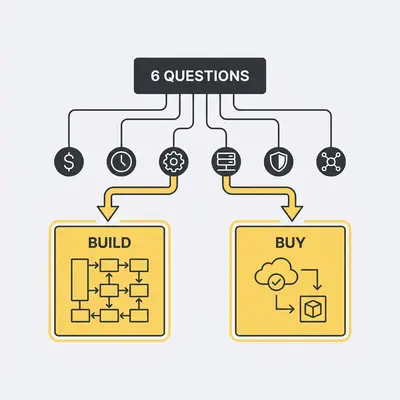
Decision Framework: 6 Questions to Choose Your Path
Ask these six questions honestly before deciding. Most people skip this and end up choosing based on the shiny object or the cheapest option—both are recipes for regret.
Question 0: What's Your Timeline and Budget Reality?
Answer these honestly before choosing a path:
Involvement questions (most important):
- Do you want a hands-off solution? → Agency only
- Can someone dedicate 1–3 months learning a platform? → SaaS is viable
- Is someone willing to be the ongoing "platform expert"? → Required for SaaS
- Do you have 10+ hours/week for 3+ months? → Required for DIY
Expertise questions:
- Do you need domain-specific customization? → Agency
- Are generic workflows acceptable? → SaaS might work
- Do you have automation experience? → DIY is viable
- Is this your first automation? → Agency or learn with SaaS
Timeline questions:
- Do you need this working in 4–8 weeks with zero involvement? → Agency
- Can you spend 4–8 weeks learning + configuring? → SaaS
- Can you wait 4–6 months building? → DIY
Budget questions:
- Is $30K–$75K upfront feasible? → Agency delivers fastest ROI
- Prefer $15K–$30K/year but have time to learn? → SaaS
- Want to minimize cash but have time? → DIY (highest opportunity cost)
Framework: If you answered "hands-off" + "need domain expertise" → Agency is the only option. If you answered "have time to learn" + "generic workflow OK" → SaaS works. If you answered "have automation experience" + "lots of time" → DIY is rational.
Question 1: Is this automation core to your business?
Core competency: This automation directly impacts your unique value proposition or competitive advantage.
Not core: Standard business operations like email marketing, CRM workflows, or lead scoring.
- If core → Consider building or heavy agency customization. You need control and uniqueness.
- If not core → Buy off-the-shelf. You're not differentiating yourself with better email parsing.
Pro Tip: If you're building something that 10 other companies in your industry already have, it's probably not core. Research existing solutions first—you'll save 6–12 months.
Question 2: Do you have automation expertise in-house?
Expertise means: You've successfully maintained production automation systems for 1+ year, your team can debug integrations when they break, and you understand API rate limits, webhooks, and data pipelines.
No expertise: You've done some Zapier flows or basic scripts, but you call support for edge cases.
- If yes, and it's your competency → DIY with low-code (n8n, Make.com) is possible
- If no, or you don't want this as a competency → Buy SaaS or hire agency
Reality Check: Learning automation on your critical business process is like learning to fly in a storm. Get the training wheels first—buy the solution, learn from vendor docs, then consider building v2 when you understand your needs.
Question 3: How long will this take to build? (Use the honesty multiplier)
Estimate the time to build, then apply the multiplier:
- <1 week → DIY is fine (assuming you have skills from Question 2)
- 1–4 weeks estimated → Actually means 6–12 weeks (strongly consider buying or agency)
- >1 month estimated → Means 6+ months (almost certainly should buy or hire)
Why the multiplier? Because you're underestimating:
- Edge case handling (data validation, error recovery)
- Maintenance requirements (monitoring, updates, bug fixes)
- Integration points you didn't think about
- The 80/20 trap where the last 20% of quality takes 80% of the time
"It'll Only Take 2 Weeks" Syndrome: This is the most common mistake. Your 2-week estimate should raise flags: multiply by 3–4x for realistic timeline. If 2 weeks × 4 = 8 weeks, you should buy or hire.
Question 4: What's the opportunity cost?
Calculate your real cost:
(Hours to build × Your hourly value × 3) + Lost productivity = Real Cost
Example:
-
80 hours × $100/hour × 3 (reality multiplier) = $24,000
-
Plus $5,000 in tools/misc
-
Total: $29,000 in opportunity cost
-
Clay.com alternative: $15,000/year
-
Decision: Buy (2x cheaper in Year 1)
-
If opportunity cost > 2 years of SaaS subscriptions → Buy the platform
-
If <1 year of subscriptions and it's core → Build makes financial sense
Question 5: How fast do you need ROI?
- Immediate (weeks) → Buy SaaS platform. Nothing beats time to market of existing solutions.
- Medium (1–3 months) → Agency. They can build faster than you DIY, and it's customized.
- Long-term acceptable (6+ months) → Build custom only if it's core competency (see Question 1)
The speed vs. control trade-off:
Speed (weeks) ←─────────────────────────────────→ Control (months)
      SaaS                    Agency                 Custom Build
The faster you need ROI, the less control you get. The more control you want, the longer you wait.
Summary: Your Decision Matrix
| Question | Agency | SaaS | DIY |
|---|---|---|---|
| Is it core? | Yes | No | Yes |
| Have expertise? | No/Maybe | No | Yes |
| Timeline <1 week? | N/A | N/A | Yes only |
| Opportunity cost <2yr SaaS? | N/A | Yes | Depends |
| Need ROI immediately? | Medium | Yes | No |
Recommendation after answering all 5: You should have a clear path. If not, start with the lowest-risk option (buy SaaS), prove ROI, then expand.
Pro Tip: Most companies should buy first, customize when they hit limits, and only build when they've proven the need for something truly unique. This is the lowest-risk path.
Book a free consultation to apply this framework to your specific situation.
Three Automation Scenarios: What Worked and What Didn't
Three illustrative scenarios showing the same decision made three different ways, and what separates the good calls from the expensive ones.
Scenario: The In-House Build That Turned Into a Project
Path chosen: Build custom lead enrichment in-house
Why: "We have engineers, how hard can it be?"
What goes wrong:
- Edge cases dominate the work: API failures, rate limits, data validation
- Nobody on the team has run automation in production before
- Maintenance never ends. Someone owns this workflow forever
The lesson: A first automation build is mostly the discovery of edge cases you did not scope, which is why estimates for one slip so badly. The options worth pricing before you start are a purpose-built tool like Clay.com and an automation agency, both of which ship the same capability without your team learning on the job.
Takeaway: This is not the wrong call if you plan to build more automations, because the learning carries over. For a one-off, buying is usually the better trade.
Scenario: When Hiring an Agency Is the Right Call
Need: CRM automation, client project tracking, and billing integration
What they do: Hire an automation agency and budget for ongoing maintenance
Why an agency fits: Complex integrations (CRM plus project management plus QuickBooks), a clear return, and no internal expertise. The firm does not want to become a software company, it wants the workflow working.
What makes it stick: The team is trained during handover, and the consultants actually use the system because it was designed with them rather than at them.
The lesson: When complexity is high, the return is clear, and automation is not your core competence, an agency is the sweet spot. You get customization without building a dev team.
The alternative paths: DIY here means a long build with no in-house experience to draw on. Buying separate point tools means manual integrations between them, which is exactly the seam that breaks.
Scenario: When Building It Yourself Is the Right Call
Need: A proprietary AI matching system connecting users to personalized recommendations
What they do: Build a custom recommendation engine in-house
Why building fits: This IS the product. The recommendation engine is the differentiator, and no off-the-shelf tool implements their specific matching logic.
The lesson: When the automation IS the product, or when your own algorithms are the competitive advantage, build it. This is the minority of cases where custom makes sense.
The alternative path: A generic recommendation engine would produce a copycat product with nothing to differentiate it.
Key Takeaways from These Scenarios
- Research existing solutions first (80% of people don't)
- Agency makes sense for high ROI, complex integrations, or non-technical teams
- Only build when it's genuinely core to your business or completely unique
- One-week rule: If you can't build it in a week, reconsider DIY
When Each Path Makes Sense (And When It Doesn't)
Choose Agency When:
1. You Want Hands-Off Results
Pay money, get working solution, zero ongoing involvement required. True "set it and forget it."
2. Domain-Specific Needs
Your industry/niche has specific requirements that generic SaaS platforms don't handle well.
3. No One Wants to Become Platform Expert
SaaS requires someone to dedicate 1–3 months learning + ongoing management. Agencies eliminate this.
4. Speed-to-Value Matters
Live in 4–8 weeks without learning curve. Fastest path to ROI.
5. Complexity Is High
Multiple integrations (5+ systems), custom logic, compliance—expertise prevents mistakes.
6. True Cost Matters
When you factor in learning curve and ongoing management, agencies often cost less than SaaS over 2–3 years.
Choose SaaS When:
1. Standard Workflows Only
CRM, email marketing, lead gen—and your needs fit the generic template.
2. Someone Has Time to Learn (1–3 months)
And they're willing to be the ongoing platform expert (3–5 hours/week).
3. You're OK With Limitations
Generic solutions mean you'll work around things that don't quite fit.
4. Budget Is Very Tight
Lower upfront cost, but factor in learning time and ongoing management.
5. You Want to Learn Platform Skills
If building platform expertise is valuable for your team long-term.
Reality Check: Most people choose SaaS thinking it's hands-off. It's not. Factor in 50–80 hours learning curve and 3–5 hours/week ongoing management. If that sounds like too much, choose agency instead.
Choose DIY When:
1. You Have Experience
Team has built 2+ production automation systems successfully.
2. This Is Core IP
Automation is your product's differentiator.
3. You'll Build Multiple Systems
Learning investment compounds over 5+ projects.
4. Time Isn't Urgent
Can wait 4–6 months for first version.
5. Highly Custom Needs
No existing solution fits your unique workflow.
Objective advice:
- 60% should hire agency (most hands-off, domain-specific, often cheaper than SaaS when factoring hidden costs)
- 30% should buy SaaS (if someone has time to learn and generic workflows fit)
- 10% should DIY (have expertise and it's core to business)
Common Mistakes to Avoid
These are the patterns I see most often—and they all lead to the same outcome: wasted time and money.
1. "It'll Only Take 2 Weeks" Syndrome
The mistake: Underestimating timelines by 3–4x.
The reality: Your 2-week project becomes 2 months. Your 2-month project becomes 6 months.
Why it happens: You plan for the "happy path" but reality includes:
- Edge cases you didn't think about (invalid data, API rate limits, webhook failures)
- Error handling and recovery logic (what happens when things break?)
- Testing and debugging (this is 30% of the work, not 10%)
- Maintenance and updates (the one-time build is only 40% of total effort)
Reality Check: Multiply your estimate by 3–4x for a realistic timeline. If you think it's 2 weeks, actually plan for 6–8 weeks. This prevents disappointment.
2. Ignoring Opportunity Cost
The mistake: Only counting tool costs, not your time.
The reality: Your time is expensive, especially if you're a founder or key team member.
Example: Spending 6 weeks building automation when you could have closed 3 new deals.
How to calculate:
Estimated hours × Your hourly value × 3 (reality factor) = Real cost
Quick sanity check: If the opportunity cost is more than 2 years of SaaS subscriptions, buy the platform instead.
3. The "Not Core Competency" Trap
The mistake: Becoming an automation company by accident.
The reality: Every hour you spend learning n8n/Make.com is an hour not spent on your actual business.
You're doing this if:
- You spend 10+ hours/week debugging integrations
- You're reading API docs when you should be selling
- Your team asks you to fix the automation instead of focusing on strategy
When to stop: If automation maintenance is taking 20%+ of your time, hire an agency or buy a managed platform.
Pro Tip: Your core competency is running your business, not becoming the automation expert. Delegate the technical implementation so you can focus on what moves revenue.
4. The 80/20 Trap
The mistake: Thinking you're "almost done" when you're only 20% into the hard part.
The reality: The last 20% of polish, error handling, and maintenance takes 80% of the total time.
What this means:
- Week 1–2: You build the happy path. Looks great!
- Week 3–6: You handle edge cases and errors. Progress slows.
- Week 7–12: You maintain and debug. Progress grinds to a halt.
How to avoid it: Recognize when you're in the hard 20%. If you're spending more time debugging than building, it's time to:
- Buy a platform that handles edge cases for you
- Hire an agency to finish the last 20%
- Accept that "good enough" is fine for now
5. Sunk Cost Fallacy
The mistake: Continuing down a wrong path because you've already invested time.
The reality: Just because you've spent 2 months building doesn't mean you should spend 6 more.
Red flags that you should switch:
- You've been debugging for 3+ weeks on the same issue
- The timeline has slipped by 2x+
- You're starting to hate the project (this is your intuition telling you it's wrong)
When to pivot: It's not failure to switch to Clay.com after 2 months of trying to build. It's smart course correction.
How to avoid sunk costs: Build in milestones:
- After 2 weeks: Does a SaaS alternative exist? Try it.
- After 1 month: Should we hire help or buy?
- After 2 months: Definitely reassess. Cut losses if needed.
6. Skipping Market Research
The mistake: Building without checking if a solution already exists.
The reality: 90% of the time, something similar exists for 10% of the cost.
The exercise: Spend 2–3 hours before you start building:
- Google "your use case + automation"
- Try 2–3 free trials of likely tools
- Check reviews and case studies
- Talk to peers in your industry
You'll discover: Most of what you want to build is already available. The 10% that's not might not be worth the 90% custom overhead.
Future Outlook: Building Becomes Even Harder
The bar for DIY is rising, and that's good news for most businesses. Here's what's changing:
SaaS Platforms Are Getting Better (Faster Than You Can Build)
By 2026, over 80% of SaaS tools will have embedded AI. This means:
- More automation out-of-the-box → Less need to build custom
- Better integrations → Fewer edge cases to handle
- Lower costs → Platform economics improve faster than internal dev
The implication: If you're building something today, it's probably already available as a plugin or feature in a major SaaS platform. The one exception: truly proprietary workflows.
Low-Code Builders Are Getting More Powerful
Tools like n8n and Make.com are becoming sophisticated enough for production use, but:
- They're still best for simple automations (<1 week builds)
- The learning curve is steep for complex logic
- Maintenance remains on you
The sweet spot: Use low-code for small, unique connections between tools. Don't build entire systems—you'll hit the 80/20 trap.
Agency Market Is Maturing
More agencies are competing, which means:
- Better pricing for buyers
- Higher specialization (some agencies now focus on specific tools like Clay.com or n8n)
- Proven ROI models with case studies
The recommendation: For complex projects, you'll get better ROI from agencies in 2025–2026 than in-house builds.
The Smart Approach Going Forward
- Start with buying → Prove ROI quickly on a platform
- Customize when you hit limits → Use agencies for specific enhancements
- Build only when you've proven the need → Don't build your v1, build your v3
This is the lowest-risk path: you validate demand before investing in custom solutions.
Making the Right Decision for Your Business
The data from 500+ automation projects shows clear patterns—and surprises most people:
Most cost-effective path (when factoring in all costs): Hire agency → Hands-off, domain-specific, no learning curve
Second path: Buy SaaS → If you have time to learn and manage, and generic workflows fit
Most work: DIY → Only if you have expertise or it's core IP
Your Decision Framework
Start here:
-
Do you want a truly hands-off solution?
- YES → Agency is your only option
- NO → Continue to #2
-
Does someone have 1–3 months to learn a platform + 3–5 hours/week ongoing?
- NO → Agency is your only option
- YES → Continue to #3
-
Are your needs domain-specific or generic?
- Domain-specific/niche requirements → Agency
- Generic workflows → SaaS might work, continue to #4
-
What's your budget reality?
- $30K–$75K upfront available → Agency delivers fastest ROI and lowest TCO
- Prefer $15K–$30K/year → SaaS (but factor in learning + management time)
- Minimize cash spend → DIY (highest opportunity cost)
-
Do you have production automation experience?
- NO → Agency or SaaS only
- YES and it's core to business → DIY makes sense
Pattern recognition: Most people choose SaaS thinking it's cheaper and easier. When they factor in learning curve ($8K–$16K) and ongoing management ($7K–$13K/year), agencies often cost LESS over 2–3 years—and deliver better results because they're domain-specific experts. Be honest about the hidden time investment.
Next Steps Based on Your Choice
If choosing agency: Book a consultation to scope timeline and costs
If choosing SaaS: Allocate 50–80 hours for learning curve and identify who will be the ongoing platform expert
If choosing DIY: Allocate 3x your estimated time and budget for learning curve
FAQ Section
When should I hire an agency vs buy software vs DIY?
Hire an agency when: You want hands-off results, need domain-specific customization, don't want to learn a platform, or complexity requires expertise. Budget: $30K–$75K for small businesses. Most cost-effective when factoring in hidden SaaS costs.
Buy software when: Someone has 1–3 months to learn + ongoing management, generic workflows fit your needs, and budget is tight but time is available. Budget: $15K–$30K/year + $35K–$60K first-year in learning/management costs.
DIY when: Simple automations (<1 week), core differentiator, have automation expertise, or completely unique use case. Budget: $0–$100/month tools + 80–200 hours of your time.
How do I calculate the opportunity cost of building?
Formula:
(Hours to build × Your hourly value × 3) + Lost productivity = Real Cost
Example: 80 hours × $100/hour × 3 = $24,000 in opportunity cost
Decision rule: If opportunity cost > 2 years of SaaS subscriptions → Buy the platform instead.
What's a realistic timeline for custom automation?
Estimate, then multiply by 3–4x for reality:
- <1 week estimated → Actually 3–4 weeks
- 1–4 weeks → Actually 6–12 weeks (often becomes 2–3 months)
-
1 month → Actually 6+ months (often becomes 9–12 months)
Why the multiplier? Edge cases, error handling, maintenance, and the 80/20 trap (last 20% takes 80% of the time).
How do I know if I'm in the 80/20 trap?
Signs you're stuck in the hard 20%:
- You've been debugging for 3+ weeks on the same issue
- Progress has stalled for 2+ weeks
- You're spending more time fixing than building
- You're starting to hate the project
When to pivot: If you recognize this pattern, switch to buying a platform or hiring an agency to finish.
When is building from scratch justified?
Build is justified when one or more of these are true:
- Core differentiator — Automation provides unique competitive advantage
- Completely unique use case — No existing solution exists (after thorough research)
- Already hit platform limits — You've proven SaaS won't work
- Automation is your competency — Your team has 1+ years maintaining production systems
Most companies think it's #1, but it's usually #2 or not at all.
What are the hidden costs of SaaS platforms?
Most people only see the subscription price, but add:
- Learning curve: 40–80 hours (1–3 months) = $8K–$16K opportunity cost
- Setup consultant: $3K–$10K (most businesses need this)
- Ongoing management: 3–5 hours/week = $7K–$13K/year
- Working around limitations: 5–10 hours/month for custom needs
- Per-seat pricing creep: 20–30% annual increase as team grows
Total hidden costs: Often 2–3x the subscription price
Key insight: $15K/year SaaS often costs $50K+ first-year when you factor in learning and ongoing management. Agencies at $45K one-time often cost LESS when you add all SaaS hidden costs.
Should I buy Clay.com, n8n, Make, or hire an agency?
Quick guide:
- Clay.com/Salesforce/HubSpot: If someone has 1–3 months to learn + ongoing management, and generic workflows fit
- n8n/Make.com: DIY if you can build in <1 week and have automation skills
- Agency: If you want hands-off, need domain-specific, or don't have time to become platform expert
Most common mistake: Thinking SaaS is hands-off. Factor in 50–80 hours learning curve and 3–5 hours/week ongoing management before choosing.
By Kevin Michael Schindler, AI Automation Specialist at evalics (10+ years optimizing workflows for 200+ companies).
Related Resources: