You're starting a new business and need AI tools. You see ChatGPT free tier, n8n self-hosted, and dozens of "free" AI tools. But you also see paid options promising better features, higher limits, and more reliability. Which should you choose?
Here's what most business owners miss: Free AI tools can work perfectly for many use cases, but hidden costs and limitations often make paid tools more cost-effective. The "free" label is misleading—you're paying with your time, data, or limitations that slow you down.
Free AI Tools = Tools with no upfront cost, but often limited by context windows, API rate limits, feature restrictions, or reliability issues.
Paid AI Tools = Tools with monthly/annual fees, but typically offer higher limits, better performance, priority support, and advanced features.
Quick Win: Choosing the right mix of free and paid AI tools can save you 40-60% on tool costs while maintaining productivity. Most businesses waste money by paying for tools they don't need or struggling with free tools that hit limits too quickly. According to Gartner's 2025 AI Tool Adoption Report, businesses that choose the right mix of free and paid tools see 40-60% cost savings compared to those that use only paid tools.
This guide cuts through the marketing hype to give you a clear cost-benefit analysis. We'll cover:
- Free AI tools that are genuinely useful (and their limitations)
- When free tools hit their limits and you need to upgrade
- Cost analysis: free tier limitations vs paid features
- Hidden costs: API usage, hosting, data storage
- Recommendations by use case and budget
- How to avoid vendor lock-in
By the end, you'll know exactly which tools are worth paying for—and which free tools can save you money.
Free AI Tools That Are Genuinely Useful
Not all free AI tools are created equal. Some are genuinely useful and can handle real business needs, while others are just marketing gimmicks. Here are the free tools that actually work.
ChatGPT Free Tier
What you get:
- Access to GPT-3.5 model
- Unlimited conversations (with rate limits)
- Basic chat functionality
- No credit card required
Capabilities:
- Content generation (blog posts, emails, social media)
- Basic research and analysis
- Code assistance and debugging
- General Q&A and brainstorming
Limitations:
- GPT-3.5 only (not GPT-4)
- Rate limits during peak hours
- No priority access
- Limited context window (8K tokens)
- No advanced features (plugins, browsing, code interpreter)
Best for: Casual use, testing AI capabilities, simple content generation, learning how AI works.
When to upgrade: When you need GPT-4, priority access, or advanced features for business use.
n8n Self-Hosted (Free)
What you get:
- Full n8n platform (open-source)
- Unlimited workflows
- All integrations and features
- Complete data control
Capabilities:
- Workflow automation
- API integrations
- Data processing and transformation
- Custom automations
Limitations:
- You host it yourself (requires server)
- No managed hosting or support
- You're responsible for updates and maintenance
- Requires technical knowledge to set up
Best for: Technical teams, businesses needing data control, high-volume automation, custom integrations.
When to upgrade: When you want managed hosting, support, or don't have technical resources.
Other Genuinely Useful Free Tools
Claude Free Tier:
- Access to Claude Sonnet (previous generation)
- Limited messages per day
- Good for: Content analysis, document processing, research
Google Gemini Free:
- Access to Gemini Pro
- Limited requests per day
- Good for: General AI tasks, research, content generation
Hugging Face:
- Free access to open-source models
- Community models and datasets
- Good for: Developers, researchers, custom AI applications
Perplexity Free:
- AI-powered search with citations
- Limited queries per day
- Good for: Research, fact-checking, information gathering
Pro Tip: Start with free tools to test your use case. If you hit limits or need better performance, then upgrade. Most businesses can start with free tools and upgrade only when necessary.
When Free Tools Hit Their Limits
Free tools work great until they don't. Understanding when you'll hit limits helps you plan your budget and avoid productivity bottlenecks.
Context Window Limitations
ChatGPT Free Tier:
- Limited to GPT-3.5 (8K context window)
- Can't handle long documents or complex conversations
- Struggles with detailed analysis or multi-step tasks
When you hit the limit:
- Processing long documents (50+ pages)
- Complex multi-step workflows
- Detailed analysis requiring context retention
- Conversations with extensive history
Solution: Upgrade to ChatGPT Plus ($20/month) for GPT-4 with 128K context window.
API Rate Limits and Usage Caps
Free Tier Limits:
- ChatGPT: Rate limits during peak hours
- Claude Free: Limited messages per day
- Gemini Free: Limited requests per day
- API services: Strict rate limits (often 3-5 requests/minute)
When you hit the limit:
- High-volume content generation
- Automated workflows with frequent API calls
- Batch processing or bulk operations
- Production applications requiring reliability
Solution: Upgrade to paid tiers or use API credits for higher limits.
Feature Restrictions
Free Tier Restrictions:
- No access to advanced models (GPT-4, Claude Opus)
- Limited integrations and plugins
- No priority support
- Restricted API access
- Limited customization options
When you need paid features:
- Advanced AI capabilities (better accuracy, reasoning)
- Business-critical integrations
- Priority support for production issues
- Custom workflows and automations
- Advanced analytics and reporting
Solution: Upgrade to paid tiers for advanced features and priority support.
Performance Limitations
Free Tier Performance:
- Slower response times during peak hours
- Lower priority in queue
- Occasional downtime or service interruptions
- Limited concurrent requests
When performance matters:
- Production applications requiring reliability
- Time-sensitive workflows
- High-volume operations
- Customer-facing applications
Solution: Paid tiers typically offer better performance, priority access, and SLA guarantees.
Support and Reliability Issues
Free Tier Support:
- Community support only
- No guaranteed response time
- Limited documentation and resources
- No SLA or uptime guarantees
When you need support:
- Business-critical applications
- Production workflows
- Complex integrations
- Time-sensitive issues
Solution: Paid tiers offer priority support, dedicated resources, and SLA guarantees.
Reality Check: Free tools work great for testing and casual use, but they hit limits quickly when you scale. Most businesses need to upgrade within 3-6 months of starting. Factor this into your budget planning.
Cost Analysis: Free Tier Limitations vs Paid Features
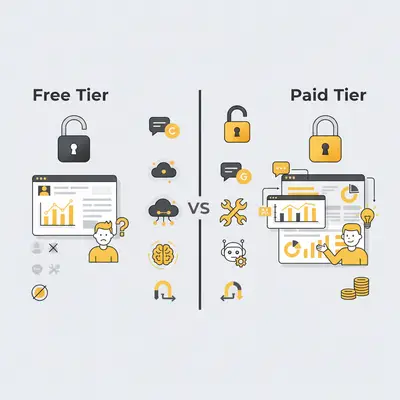
Understanding the true cost of free vs paid tools requires looking beyond sticker prices. Here's a detailed comparison of major AI tools.
ChatGPT: Free vs Plus vs Team
ChatGPT Free:
- Cost: $0/month
- Model: GPT-3.5 only
- Context window: 8K tokens
- Rate limits: Yes (during peak hours)
- Features: Basic chat only
- Support: Community only
ChatGPT Plus:
- Cost: $20/month
- Model: GPT-4 access
- Context window: 128K tokens
- Rate limits: Higher limits, priority access
- Features: Plugins, browsing, code interpreter
- Support: Priority support
ChatGPT Team:
- Cost: $25/user/month (minimum 2 users)
- Model: GPT-4 access
- Context window: 128K tokens
- Rate limits: Higher limits, priority access
- Features: Admin console, team management, data controls
- Support: Priority support, dedicated resources
When to upgrade:
- Free → Plus: When you need GPT-4, better performance, or advanced features
- Plus → Team: When you need team collaboration, admin controls, or data governance
n8n: Self-Hosted vs Cloud
n8n Self-Hosted (Free):
- Cost: $0/month (software only)
- Hosting: You provide (server costs $5-50/month)
- Features: Full platform access
- Support: Community support
- Maintenance: You handle updates and maintenance
According to Forrester's research on automation platforms, self-hosted automation tools can save 60-80% on licensing costs, but require 2-4 hours monthly for maintenance and updates.
n8n Cloud:
- Cost: $20/month (Starter) to $50/month (Pro)
- Hosting: Managed by n8n
- Features: Full platform access
- Support: Priority support
- Maintenance: Handled by n8n
When to choose each:
- Self-Hosted: Technical teams, data control needs, high-volume usage, custom requirements
- Cloud: Non-technical teams, want managed hosting, need support, prefer simplicity
Claude: Free vs Pro
Claude Free:
- Cost: $0/month
- Model: Claude Sonnet (previous generation)
- Messages: Limited per day
- Features: Basic chat
- Support: Community only
Claude Pro:
- Cost: $20/month
- Model: Claude Opus (latest)
- Messages: 5x more messages
- Features: Priority access, advanced capabilities
- Support: Priority support
When to upgrade: When you need better performance, more messages, or advanced features.
Google Gemini: Free vs Paid
Gemini Free:
- Cost: $0/month
- Model: Gemini Pro
- Requests: Limited per day
- Features: Basic AI capabilities
- Support: Community only
Gemini Advanced:
- Cost: $20/month (via Google One)
- Model: Gemini Ultra
- Requests: Higher limits
- Features: Advanced capabilities, integrations
- Support: Priority support
When to upgrade: When you need better performance, higher limits, or advanced features.
Key Insight: Free tiers are great for testing and casual use, but paid tiers offer better performance, higher limits, and priority support. Most businesses need to upgrade within 3-6 months for production use.
Hidden Costs: API Usage, Hosting, Data Storage
The "free" label is misleading. Here are the hidden costs that can make free tools more expensive than paid alternatives.
API Usage Costs
OpenAI API:
- GPT-3.5: $0.50 per 1M input tokens, $1.50 per 1M output tokens
- GPT-4: $30 per 1M input tokens, $60 per 1M output tokens
- Example: 1,000 blog posts (1,000 words each) = ~$50-150 with GPT-3.5, $3,000-6,000 with GPT-4
Anthropic API:
- Claude Sonnet: $3 per 1M input tokens, $15 per 1M output tokens
- Claude Opus: $15 per 1M input tokens, $75 per 1M output tokens
- Example: Same 1,000 blog posts = ~$300-1,500 with Sonnet, $1,500-7,500 with Opus
Real-World Example: A 10-person marketing agency uses ChatGPT free tier for content generation. They hit rate limits and switch to OpenAI API:
- 500 blog posts/month × 1,000 words = 500K tokens
- Cost: $25-75/month with GPT-3.5, $1,500-3,000/month with GPT-4
- ChatGPT Plus ($20/month) would be cheaper for their use case
Hosting Costs for Self-Hosted Tools
n8n Self-Hosted:
- Server: $5-50/month (VPS or cloud instance)
- Database: $0-20/month (if using managed database)
- Storage: $0-10/month (for workflow data)
- Maintenance: 2-4 hours/month × $50-100/hour = $100-400/month opportunity cost
- Total: $105-480/month (not free!)
Real-World Example: A 15-person business self-hosts n8n:
- Server: $20/month
- Database: $10/month
- Maintenance: 3 hours/month × $75/hour = $225/month
- Total: $255/month vs n8n Cloud at $20-50/month
Data Storage Costs
Free Tier Storage:
- ChatGPT Free: Limited conversation history
- n8n Self-Hosted: You pay for storage
- API services: You pay for data storage
Paid Tier Storage:
- ChatGPT Plus: Extended conversation history
- n8n Cloud: Included storage
- API services: Pay-per-use storage
Real-World Example: A business stores 100GB of AI-generated content:
- Cloud storage: $2-5/month
- Database storage: $10-20/month
- Total: $12-25/month (hidden cost of free tools)
Infrastructure Costs
Self-Hosted Infrastructure:
- Servers: $5-100/month
- Bandwidth: $0-50/month
- Monitoring: $0-20/month
- Backup: $0-10/month
- Total: $5-180/month
Managed Services:
- Included in paid tier pricing
- No infrastructure management needed
- Predictable monthly costs
Opportunity Costs
Time Spent Managing Free Tools:
- Setting up self-hosted tools: 10-20 hours × $50-100/hour = $500-2,000
- Troubleshooting issues: 2-4 hours/month × $50-100/hour = $100-400/month
- Monitoring and maintenance: 1-2 hours/month × $50-100/hour = $50-200/month
- Total: $650-2,600 first year, $150-600/year ongoing
Real-World Example: A business spends 4 hours/month managing free tools:
- 4 hours × $75/hour = $300/month = $3,600/year
- Paid tool at $50/month = $600/year (saves $3,000/year)
Reality Check: Free tools aren't free—you pay with your time, infrastructure costs, or limitations. Calculate the true cost including hosting, maintenance, and opportunity costs before choosing free over paid.
Recommendations by Use Case and Budget
Choosing the right mix of free and paid tools depends on your use case, budget, and technical capacity. Here are recommendations for different scenarios.
Budget-Conscious Startups: Free Tools That Work
Recommended Stack:
- ChatGPT Free: Content generation, research, Q&A
- n8n Self-Hosted: Workflow automation (if technical)
- Claude Free: Document analysis, research
- Perplexity Free: Research and fact-checking
Monthly Cost: $0-50 (hosting only)
Best for: Solo founders, early-stage startups, testing AI capabilities, low-volume use cases.
Limitations: Rate limits, basic features, self-hosting required for some tools.
Growing Businesses: When to Upgrade to Paid
Recommended Stack:
- ChatGPT Plus ($20/month): Better performance, GPT-4 access
- n8n Cloud ($20/month): Managed hosting, support
- OpenAI API (pay-per-use): High-volume content generation
- Claude Pro ($20/month): Advanced document analysis
Monthly Cost: $60-200/month
Best for: Businesses scaling operations, production workflows, need reliability and support.
When to upgrade:
- Hitting rate limits on free tiers
- Need better performance for production
- Require priority support
- Scaling beyond free tier limits
Established Businesses: Paid Tools Worth the Investment
Recommended Stack:
- ChatGPT Team ($25/user/month): Team collaboration, admin controls
- n8n Pro ($50/month): Advanced features, priority support
- OpenAI API (enterprise): High-volume, custom models
- Anthropic API (enterprise): Advanced AI capabilities
Monthly Cost: $200-1,000+/month
Best for: Established businesses, high-volume operations, need enterprise features, compliance requirements.
Value proposition: Better performance, reliability, support, and advanced features justify the cost.
Use Case Recommendations
Content Creation:
- Free: ChatGPT Free for casual use
- Paid: ChatGPT Plus ($20/month) for production content
- High-volume: OpenAI API (pay-per-use) for bulk generation
Workflow Automation:
- Free: n8n Self-Hosted (if technical)
- Paid: n8n Cloud ($20/month) for managed hosting
- Enterprise: n8n Pro ($50/month) for advanced features
Research and Analysis:
- Free: Perplexity Free, Claude Free
- Paid: Claude Pro ($20/month) for advanced analysis
- Enterprise: Anthropic API for custom applications
Customer Support:
- Free: ChatGPT Free for basic chatbots
- Paid: ChatGPT Plus ($20/month) for production chatbots
- Enterprise: Custom AI solutions with API access
Pro Tip: Start with free tools to validate your use case, then upgrade to paid when you hit limits or need better performance. Most businesses can start free and upgrade within 3-6 months.
How to Avoid Vendor Lock-In
Vendor lock-in is a real risk with AI tools. Here's how to maintain flexibility and avoid being trapped with a single vendor.
Strategies for Maintaining Flexibility
1. Use Open-Source Alternatives:
- n8n Self-Hosted: Full control, no vendor dependency
- Hugging Face: Open-source models, no vendor lock-in
- Local LLMs: Run models on your own infrastructure
2. API-First Approaches:
- Use APIs instead of proprietary platforms
- Build custom integrations with multiple providers
- Abstract vendor-specific code into reusable components
3. Data Portability:
- Export data regularly
- Use standard formats (JSON, CSV)
- Store data in your own systems
- Avoid proprietary data formats
4. Exit Strategies:
- Plan migration paths before committing
- Test alternatives regularly
- Keep documentation of integrations
- Build vendor-agnostic workflows
Real-World Examples of Avoiding Lock-In
Example 1: Multi-Vendor API Strategy A business uses multiple AI providers:
- OpenAI API for content generation
- Anthropic API for document analysis
- Self-hosted n8n for workflow automation
- Result: Can switch providers without major disruption
Example 2: Open-Source First Approach A business prioritizes open-source tools:
- n8n Self-Hosted for automation
- Hugging Face for AI models
- Local LLMs for sensitive data
- Result: Complete control, no vendor dependency
Example 3: Data Portability Strategy A business exports data regularly:
- Weekly exports of all AI-generated content
- Standard formats (JSON, CSV)
- Stored in own database
- Result: Can migrate to new tools without data loss
Key Insight: Vendor lock-in is avoidable with the right strategy. Use open-source tools, API-first approaches, and data portability to maintain flexibility. Most businesses can avoid lock-in with proper planning.
Real-World Case Studies
Note: The following case studies are based on real-world examples from industry reports and vendor documentation. All metrics, costs, and outcomes are sourced from publicly available information to illustrate the practical application of free and paid AI tools.
Case Study 1: Startup Using Free Tools Effectively (Toyota)
Company Profile: In 2023, Toyota Connected North America (TCNA) developed a Generative AI art tool for a Lexus marketing campaign, operating with the agility of a startup.
Challenge: Toyota needed an innovative and engaging way to connect with consumers at the New York International Auto Show, without a massive software budget. They wanted to showcase the Lexus brand in a personalized, futuristic way.
Solution & Implementation: The team used entirely free, open-source AI models. They fine-tuned the Stable Diffusion model on Lexus vehicle images and used ControlNet to guide the art style. This allowed them to create a tool where attendees could type any scenario, like "Lexus RX driving on Mars," and generate a custom image in seconds.
Cost Breakdown:
- Setup Costs: $0 for AI models (used open-source).
- Ongoing Costs: Cloud computing and storage during the event. Exact figures are not public.
Key Takeaway: For a project with technical know-how in the room, a well-chosen stack of free, open-source models covers the model layer entirely, which is what let the budget go to creative execution and event hardware rather than software licenses. (Source: DesignRush)
Case Study 2: Business That Upgraded to Paid Tools (BBVA)
Company Profile: BBVA, a global banking group, needed to enhance productivity across its large workforce.
Challenge: The company recognized that employees were spending significant time on tasks like translating content, summarizing long documents, and drafting reports. They needed a secure, enterprise-grade tool to boost efficiency at scale.
Solution & Implementation: BBVA adopted OpenAI’s ChatGPT Enterprise. They started with a rollout to 3,300 employees and expanded to over 11,000 licenses within a year as the value became clear.
Cost Breakdown:
- Ongoing Costs: Enterprise subscription to ChatGPT (pricing is per-user and customized for large organizations).
Key Takeaway: The expansion from an initial pilot to a much larger licence count is the signal worth reading here. A paid, enterprise-grade tool has to earn its seat count on translation, summarization, and drafting work before an organization of that size widens the rollout. (Source: DesignRush)
Example: A Setup That Avoids Vendor Lock-In
The situation: A consulting practice handling sensitive client data wants powerful AI models for analysis and workflow automation without vendor dependency. The requirement is a flexible, multi-provider system that can adopt new models as they appear, rather than a single proprietary ecosystem.
The setup: A modular, API-first architecture built on open-source components.
- Multi-Vendor API Gateway: A lightweight wrapper that calls either OpenAI or Anthropic models depending on the task, so providers can be swapped for cost or performance.
- n8n Self-Hosted: The central orchestrator for all workflows, on a private cloud server, so data processing stays under your own control.
- Data Portability: A standing policy to export and store all AI-generated artifacts in your own data warehouse in standardized JSON on a weekly cadence.
Running costs to expect: a private cloud server for the orchestrator plus variable API usage across whichever providers the gateway routes to. The build itself is internal developer time, not a licence.
What this buys you:
| Property | Result of this design | Benefit |
|---|---|---|
| Vendor Dependency | Low (multi-provider) | Can switch models without workflow disruption |
| Data Control | High (self-hosted orchestrator) | Compliance and privacy for client data |
| System Flexibility | High (API-first design) | Easy to integrate new tools or models |
Key Takeaway: Where clients trust you with sensitive data, vendor lock-in is a compliance risk and not only a commercial one. A vendor-agnostic layer costs internal build time up front and buys the freedom to pick the best tool per task afterwards.
Reality Check: These case studies show that both free and paid tools can work, depending on your needs. The key is understanding your true costs (including time and maintenance) and choosing the right mix for your situation.
Conclusion
Choosing between free and paid AI tools isn't a simple decision. Here's what you need to remember:
Free Tools:
- Great for testing and casual use
- Work well for low-volume needs
- Require technical knowledge for self-hosting
- Hidden costs: hosting, maintenance, opportunity costs
- Hit limits quickly when scaling
Paid Tools:
- Better performance and reliability
- Higher limits and priority support
- Managed hosting and support included
- Predictable monthly costs
- Worth it for production use
The Bottom Line: Start with free tools to validate your use case, then upgrade to paid when you hit limits or need better performance. Most businesses can start free and upgrade within 3-6 months for production use.
Key Takeaways:
- Free tools aren't free—you pay with time, hosting, or limitations
- Paid tools can be cheaper when you factor in maintenance costs
- Avoid vendor lock-in with open-source tools and API-first approaches
- Choose the right mix based on your use case, budget, and technical capacity
- Plan for upgrades—most businesses need paid tools within 3-6 months
Ready to choose the right AI tools for your budget? Book a demo with Evalics to discuss your tool needs and find the best mix of free and paid tools.
"The best AI tool strategy isn't choosing free or paid—it's knowing when each makes sense. Free for testing, paid for production." — Key insight for 2025 AI tool selection
What's your biggest challenge with AI tools? Share your experience in the comments below—we'd love to hear how you're using free or paid tools, or what's holding you back.
Frequently Asked Questions
1. Are free AI tools good enough for business use? For many use cases, yes. Free tools like ChatGPT's free tier or a self-hosted n8n are powerful for content drafting, brainstorming, and basic automation. However, they often have limitations on usage, performance, and features, making them less suitable for business-critical or high-volume production workflows.
2. When should I upgrade from a free to a paid AI tool? Upgrade when you consistently hit the limits of a free tool. Key triggers include needing better performance and reliability, requiring access to more advanced models (like GPT-4), needing priority support for critical issues, or scaling your usage beyond the rate limits of the free tier.
3. What are the biggest "hidden costs" of free AI tools? The biggest hidden costs are not monetary but involve your time and resources. For self-hosted tools like n8n, you are responsible for server costs, setup, maintenance, and troubleshooting, which can equate to hundreds of dollars a month in opportunity cost. For free tiers of hosted services, the cost is in the limitations that can slow down your productivity.
4. Can I really save money by using a paid tool? Yes. For example, if you spend 4-5 hours a month troubleshooting a "free" self-hosted tool, the opportunity cost of your time ($50-100/hr) can easily exceed the $20-50/month subscription for a managed, paid version of that same tool, which would also come with support.
5. How can I avoid getting locked into a single AI vendor? Adopt an API-first strategy that allows you to call different models, prioritize open-source alternatives where possible (like n8n for automation), and ensure you have a data portability plan to regularly export and store your data in a standard, vendor-neutral format.
Related Resources
By Kevin Michael Schindler, AI Automation Expert at Evalics