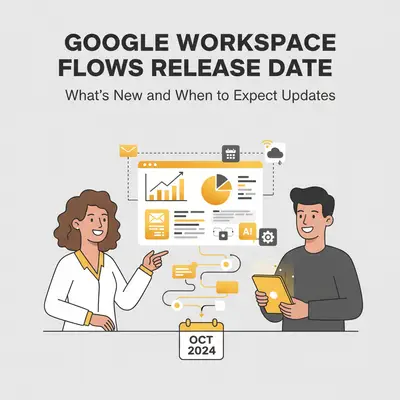
Google Workspace Flows launched at Google Cloud Next 2025, but when will it be available to your organization? As of December 2025, Flows remains in Alpha for select customers enrolled in the Gemini Alpha program. While Google hasn't announced an official general availability date, a wider release is expected in late 2025. Get the latest on Google Workspace Flows availability, release timeline, and new features. Learn how to check if Flows is available in your workspace and what to expect in the coming months.
Quick Win: To check if Flows is available in your workspace right now, look for the Flows icon in your Google Workspace apps or contact your Google Workspace administrator. You'll need to be enrolled in the Gemini Alpha program and have a Business or Enterprise plan with Gemini for Google Workspace licenses.
Official Release Date and Rollout Timeline
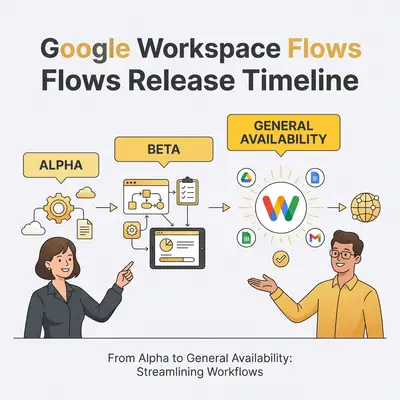
Google Workspace Flows was officially announced at Google Cloud Next 2025, Google's annual cloud and AI conference. The initial Alpha release began around the end of Q2 or start of Q3 2025, making it available to a limited group of early adopters.
Current Status (December 2025):
- Phase: Alpha program
- Availability: Limited to customers enrolled in Gemini Alpha program
- Timeline: Initial alpha release was Q2-Q3 2025
- Expected General Availability: Late 2025 (no official date confirmed)
The Alpha program requires organizations to have purchased Gemini for Google Workspace licenses before January 15, 2025. This early access program allows Google to gather feedback, refine features, and ensure stability before a broader rollout.
Reality Check: While Google expects a wider release in late 2025, exact dates haven't been confirmed. The Alpha phase typically lasts several months, so organizations not yet enrolled should prepare for a potential wait until general availability.
Current Availability by Region and Google Workspace Plan
Access to Google Workspace Flows is currently restricted based on two main factors: your Google Workspace plan and enrollment in the Gemini Alpha program.
Plan Requirements
Flows is available to organizations with:
- Google Workspace Business editions with Gemini for Google Workspace
- Google Workspace Enterprise editions with Gemini for Google Workspace
The tool is not available for:
- Google Workspace Starter plans
- Personal Google accounts
- Organizations without Gemini for Google Workspace licenses
Regional Availability
As of December 2025, Google Workspace Flows is available only in English. Google has not yet announced localization plans or specific regional rollout schedules. Organizations outside English-speaking regions may need to wait for language support.
Gemini Alpha Program Enrollment
To access Flows during the Alpha phase, your organization must:
- Have purchased Gemini for Google Workspace licenses before January 15, 2025
- Be enrolled in the Gemini Alpha program
- Have a Google Workspace administrator who can enable the feature
If your organization purchased Gemini licenses after January 15, 2025, you'll need to wait for general availability or Beta access.
Cost Implications
Flows is included as part of Gemini for Google Workspace subscriptions. There's no separate pricing for Flows itself—access comes with your Gemini license. However, you must have the appropriate Business or Enterprise plan tier to qualify.
How to Check if Flows is Available in Your Workspace
Checking Flows availability depends on your role in the organization. Here's how to verify access:
For End Users
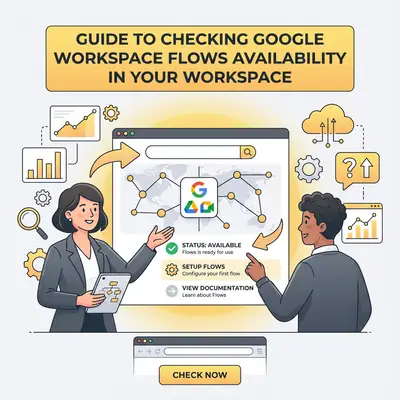
- Look for the Flows Icon: In Google Workspace apps (Gmail, Drive, Chat), check for a Flows icon or shortcut in the interface
- Check Google Workspace Menu: Navigate to the Google Workspace app launcher and look for "Flows" or "Workspace Flows"
- Contact Your Administrator: If you don't see Flows, reach out to your Google Workspace administrator to confirm eligibility
For Administrators
- Verify Gemini Alpha Enrollment: Check if your organization is enrolled in the Gemini Alpha program
- Confirm License Requirements: Ensure you have Gemini for Google Workspace licenses purchased before January 15, 2025
- Check Admin Console: Look for Flows settings in the Google Workspace Admin Console under "Apps" or "Additional Google services"
- Review Plan Tier: Confirm your organization has Business or Enterprise edition (not Starter)
What to Do If It's Not Available
If Flows isn't available in your workspace:
- Check Eligibility: Verify your organization meets the Alpha program requirements
- Contact Google Support: Reach out to Google Workspace support to inquire about enrollment options
- Wait for General Availability: If you don't qualify for Alpha, prepare for the expected late 2025 general availability
- Monitor Updates: Follow the Google Workspace blog for official announcements
Pro Tip: Set up Google Workspace update notifications in your Admin Console to receive alerts when Flows becomes available for your organization. This ensures you'll know immediately when access is granted.
Recent Updates and New Features Since Launch
Since the initial Alpha release in Q2-Q3 2025, Google has been refining Flows based on early adopter feedback. While Google doesn't publish detailed changelogs for Alpha features, here's what we know about the platform's evolution:
Core Capabilities (Stable)
The following features are available and stable in the current Alpha release:
- No-code workflow creation using a chat-like interface
- Integration with Gemini AI for content analysis, summarization, and generation
- Native Google Workspace app connections: Gmail, Drive (Docs, Sheets, Forms), Chat, Calendar
- Pre-built templates for common workflows
- Custom Gems (specialized AI agents trained on your company data)
Known Limitations
Early adopters have reported some limitations in the Alpha version:
- No step renaming: Steps cannot be renamed for clarity, which can complicate complex workflows
- Limited third-party integrations: Currently only Google Workspace apps are supported
- English-only interface: No localization available yet
- Alpha stability: Some features may change or be refined before general availability
Integration Updates
Flows currently integrates with:
- Gmail: Email triggers, drafting, and sending
- Google Drive: File creation, organization, and management
- Google Docs: Document creation and editing
- Google Sheets: Data entry and updates
- Google Forms: Form response triggers
- Google Chat: Message sending and notifications
- Google Calendar: Event creation and scheduling
Google has announced plans to add third-party app integrations, but no timeline has been provided for when these will be available.
Upcoming Features and 2025 Roadmap
While Google hasn't published a detailed public roadmap, here's what we know about planned features and the expected rollout:
Expected General Availability
Google expects to make Flows generally available in late 2025, though no specific date has been announced. The rollout will likely be phased, similar to other Google Workspace features, starting with Rapid Release domains and then Scheduled Release domains.
Planned Third-Party Integrations
Google has confirmed that third-party app integrations are on the roadmap. This will expand Flows beyond the Google Workspace ecosystem, potentially making it more competitive with tools like Zapier and Make.com. However, no specific apps or timeline have been announced.
Language and Localization
Currently, Flows is English-only. Google typically localizes major Workspace features, but no timeline has been provided for additional language support.
Mobile App Support
Flows is currently available through web interfaces. Mobile app support hasn't been confirmed, but given Google's focus on mobile productivity, it's likely to be added in future updates.
Developer Extensibility
Google has already announced that developers can extend Flows by building custom steps using Google Workspace add-ons. This capability allows organizations to create tailored automation solutions beyond the built-in features.
Key Insight: The Alpha phase is designed to gather feedback and refine features. Expect significant improvements and additional capabilities when Flows reaches general availability, particularly around third-party integrations and workflow complexity.
Migration from Other Automation Tools
If you're currently using Zapier, Make.com, or other automation platforms, here's what to consider about migrating to Google Workspace Flows:
When to Consider Migrating
Migrate to Flows when:
- Your workflows primarily use Google Workspace apps
- You need AI-powered features like sentiment analysis or content generation
- You want native integration without third-party connectors
- Your team is already heavily invested in the Google ecosystem
- You're automating internal processes within Google Workspace
Stay with Zapier/Make when:
- You need integrations with non-Google apps (Slack, Salesforce, Shopify, etc.)
- Your workflows span multiple platforms outside Google Workspace
- You require advanced workflow logic or webhooks
- You need immediate access (Flows is still in Alpha)
Migration Considerations
Timeline: If you're planning to migrate, wait until Flows reaches general availability and third-party integrations are added. The current Alpha version is too limited for most organizations with complex, multi-platform workflows.
Feature Parity: Flows won't match Zapier or Make.com's integration ecosystem initially. Evaluate your workflows to determine which can be migrated and which need to remain on existing platforms.
Cost Comparison: Flows is included with Gemini for Google Workspace, while Zapier and Make.com have separate pricing. Calculate your total cost of ownership to determine if migration makes financial sense.
For a detailed comparison of Flows vs. Zapier and Make.com, see our comprehensive guide to Google Workspace Flows.
Comparison with Similar Features in Competitors
Google Workspace Flows isn't the only automation tool in the market. Here's how it compares to similar offerings:
Microsoft Power Automate
Flows Advantages:
- Native Google Workspace integration
- AI-powered with Gemini
- No-code interface designed for business users
Power Automate Advantages:
- Mature platform with extensive integrations
- Available now (not in Alpha)
- Strong Microsoft 365 integration
- More advanced workflow capabilities
Verdict: If you're in the Microsoft ecosystem, Power Automate is the better choice. If you're in Google Workspace, Flows offers native integration advantages once it reaches general availability.
Other Workspace Automation Tools
Tools like Zenphi offer more advanced features for complex workflows, including document generation, multi-step approvals, and extensive integrations. However, they lack the native Google Workspace integration and AI capabilities that Flows provides.
When to Choose Alternatives:
- You need immediate access (Flows is still in Alpha)
- You require advanced workflow logic beyond Flows' current capabilities
- You need integrations with many non-Google apps
- Your workflows are highly complex and require extensive customization
How to Stay Updated on New Releases and Features
Since Flows is still evolving, staying informed about updates is crucial. Here are the best ways to track new releases and features:
Official Google Sources
-
Google Workspace Blog: workspace.google.com/blog
- Official announcements and feature updates
- Subscribe to email notifications for new posts
-
Google Workspace Blog Announcements:
- Detailed release notes and feature announcements are published on the blog
- Search for "Flows" or "automation" to find relevant updates
-
Google Workspace Admin Console:
- Enable update notifications in your admin settings
- Receive alerts when new features become available for your organization
Documentation and Support
-
Google Workspace Flows Documentation: sites.google.com/view/workspace-flows
- Official documentation and getting started guides
- Feature explanations and use cases
-
Google Workspace Support: support.google.com/a
- Help articles and troubleshooting guides
- Contact support for eligibility questions
Community Resources
-
Google Workspace Community Forums:
- Connect with other Flows users
- Share use cases and get help
-
Social Media:
- Follow @GoogleWorkspace on Twitter/X
- Monitor Google Cloud and Workspace LinkedIn pages
Pro Tip: Set up a Google Alert for "Google Workspace Flows" to receive email notifications whenever new information is published about Flows updates, releases, or announcements.
Conclusion
Google Workspace Flows represents a significant step forward in AI-powered automation for Google Workspace users. While it's currently limited to Alpha program participants, the expected late 2025 general availability will make this powerful tool accessible to a much broader audience.
Key Takeaways:
- Flows is in Alpha, with general availability expected in late 2025
- Access requires Gemini Alpha program enrollment and Business/Enterprise plans
- The platform excels at Google-to-Google automation with AI intelligence
- Third-party integrations are planned but not yet available
- Migration from Zapier/Make makes sense for Google Workspace-heavy workflows
This post will be updated quarterly or when major announcements are made, so bookmark it to stay current on Flows' release timeline and new features. As Google continues to refine Flows based on Alpha feedback, expect significant improvements and expanded capabilities at general availability.
Ready to automate with Google Workspace? While Flows is rolling out, now is the perfect time to audit your processes and identify automation opportunities. Book a free automation audit with us, and we'll help you build a roadmap for intelligent automation with Google Workspace Flows and other tools.
Frequently Asked Questions (FAQ)
1. When will Google Workspace Flows be available to everyone?
Google expects general availability in late 2025, but no specific date has been announced. The Alpha program is currently limited to organizations that purchased Gemini for Google Workspace licenses before January 15, 2025.
2. Which Google Workspace plans include Flows access?
Flows is available to Google Workspace Business and Enterprise editions with Gemini for Google Workspace subscriptions. Starter plans and personal Google accounts don't have access.
3. How do I check if Flows is available in my workspace?
Look for the Flows icon in your Google Workspace apps, check the app launcher, or contact your Google Workspace administrator. You'll need to be enrolled in the Gemini Alpha program and have the appropriate plan tier.
4. What regions is Flows currently available in?
Flows is currently available only in English. Google hasn't announced localization plans or regional rollout schedules yet.
5. When will third-party integrations be available?
Google has confirmed that third-party app integrations are planned, but no specific timeline or apps have been announced. This is expected to be a key feature addition before or shortly after general availability.
6. How often does Google update Flows with new features?
During the Alpha phase, Google is actively refining Flows based on user feedback. Updates are released regularly, though detailed changelogs aren't publicly available. Once Flows reaches general availability, updates will follow Google Workspace's standard release schedule.
7. Can I migrate my existing Zapier/Make automations to Flows?
You can migrate Google Workspace-focused workflows, but workflows that rely on third-party apps will need to wait until Flows adds those integrations. Evaluate each workflow individually to determine migration feasibility. For detailed migration guidance, see our Google Workspace Flows implementation guide.
Related Resources
- What Is Google Workspace Flows? The AI-Powered Zapier Killer
- Google Workspace Flows: Complete Use Cases and Implementation Guide (2025)
- Make vs n8n 2025: In-Depth Comparison
By Kevin Michael Schindler, AI Automation Expert at Evalics