You don’t need "the best" tool. You need the tool that fits your workflow and your team.
If you’re in Google Workspace, these are the three options people mix up:
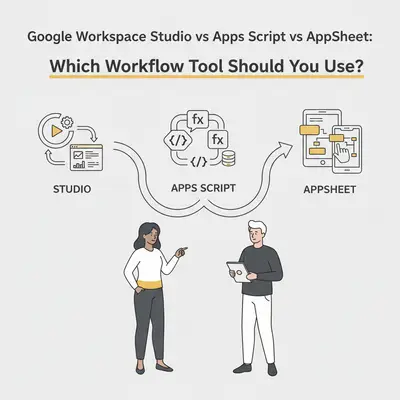
- Google Workspace Studio (formerly Google Workspace Flows): Gemini-assisted, Google-to-Google automation.
- Apps Script: custom automation with JavaScript inside Workspace.
- AppSheet: no-code apps and workflows for structured data.
This post helps you choose fast, without turning your business into a software project.
Before you choose: is Studio available to you?
Google states Studio "is now generally available with all Business and Enterprise Workspace plans" (Google Workspace Studio), but a Workspace edition alone isn't the full requirement.
Quick checklist:
- Are you signed into your work account (not personal Gmail)?
- Does your Workspace edition qualify? Business Starter/Standard/Plus and Education Fundamentals/Standard/Plus are eligible for work/school accounts; personal accounts need Google Workspace Experiments (Get started with Google Workspace Studio).
- Has your admin enabled Gemini for your org/unit? Studio requires it.
- Do you see Studio in the app launcher or inside Gmail/Drive/Chat/Calendar?
- Are you under 18 on a school account? AI features are blocked for those accounts.
If you want the 2‑minute admin + end-user diagnosis, start here and come back: Is Google Workspace Studio included in your Gemini license?
The 30-second answer (pick this if…)
- Pick Studio if you want to automate inside Google Workspace (Gmail → Sheets → Chat/Calendar) and Gemini-style "understand this text" steps are the main value.
- Pick Apps Script if you need custom logic, bespoke integrations, or "do exactly this weird thing" automation that no template will cover.
- Pick AppSheet if your workflow needs a simple app UI for your team (forms, approvals, mobile-friendly data entry) backed by Sheets/SQL, with automation around it.
Quick Win: If your goal is "stop copy/pasting emails into a spreadsheet," start with Studio (if available). If your goal is "build an internal tool our team uses daily," start with AppSheet.
What each tool is (plain English)
Google Workspace Studio
Studio is best understood as "Google-native automation with Gemini built in." It's strongest when the trigger + actions live in Workspace: Gmail, Drive, Sheets, Calendar, Chat. It evolved from the earlier Workspace Flows alpha - Google's FAQ calls Studio "an evolution of the capabilities we released in alpha as Google Workspace Flows" (Google Workspace Studio).
If you need a quick primer on how Studio works (starters/steps/variables), read: Google Workspace Studio: What it is + how it works
Apps Script
Apps Script is Google’s scripting platform for automating Google Workspace and other Google services using JavaScript. It’s the right tool when you want full control (and you’re willing to own the code and maintenance). Official overview: Google Apps Script overview
AppSheet
AppSheet is Google’s no-code platform for building internal apps (think "forms + tables + views + permissions") on top of your data, plus automations/notifications. It shines when humans need to interact with the workflow, not just trigger it. Official product page: Google AppSheet
Decision matrix: the 6 factors that matter
Use these six factors to avoid the most common mistake: choosing based on hype instead of fit.
| Factor | Google Workspace Studio | Apps Script | AppSheet |
|---|---|---|---|
| Best for | Google-to-Google automation + AI text work | Custom logic and custom integrations | Internal apps + workflows for teams |
| Who owns it | Ops/admins (low-code) | Developer / technical owner | Ops + power users |
| UI needed? | No (automation-first) | No (automation-first) | Yes (app UI is the point) |
| Complex logic | Light-to-medium | High | Medium (rules/expressions) |
| Maintenance | Low (when stable) | Medium-to-high (code + edge cases) | Medium (app sprawl risk) |
| Rollout risk | Low for qualifying editions - GA on Business/Enterprise plans, but gated by admin-enabled Gemini | Low | Low |
3 common small-business scenarios (what we recommend)
1) Inbox triage → log to Sheets → notify yourself in Chat
Best pick: Studio (if available)
Why: It's Google-to-Google, and Gemini can classify/summarize the email so you don't build brittle rules. Note the notification only ever reaches you - there's no step that posts to a shared Chat space, so a team-wide alert still needs a person to relay it or a shared Sheet everyone can see.
Fallbacks:
- If you need highly custom routing rules or a non-Google integration, use Apps Script.
- If someone needs to approve/assign/track in a UI, use AppSheet.
2) Approvals + intake forms for internal requests
Best pick: AppSheet
Why: This is a human workflow. You want a UI, permissions, and clear status tracking (Submitted → Approved → Done).
3) "We need a one-off automation with weird business logic"
Best pick: Apps Script
Why: When the logic is unique (and you can’t express it cleanly in a builder), code is cheaper than endless workarounds.
Reality Check: "Apps Script is free" is true only on the day you write it. The cost shows up later: ownership, debugging, and updates when something changes.
Common mistakes (so you don’t pick the wrong one)
- Choosing Apps Script because it’s "free": your time becomes the subscription. If nobody wants to own code, don’t pick code.
- Choosing AppSheet for everything: you can end up with app sprawl (10 mini-apps, no clear source of truth). Treat it like a product: one owner, naming rules, and governance.
- Assuming Studio replaces Zapier/Make/n8n: Studio is Google-first. If your business lives across many third-party apps, you may still need a general automation platform - see Google Workspace Studio vs n8n for where that line falls.
Bottom line
If you want the fastest win inside Google Workspace, start with Studio (when available). If you need a real internal tool with a UI, pick AppSheet. If you need custom logic and you can support code, pick Apps Script.
Before you commit either way, it helps to see what a flow can actually do end to end: these 10 production-ready Workspace Studio flows for small teams list the exact steps each one uses, and flag the cases where no step exists and Apps Script really is the only route.
If you’re stuck between two options, choose the one your team will actually maintain for the next 12 months. That’s usually the real constraint.