
You're in a meeting discussing your new automation project. Someone mentions "webhooks" and "RAG." Another person asks about "vector databases" and "context windows." You nod along, but inside you're wondering: What are they actually talking about? The pair people mix up first is webhook versus API.
This language barrier is real. Automation has its own vocabulary, and not understanding it can slow down your projects, create miscommunication with your team, or even lead you to choose the wrong tools entirely.
This glossary cuts through the jargon. Each term is explained in plain English with real-world analogies and practical examples. Whether you're a beginner building your first automation or an expert who needs a shareable resource for less technical colleagues, this guide gives you the language you need to navigate automation conversations with confidence.
Why Automation Jargon Matters
The automation industry loves its acronyms and technical terms. While this shorthand helps experts communicate efficiently, it creates a barrier for everyone else. When you don't understand the vocabulary, you can't effectively:
- Evaluate tools: How can you choose between platforms if you don't understand what "workflow orchestration" means?
- Communicate with developers: Misunderstandings lead to delays and rework.
- Make informed decisions: Without understanding the concepts, you might overpay for features you don't need or miss capabilities that would solve your problems.
Key Insight: Understanding automation terminology isn't about becoming a developer. It's about speaking the same language as the tools, platforms, and people you'll work with. This shared vocabulary enables better decisions and smoother projects.
The good news? Most automation terms describe simple concepts that can be explained without technical complexity. Once you understand the basics, the entire automation landscape becomes clearer.
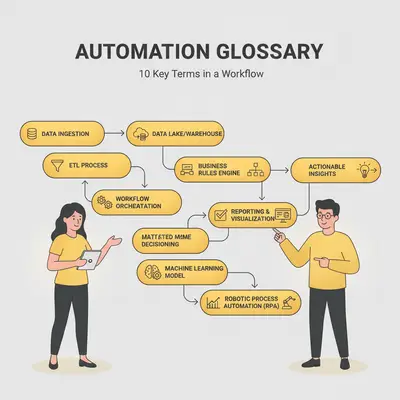
The 10 Terms You Need to Know
1. API (Application Programming Interface)
What it is: An API is a set of rules that allows different software applications to communicate with each other. Think of it as a standardized way for apps to "talk" to one another.
The analogy: An API is like a restaurant menu. The menu tells you what dishes are available (what data or actions you can request), how to order them (the format of your request), and what you'll get back (the response). You don't need to know how the kitchen works—you just need to know how to read the menu and place an order.
Real-world example: When you use Zapier to connect your Gmail account to your CRM, Zapier uses Gmail's API to read your emails and your CRM's API to create new contacts. Neither tool needs to know the internal workings of the other—they just follow the API "menu" to exchange information.
When you'd use it: APIs are everywhere in automation. Every time you connect two apps (like Slack and Google Sheets), you're using APIs. Understanding APIs helps you understand why some integrations are possible and others aren't—it depends on whether the apps have APIs that support the connection you need. For a deeper dive into API security, see our guide on what API keys are and how to keep them safe.
Related concepts: API keys (secure passwords for APIs), webhooks (APIs that work in reverse), REST APIs (a common API format)
2. Webhook
What it is: A webhook is a way for one application to automatically notify another application when something happens. It's like a phone call instead of checking your voicemail repeatedly.
The analogy: Imagine you're waiting for an important package. Instead of checking your mailbox every hour (polling), the delivery service calls you the moment your package arrives (webhook). Webhooks work the same way—apps notify each other immediately when events occur, rather than one app constantly checking if something changed.
Real-world example: When a customer fills out a contact form on your website, a webhook can instantly notify your Slack channel, send the lead to your CRM, and trigger an automated email sequence—all without you manually checking for new form submissions.
When you'd use it: Webhooks are perfect for real-time automation. Use them when you need immediate responses to events like new orders, form submissions, payment confirmations, or status changes. They're more efficient than polling (repeatedly checking for updates) and provide faster automation responses.
Related concepts: API (webhooks are a type of API), triggers (webhooks often act as triggers), polling (the alternative to webhooks)
3. LLM (Large Language Model)
What it is: An LLM is an AI system trained on vast amounts of text data that can understand and generate human-like language. ChatGPT, Claude, and Gemini are all examples of LLMs.
The analogy: Think of an LLM as an incredibly well-read assistant who has read millions of books, articles, and conversations. When you ask it a question, it draws on all that knowledge to provide an answer. Unlike a human assistant, it doesn't actually "remember" in the traditional sense—it uses patterns it learned during training to generate responses.
Real-world example: A small marketing agency uses an LLM to automatically write personalized email responses to customer inquiries. The LLM understands the context of each inquiry and generates appropriate, professional replies that match the agency's tone and style.
When you'd use it: LLMs excel at tasks involving language understanding and generation. Use them for content creation, customer support automation, data extraction from unstructured text, translation, summarization, and any task where understanding context and generating natural language is important.
Related concepts: Context window (the memory limit of LLMs), RAG (a technique to enhance LLMs with external knowledge), prompt engineering (how to effectively communicate with LLMs)
4. Vector Database
What it is: A vector database is a specialized database that stores information based on meaning and relationships, rather than exact matches. It's designed to work with AI systems that need to find similar or related information.
The analogy: A regular database is like a filing cabinet organized alphabetically. You can find a file if you know its exact name. A vector database is like a librarian who understands concepts and relationships. Ask for "customer satisfaction strategies," and they'll find documents about "client happiness," "user experience," and "customer retention"—even if those exact words aren't in your query.
Real-world example: A customer support team builds a chatbot that can answer questions about their product documentation. The vector database stores all their help articles, and when a customer asks "How do I reset my password?", it finds the relevant documentation even if the article uses different wording.
When you'd use it: Vector databases are essential when your AI needs to search through large amounts of text or maintain long-term memory. They're perfect for building knowledgeable chatbots, internal Q&A systems, document search, and any application where semantic understanding matters more than exact keyword matching. Learn more about how vector databases work in our comprehensive guide to vector databases.
Related concepts: RAG (vector databases are often used with RAG), embeddings (the numerical representations stored in vector databases), context window (vector databases solve context window limitations)
5. Workflow
What it is: A workflow is a series of automated steps that execute in a specific order to complete a task. It's the blueprint for your automation.
The analogy: A workflow is like a recipe. Just as a recipe has steps (chop vegetables, heat oil, sauté, season), a workflow has steps (receive email, extract data, update spreadsheet, send notification). Each step happens in sequence, and the workflow defines what happens at each stage.
Real-world example: A real estate agency has a workflow that automatically processes new property listings: when a new listing is added to their system, it creates a record in their CRM, generates a social media post, sends an email to their subscriber list, and adds a task for a team member to schedule a photo shoot.
When you'd use it: Workflows are the foundation of automation. Use them whenever you have a multi-step process that repeats regularly. Common workflow types include lead processing, data synchronization, content distribution, and notification systems.
Related concepts: Trigger (what starts a workflow), action (individual steps in a workflow), automation platform (where you build workflows)
6. Trigger
What it is: A trigger is an event that starts a workflow. It's the "when" of automation—the condition that causes your automation to run.
The analogy: A trigger is like a doorbell. When someone presses it (the trigger event), it causes something to happen (the doorbell rings, or in automation terms, your workflow starts). Without a trigger, your automation is like a doorbell with no button—it exists but never activates.
Real-world example: A trigger could be a new email arriving in a specific inbox, a form submission on your website, a payment being processed, a file being uploaded to Google Drive, or a specific time of day (like 9 AM every Monday).
When you'd use it: Every workflow needs at least one trigger. Choose triggers based on when you want your automation to run. Time-based triggers work for scheduled tasks, event-based triggers work for reactive automations, and manual triggers work for on-demand processes.
Related concepts: Workflow (triggers start workflows), action (what happens after the trigger), webhook (often used as triggers)
7. Action
What it is: An action is a single step or task that your automation performs. It's one discrete operation within a workflow.
The analogy: If a workflow is a recipe, an action is a single instruction in that recipe. "Chop the onions" is one action. "Heat the oil" is another. In automation, "send an email" is one action, "update a spreadsheet" is another.
Real-world example: In a lead qualification workflow, actions might include: (1) send the lead data to an LLM for analysis, (2) update the CRM with qualification scores, (3) send a Slack notification to the sales team, (4) add the lead to an email sequence. Each of these is a separate action.
When you'd use it: Actions are the building blocks of workflows. You combine multiple actions to create complex automations. Common actions include sending emails, updating databases, making API calls, transforming data, and generating content.
Related concepts: Workflow (actions are steps in workflows), trigger (what starts the sequence of actions), automation platform (where you configure actions)
8. Context Window
What it is: A context window is the maximum amount of text an AI model can process in a single conversation or request. It's the AI's short-term memory limit.
The analogy: A context window is like the size of a whiteboard. You can write information on it, but once it's full, you have to erase something to add more. AI models work the same way—they can only "remember" information that fits within their context window limit.
Real-world example: If you're using ChatGPT to analyze a 50-page document, but ChatGPT's context window only handles 20 pages, it won't be able to process the entire document at once. You'd need to break it into smaller chunks or use a model with a larger context window.
When you'd use it: Understanding context windows helps you choose the right AI model for your task and optimize your prompts. For simple tasks, a smaller context window is more cost-effective. For complex analysis of large documents, you need a larger context window or techniques like RAG to work around the limitation. For detailed strategies on working with context windows, see our guide to context windows in AI.
Related concepts: LLM (context windows are a property of LLMs), RAG (a technique to work around context window limits), vector database (often used with RAG to extend AI memory)
9. RAG (Retrieval-Augmented Generation)
What it is: RAG is a technique that combines AI language generation with external knowledge retrieval. Instead of relying solely on the AI's training data, RAG retrieves relevant information from a knowledge base and provides it to the AI as context.
The analogy: RAG is like giving a student access to a library during an exam. Instead of relying only on memorized information (the AI's training data), the student can look up relevant facts (retrieve from knowledge base) and use them to write a better answer (generate response).
Real-world example: A customer support chatbot uses RAG to answer questions about a company's products. When a customer asks about a specific feature, the system first searches the company's product documentation (retrieval), then provides that information to the AI along with the customer's question (augmentation), enabling the AI to generate an accurate, up-to-date answer (generation).
When you'd use it: RAG is essential when your AI needs access to information that's not in its training data—like your company's internal documents, recent data, or domain-specific knowledge. It's the standard approach for building knowledgeable chatbots, research assistants, and internal Q&A systems.
Related concepts: Vector database (RAG typically uses vector databases for retrieval), context window (RAG helps work around context window limitations), LLM (RAG enhances LLMs with external knowledge)
10. Automation Platform
What it is: An automation platform is a tool or service that lets you build, manage, and run automated workflows without writing code. It provides the infrastructure and interface for creating automations.
The analogy: An automation platform is like a construction kit. Instead of building a house from raw materials (writing code from scratch), you use pre-made components (triggers, actions, integrations) that snap together to build your automation "house."
Real-world example: Tools like n8n, Make (formerly Integromat), and Zapier are automation platforms. They provide visual interfaces where you can drag and drop components to create workflows that connect different apps and services. The adoption of low-code automation platforms has grown significantly as businesses seek to automate processes without extensive development resources, as documented in industry research from leading technology analysts.
When you'd use it: Automation platforms are the starting point for most business automations. Use them when you want to automate processes without hiring developers or learning to code. They're perfect for connecting existing tools, automating repetitive tasks, and building workflows that would otherwise require custom development.
Related concepts: Workflow (what you build on automation platforms), trigger and action (the building blocks platforms provide), API (platforms use APIs to connect to other services)
Pro Tip: Don't try to learn all these terms at once. Start with the ones most relevant to your current project. As you build automations, you'll naturally encounter and understand the other terms in context.
How These Terms Work Together
These terms aren't isolated concepts—they form an interconnected system. Understanding how they relate helps you see the bigger picture of automation.
Here's a typical automation scenario that uses multiple terms:
A workflow on an automation platform (like n8n) starts with a trigger—perhaps a webhook that fires when a new lead submits a form on your website. The workflow then performs several actions: it uses an API to send the lead data to an LLM for analysis. Because the LLM needs information from your company knowledge base, the system uses RAG to query a vector database, retrieving relevant context. The LLM processes this information within its context window limit and generates a qualification score. Finally, another action updates your CRM via its API.
This single automation uses 8 of the 10 terms we've covered. They're not separate tools—they're components that work together to create intelligent, automated processes.
Example: A 10-person marketing agency uses this exact pattern to automatically qualify leads. When a new lead comes in, their automation analyzes the lead using their company's knowledge base, scores it, and routes it to the right salesperson—all without manual intervention. The system processes 50+ leads per day, saving the team 10 hours weekly.
Understanding these relationships helps you:
- Design better automations: You know which components you need and how they fit together.
- Troubleshoot issues: When something breaks, you can identify which component (trigger, action, API, etc.) is causing the problem.
- Communicate effectively: You can explain your automation needs to developers or platform support using the correct terminology.
Your Next Steps
Now that you understand the language of automation, you're ready to put it into practice. Here's how to move forward:
1. Identify your automation opportunity: Look for repetitive, rule-based tasks in your business that consume time but don't require creative judgment. These are perfect candidates for automation.
2. Choose your automation platform: Start with a user-friendly platform like n8n, Make, or Zapier. Each has free tiers that let you experiment without commitment.
3. Build your first simple workflow: Start with a single trigger and one or two actions. For example, automatically save email attachments to Google Drive or send Slack notifications when specific events occur.
4. Expand gradually: As you get comfortable, add more complex workflows that incorporate multiple terms—perhaps using an LLM for content generation or a vector database for intelligent search.
5. Learn as you go: Don't worry about mastering every term immediately. You'll learn them naturally as you encounter them in your automation projects.
Quick Win: Bookmark this glossary and refer back to it as you build automations. When you encounter a term you don't remember, look it up here. Over time, this vocabulary will become second nature.
If you're ready to build automations but need guidance on where to start, we can help. Book a free consultation to discuss your automation opportunities and get personalized recommendations.
Conclusion
Automation terminology doesn't have to be intimidating. These 10 terms—API, webhook, LLM, vector database, workflow, trigger, action, context window, RAG, and automation platform—cover the essential concepts you'll encounter in most automation projects.
Remember the key takeaways:
- These terms describe simple concepts that can be understood with good analogies and examples.
- They work together as components in larger automation systems, not as isolated tools.
- You don't need to master everything at once—learn terms as you encounter them in your projects.
- Shared vocabulary enables better communication with your team, developers, and platform support.
You started this guide wondering what people were talking about in those automation meetings. Now you have the language to participate confidently, make informed decisions, and build the automations your business needs.
Ready to put this knowledge into practice? Whether you're building your first automation or scaling existing workflows, having the right vocabulary is just the beginning. Book a demo with Evalics to see how we can help you turn these concepts into real business value.
FAQ
1. Do I need to understand all these terms to start automating?
No. Start with the basics: workflow, trigger, and action. These three terms are enough to build your first automations. You'll naturally learn the others as you encounter more complex use cases. Understanding all 10 terms helps with advanced automations, but you can get started with just a few.
2. What's the difference between an API and a webhook?
An API is a general way for applications to communicate—you can request information or perform actions. A webhook is a specific type of API that works in reverse: instead of you asking for information, the other application automatically sends you information when something happens. Think of an API as calling someone, and a webhook as them calling you when they have news.
3. When do I need a vector database vs. a regular database?
Use a regular database (like SQL or Google Sheets) for structured data that you query with exact matches—customer names, order numbers, dates. Use a vector database when you need to search based on meaning or similarity, especially when working with AI. If you're building a chatbot that needs to understand questions and find relevant answers, a vector database is the right choice.
4. What's the relationship between RAG and vector databases?
RAG (Retrieval-Augmented Generation) is a technique, and vector databases are a tool often used to implement it. RAG retrieves relevant information to enhance AI responses, and vector databases are excellent for that retrieval step because they can find semantically similar content. You can use RAG without a vector database, but vector databases make RAG much more effective for large knowledge bases.
5. How do I know if my automation needs an LLM or if a simple workflow is enough?
Use simple workflows (just triggers and actions) for rule-based tasks: "When X happens, do Y." Use LLMs when you need language understanding, content generation, or decision-making based on context. If your automation needs to read and understand text, generate natural language responses, or make judgment calls, an LLM is likely necessary.
6. What's a realistic timeline for learning these terms and building my first automation?
For a motivated beginner, you can understand the basic terms (workflow, trigger, action) in an hour and build your first simple automation in 2-4 hours. Understanding all 10 terms deeply takes longer—perhaps a week of hands-on experimentation. The key is learning by doing: start with simple automations and gradually incorporate more advanced concepts.
7. Can I build automations without understanding these terms?
Technically yes—many platforms have templates and wizards that let you build automations without knowing the terminology. However, understanding these terms helps you troubleshoot when things go wrong, customize templates for your needs, and communicate effectively with support or developers. It's the difference between following a recipe and understanding cooking.
By Kevin Michael Schindler, AI Automation Expert at Evalics