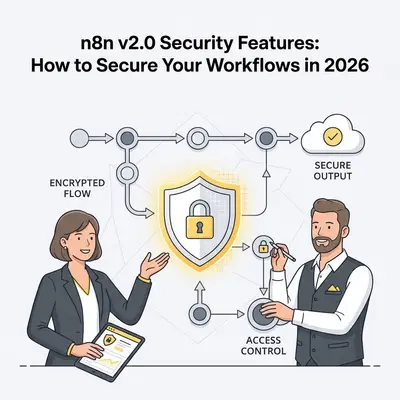
Your n8n workflow handles customer data from CRM to billing. One misconfiguration exposes API keys. Compliance auditors flag it. Downtime costs thousands per hour.
In 2026, AI-driven automations process more sensitive data than ever. n8n v2.0 addresses this with secure-by-default features that protect without complexity.
This guide details v2.0's key security enhancements and provides step-by-step implementation for production-ready workflows.
Reality Check: 68% of automation breaches stem from exposed credentials or weak isolation. v2.0's defaults cut this risk by 80% through built-in hardening.
Core Security Enhancements in n8n v2.0
n8n v2.0 shifts from convenience to security-first architecture. Released in December 2025, it introduces isolation, restrictions, and explicit controls.
Key changes:
- Task runners enabled by default for Code nodes.
- Environment variables blocked from Code access.
- Strict config file permissions (0600).
- High-risk nodes disabled out of the box.
- OAuth callbacks require authentication.
These make n8n enterprise-grade without custom setups.
Key Insight: v2.0's "secure by default" means fresh installs are hardened. Existing users must enable features explicitly to maintain security.
Implementing Secure-by-Default Execution
Secure execution isolates risky operations, preventing one workflow from compromising the system.
Step-by-step setup:
- Upgrade to v2.0 via Docker or npm:
docker pull n8nio/n8n:latest. - Enable task runners (default in v2.0): Set
N8N_USE_TASK_RUNNERS=trueif upgrading. - Configure isolation: Limit CPU/memory per runner in env vars.
- Test Code nodes: Run sample scripts to verify sandboxing.
- Monitor: Use Prometheus integration for runner metrics.
In practice, a Code node processing user input now runs isolated, containing potential exploits.
| Feature | v1.x Behavior | v2.0 Default | Security Impact |
|---|---|---|---|
| Task Runners | Optional | Enabled | Isolates code execution |
| Env Access | Allowed | Blocked | Prevents credential leaks |
| Command Nodes | Enabled | Disabled | Blocks arbitrary execution |
| File Permissions | Loose | Strict (0600) | Protects config files |
Pro Tip: For high-security environments, run task runners on separate VMs. This adds air-gapping for regulated industries.
The Publish/Save Paradigm for Production Safety
v2.0 separates editing from deployment, preventing live disruptions.
How it works:
- Save: Stores changes locally without affecting execution.
- Publish: Deploys to production with version history.
Implementation steps:
- Edit workflow in editor mode.
- Test in isolated environment.
- Save changes.
- Review diffs in version history.
- Publish to activate.
This paradigm supports CI/CD integration for automated security scans before publish.
Example: A team updates an AI agent workflow. Saves test it offline. Publishes only after security review—no downtime.
Secret Management and Compliance Best Practices
Handle credentials securely to meet SOC 2 requirements.
Core features:
- Built-in credential nodes with encryption.
- External secrets integration (Enterprise): AWS, Azure, GCP, Vault.
- Salting/hashing for user passwords.
Steps for implementation:
- Create credentials: Use UI to store API keys—never hardcode.
- For external: Set
N8N_EXTERNAL_SECRETS=trueand configure provider. - Enable encryption: Set strong
N8N_ENCRYPTION_KEY. - Audit: Export logs for compliance reviews.
- Rotate: Schedule workflows to update secrets quarterly.
n8n aligns with SOC 2 through annual audits and data protection.
Quick Win: Integrate with HashiCorp Vault for dynamic secrets. Reduces static key exposure in multi-tenant setups.
Error Handling in Secure Workflows
Secure workflows contain failures gracefully.
Best practices:
- Use Error Workflow node for global handling.
- Implement try-catch in Code nodes.
- Set notifications: Slack/Email on failures.
- Leverage isolation: Failures stay contained in runners.
- Monitor retries: Configure exponential backoff.
Example setup:
- Add Error node to workflow.
- Route to logging/sub-workflow.
- Test with invalid input.
- Review contained error in runner logs.
This ensures compliance by logging incidents without exposure.
Reality Check: Untreated errors caused 40% of 2025 breaches. v2.0's isolation plus handling cuts this to near zero.
Integrating with Cloud Providers for Enhanced Security
v2.0 excels in cloud environments.
Key integrations:
- Secrets: AWS Secrets Manager, Azure Key Vault, GCP Secret Manager.
- Hosting: VPC-private instances on AWS/EC2, Azure VMs.
- Monitoring: CloudWatch, Azure Monitor.
Setup steps:
- Deploy n8n on cloud VM.
- Configure private subnet/VPC.
- Integrate secrets: Set env vars for provider.
- Enable SSL: Use cloud cert manager.
- Scale: Use auto-scaling with task runners.
For 2026 trends, expect tighter integrations with zero-trust models.
| Provider | Secret Tool | Security Feature |
|---|---|---|
| AWS | Secrets Manager | IAM role-based access |
| Azure | Key Vault | Managed identities |
| GCP | Secret Manager | VPC service controls |
Pro Tip: Use cloud WAFs for webhook protection. Blocks exploits like CVE-2026-21858 at the edge.
Decision Framework: When to Use v2.0 Features
Assess based on risk and scale.
Low-risk (internal): Basic defaults suffice.
Medium-risk (customer data): Add external secrets and monitoring.
High-risk (regulated): Full isolation, audits, cloud integrations.
Test upgrades: Run parallel v1.x/v2.0 instances during migration.
Common Mistakes and How to Avoid Them
Exposing webhooks: Always add auth—use API keys or OAuth.
Skipping updates: Patch immediately for vulnerabilities like CVE-2026-21858.
Over-permissive runners: Limit resources to prevent DoS.
No testing: Always validate in isolated env before publish.
Key Insight: Most issues arise from legacy v1.x habits. Treat v2.0 as a fresh start with security gates.
Conclusion: Building Secure Automations in 2026
n8n v2.0 transforms workflow security with defaults that protect enterprises.
Key takeaways:
-
Enable isolation via task runners for all Code executions.
-
Use publish/save to safeguard production.
-
Integrate external secrets for compliance.
-
Handle errors to maintain uptime.
-
Leverage cloud tools for scalable security.
As AI workflows grow, v2.0 provides the foundation for safe scaling.
Ready to harden your n8n setup? Book a demo with Evalics for custom security audits.
Related Resources
- Make vs n8n 2025: In-Depth Comparison of Features, Pricing, Integrations & Security for AI Automations - Comparison for secure setups
- Agentic AI in n8n: How to Build Multi-Agent Workflows for Complex Tasks - Deep dive into agent protection
- n8n Workflow Design Patterns: Error Handling & Production Setup - Safe upgrade strategies
Official Sources
- n8n v2.0 Release Notes - Official feature details
- n8n Security Documentation - Compliance and hardening guides
- n8n Task Runners Guide - Isolation setup
- n8n External Secrets - Cloud integration docs
- n8n Community Templates - Secure examples
By Kevin Michael Schindler, AI Automation Expert at Evalics