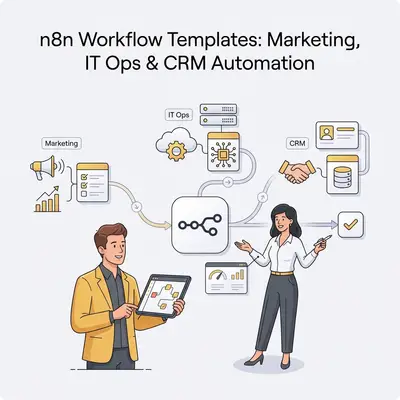
Your marketing team spends hours manually segmenting email lists. Your IT team monitors servers around the clock. Your sales team duplicates data entry between three different systems. These repetitive tasks drain productivity, but building automation from scratch feels overwhelming.
n8n workflow templates solve this problem. They're ready-made automation workflows you can copy, customize, and deploy in minutes. Instead of building from scratch, you start with proven templates and adapt them to your needs.
This guide shows you practical n8n workflow templates organized by business function: Marketing, IT Operations, CRM, and Document Operations. Each template includes what it does, why it matters, and how to adapt it for your team.
Quick Win: Most teams can deploy their first template in under 30 minutes. One marketing automation template can save 5-10 hours weekly on manual list management and campaign setup.
Marketing Automation Workflows
Marketing teams handle repetitive tasks daily: segmenting audiences, scheduling campaigns, tracking performance, and managing lead flows. These templates automate the heavy lifting.
Email Campaign Automation with Segmentation
What it does: Automates email marketing campaigns with segmentation, drip sequences, and performance tracking.
Why it matters: Manual email marketing takes hours. This template handles list segmentation, sends targeted campaigns, tracks opens and clicks, and updates subscriber status automatically.
Key nodes/integrations:
- Gmail or SendGrid for sending emails
- Google Sheets or database for subscriber lists
- IF/Switch nodes for segmentation logic
- HTTP Request nodes for analytics tracking
How to adapt it: Replace the email service with your provider (Mailchimp, SendGrid, or Gmail). Update segmentation rules to match your audience criteria. Add A/B testing by creating parallel branches with different subject lines or content.
Lead Scoring and Qualification
What it does: Automatically scores leads based on behavior, firmographics, and engagement data, then routes qualified leads to sales.
Why it matters: Not all leads are equal. This template prioritizes high-value prospects so sales teams focus on opportunities most likely to close.
Key nodes/integrations:
- Google Sheets or CRM trigger for new leads
- OpenAI or similar AI node for lead analysis
- IF/Switch nodes for scoring logic
- CRM update nodes (HubSpot, Pipedrive, Salesforce)
How to adapt it: Adjust scoring criteria to match your ideal customer profile. Add enrichment steps using Clearbit or similar services. Route leads to different sales reps based on territory or product interest.
Social Media Scheduling and Cross-Platform Posting
What it does: Schedules and publishes content across multiple social platforms from a single source, adapting content format for each platform.
Why it matters: Managing social media manually across platforms is time-consuming. This template publishes to Twitter, LinkedIn, Facebook, and Instagram automatically while optimizing content for each platform's format.
Key nodes/integrations:
- Google Sheets trigger for scheduled posts
- Edit Fields nodes for platform-specific formatting
- Social media app nodes (Twitter, LinkedIn, Facebook, Instagram)
- Wait nodes for optimal posting times
How to adapt it: Add more platforms by including additional social media nodes. Customize content formatting rules for each platform's character limits and hashtag requirements. Add image resizing for platforms with specific dimension requirements.
IT Operations Workflow Examples
IT teams need reliable automation for monitoring, incident response, and system maintenance. These templates handle critical infrastructure tasks.
Server Monitoring and Automated Alerts
What it does: Monitors server health metrics, detects anomalies, and sends alerts to the right team when thresholds are breached.
Why it matters: Manual monitoring is unreliable. This template checks server status continuously and ensures issues are caught immediately, not hours later.
Key nodes/integrations:
- Schedule trigger for regular checks
- HTTP Request nodes for API monitoring
- IF nodes for threshold comparisons
- Slack or email nodes for alerts
How to adapt it: Configure monitoring endpoints for your specific infrastructure. Adjust alert thresholds based on your SLA requirements. Add escalation logic for critical alerts that require immediate attention.
Automated Incident Response
What it does: Detects system issues, creates tickets automatically, and routes them to the appropriate team with context.
Why it matters: Fast incident response reduces downtime. This template ensures issues are logged and assigned immediately, eliminating manual ticket creation delays.
Key nodes/integrations:
- Webhook or schedule trigger for issue detection
- Jira, Linear, or ServiceNow nodes for ticket creation
- Switch nodes for routing logic
- Slack or PagerDuty for notifications
How to adapt it: Map incident types to your team structure. Add severity classification using AI or rule-based logic. Include auto-remediation steps for common issues that can be fixed automatically.
User Access Management Automation
What it does: Automates user provisioning, deprovisioning, and access updates across multiple systems when employees join, leave, or change roles.
Why it matters: Manual access management is error-prone and creates security risks. This template ensures access is granted or revoked consistently across all systems.
Key nodes/integrations:
- HR system webhook or form trigger
- Database or directory service nodes
- Multiple app nodes for different systems
- Email nodes for access notifications
How to adapt it: Connect to your HR system or employee database. Add approval workflows for sensitive access requests. Include audit logging for compliance tracking.
CRM Automation Workflows
CRM data needs to stay synchronized across platforms and be enriched with additional context. These templates automate CRM operations.
Lead Capture and Enrichment Pipeline
What it does: Captures leads from forms or webhooks, enriches them with company data, scores them, and adds them to your CRM.
Why it matters: Raw lead data is incomplete. This template enriches leads with company information, contact details, and firmographics before they enter your CRM, improving lead quality.
Key nodes/integrations:
- Webhook or form trigger for new leads
- HTTP Request nodes for data enrichment (Clearbit, Apollo, etc.)
- AI nodes for lead qualification
- CRM upsert nodes (HubSpot, Pipedrive, Salesforce)
How to adapt it: Choose enrichment services that match your budget and data needs. Adjust qualification criteria based on your ideal customer profile. Add custom fields to capture industry-specific data points.
Contact Sync Across Platforms
What it does: Keeps contact data synchronized between your CRM, support system, and marketing platform automatically.
Why it matters: Data silos create confusion. This template ensures contact information is consistent everywhere, so sales, support, and marketing teams work with the same data.
Key nodes/integrations:
- CRM trigger (on contact created or updated)
- Database query nodes for duplicate checking
- Multiple app nodes for different platforms
- IF nodes for conflict resolution
How to adapt it: Map field names between your systems. Add data validation rules to prevent bad data from syncing. Include merge logic to handle duplicate contacts intelligently.
Sales Pipeline Automation
What it does: Automates pipeline updates, stage progression tracking, and follow-up task creation based on deal activity.
Why it matters: Manual pipeline management leads to missed follow-ups and stale deals. This template ensures deals move forward and nothing falls through the cracks.
Key nodes/integrations:
- CRM trigger for deal updates
- IF/Switch nodes for stage logic
- Calendar or task management nodes
- Email or Slack for notifications
How to adapt it: Customize stage progression rules to match your sales process. Add automated email sequences for different deal stages. Include win/loss analysis for closed deals.
Document Operations Workflows
Document processing involves repetitive tasks like data extraction, formatting, and organization. These templates automate document workflows.
Google Sheets Data Processing and Transformation
What it does: Processes data from Google Sheets, transforms it, and syncs it to other systems or generates reports automatically.
Why it matters: Manual data processing is slow and error-prone. This template handles data cleaning, transformation, and distribution automatically.
Key nodes/integrations:
- Google Sheets trigger for new rows
- Edit Fields nodes for data transformation
- Function nodes for custom logic
- Database or app nodes for data sync
How to adapt it: Define your data transformation rules based on your specific use case. Add validation steps to catch data quality issues. Include error handling for malformed data.
Automated Document Generation and Distribution
What it does: Generates documents (invoices, contracts, reports) from templates and distributes them automatically.
Why it matters: Manual document creation takes time. This template generates formatted documents from data sources and sends them to the right recipients automatically.
Key nodes/integrations:
- Trigger for document request (form, CRM, schedule)
- Template engine or PDF generation nodes
- Google Drive or cloud storage nodes
- Email or Slack for distribution
How to adapt it: Create document templates that match your brand and requirements. Add approval workflows for sensitive documents. Include version control for document tracking.
Getting Started with n8n Templates
Finding and using templates in n8n is straightforward. Here's how to get started:
Access the template library: In n8n, click "Templates" in the sidebar or visit the n8n workflow templates page. Browse by category or search for specific use cases.
Import a template: Click on a template to view details, then click "Use Template" to import it into your workspace. n8n will create a new workflow with all nodes pre-configured.
Customize for your needs: Replace placeholder values with your actual credentials, API keys, and data sources. Adjust node configurations to match your business logic.
Test before deploying: Run the workflow manually with test data to verify it works correctly. Check each node's output to ensure data flows as expected.
Pro Tip: Start with one template that addresses your biggest pain point. Once you see results, you'll naturally identify other workflows worth automating. Most teams deploy 3-5 templates within their first month.
Common Customization Patterns
Templates are starting points, not final solutions. Here are common ways teams adapt them:
Add conditional logic: Use IF or Switch nodes to handle different scenarios. For example, route high-value leads to senior sales reps while standard leads go to the general queue.
Include error handling: Add error trigger nodes or retry logic for API calls that might fail. This prevents single failures from breaking entire workflows.
Enhance with AI: Add AI nodes for content generation, sentiment analysis, or data classification. AI can enrich templates with intelligent decision-making.
Integrate additional tools: Connect more apps to create comprehensive workflows. A marketing template might start with email but expand to include social media, analytics, and CRM updates.
When Templates Aren't Enough
Templates work well for common use cases, but complex requirements may need custom workflows. Consider building from scratch when:
- You need deep integration with proprietary systems
- Your business logic is highly unique
- You require advanced data transformations
- Templates don't match your tech stack
For custom workflows, start with the patterns from these templates and adapt them to your specific needs. The n8n documentation provides detailed guides for building custom automations.
Conclusion
n8n workflow templates give you a head start on automation. Instead of building workflows from scratch, you can deploy proven solutions in minutes and customize them for your business.
Start with one template that solves your biggest pain point. Test it, refine it, and expand from there. Most teams find that templates handle 70-80% of their automation needs, with custom workflows filling the remaining gaps.
Ready to automate your marketing, IT, or CRM processes? Browse the n8n template library to find templates that match your needs, or explore our guide on n8n workflow optimization techniques for advanced customization strategies.
Related Resources
- 5 Simple n8n Workflows for Daily Productivity
- n8n Workflow Optimization Techniques: Full Guide
- n8n Workflow Documentation & Best Practices
Official Sources
By Kevin Michael Schindler, AI Automation Expert at Evalics