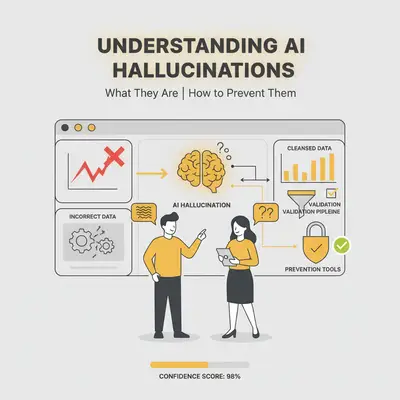
Your AI chatbot tells a customer your product costs $50 when it actually costs $150. Your content generator creates a blog post with fake statistics. Your AI assistant provides legal advice that's completely wrong—and you only discover it after sending it to a client.
These aren't bugs or glitches. They're AI hallucinations—and they're more common than most business owners realize.
Reality Check: AI hallucinations happen when AI models confidently state false information. They're not rare edge cases—they occur regularly, especially when AI encounters topics not well-represented in its training data or when prompts are unclear. Understanding what they are and how to prevent them prevents costly mistakes.
AI hallucinations are when AI systems generate plausible-sounding but factually incorrect information. The AI doesn't know it's wrong—it presents false information with the same confidence as accurate facts. This makes hallucinations dangerous because they look believable.
This guide explains AI hallucinations in simple terms, shows you why they happen, shows where they cause problems, and provides practical strategies to prevent them in your business.
By the end, you'll understand:
- What AI hallucinations are and why they're called "hallucinations"
- Why hallucinations happen (training data, prompts, context limits, model limitations)
- Where hallucinations cause business problems
- Prevention strategies: better prompts, fact-checking, human review
- Tools that help detect hallucinations
- Best practices for using AI safely in business contexts
Don't let AI hallucinations damage your business reputation or cost you customers. Book a free consultation to learn how to implement AI safely in your workflows.
Key Takeaways
- AI hallucinations occur when AI models confidently state false information—they don't know they're wrong, which makes them dangerous.
- Common causes: Training data issues, unclear prompts, context limits, and model limitations (statistical prediction vs. factual knowledge).
- Real-world impact: Hallucinations have caused legal issues, customer service failures, and misinformation in business contexts, costing companies thousands.
- Prevention is possible: Better prompt engineering, fact-checking workflows, human review processes, and detection tools can significantly reduce hallucination risk.
- Best practice: Never trust AI output blindly—always verify critical information, especially for customer-facing content, legal advice, and financial data.
What Are AI Hallucinations? (Simple Explanation)
An AI hallucination is when an AI model generates information that sounds plausible but is factually incorrect or nonsensical. The AI presents this false information with confidence, making it difficult to distinguish from accurate facts.
Why They're Called "Hallucinations"
The term "hallucination" comes from the medical field, where it describes seeing or hearing things that aren't real. In AI, it means the model is "seeing" or generating information that doesn't exist in reality—but it believes it's real.
The key difference from human errors: When humans make mistakes, they usually know they're uncertain. AI hallucinations are dangerous because the AI is confident about false information. It doesn't say "I'm not sure"—it presents false facts as if they're true.
Real-World Analogy
Imagine asking a friend about a restaurant you've never visited. If they don't know, they might say "I'm not sure" or "I've never been there." But if an AI doesn't know, it might confidently tell you the restaurant has a 5-star rating, serves Italian food, and is open until 11 PM—all completely fabricated, but presented as fact.
That's an AI hallucination: confident false information presented as truth.
Examples of What Hallucinations Look Like
1. Factual Inaccuracies
- AI claims your product costs $50 when it actually costs $150
- AI states a customer's order was delivered when it's still in transit
- AI provides incorrect business hours or contact information
2. Fabricated Citations
- AI creates fake research paper citations that don't exist
- AI references non-existent case studies or statistics
- AI claims sources support statements they never made
3. Logical Inconsistencies
- AI contradicts itself within the same response
- AI provides answers that don't match the question asked
- AI generates nonsensical information that sounds plausible
4. Irrelevant Information
- AI includes unrelated details in responses
- AI adds information that wasn't requested
- AI mixes topics that don't belong together
Key Insight: AI hallucinations aren't random errors—they're systematic issues that occur when AI models try to fill gaps in their knowledge with plausible-sounding but incorrect information. Understanding this helps you recognize when to verify AI output.
Why Do AI Hallucinations Happen?
AI hallucinations have four main causes. Understanding these helps you prevent them in your business workflows.
1. Training Data Issues
The problem: AI models learn from vast datasets that may contain errors, biases, or incomplete information. If the training data is flawed, the model learns and reproduces those flaws.
What happens:
- Incomplete data: The model encounters topics not well-represented in training data and makes up information
- Biased data: The model learns and reproduces biases from training data
- Outdated data: The model provides information that was accurate when trained but is now outdated
- Errors in data: The model learns incorrect information that was present in training data
How to prevent: Use AI for topics well-represented in training data. Verify all statistics and citations. Don't trust AI for recent events or niche topics. Source: IBM on AI Hallucinations
2. Prompt Issues
The problem: Unclear, ambiguous, or leading prompts can cause AI to generate incorrect information. The AI tries to answer what it thinks you're asking, even if that means making up facts.
What happens:
- Unclear instructions: The AI doesn't understand what you want and guesses
- Leading questions: The AI assumes you want a specific answer and provides it, even if incorrect
- Ambiguous context: The AI fills in missing context with assumptions
- Contradictory prompts: The AI tries to reconcile conflicting instructions and produces nonsense
How to prevent: Write clear, specific prompts. Provide context. Ask AI to cite sources or express uncertainty when unsure. Test prompts before deploying.
3. Context Limits
The problem: AI models have context window limits—they can only process a certain amount of information at once. When context is truncated or missing, the AI fills gaps with assumptions.
What happens:
- Truncated context: Important information is cut off, and the AI guesses what was missing
- Missing context: The AI doesn't have enough information and makes assumptions
- Context overflow: The model loses earlier parts of the conversation and generates inconsistent responses
- Context confusion: Too much information overwhelms the model, leading to incorrect outputs
How to prevent: Break large tasks into smaller chunks. Monitor context window usage. Provide complete context for each request. Use models with larger context windows when needed.
4. Model Limitations
The problem: AI models predict the next word based on statistical patterns, not factual knowledge. They don't "know" facts—they predict what words are likely to come next based on training data.
What happens:
- Statistical prediction: The model predicts likely words, not factual accuracy
- Pattern matching: The model matches patterns from training data, even if they're incorrect
- Overconfidence: The model presents predictions as facts, even when uncertain
- No fact-checking: The model doesn't verify information against real-world facts
How to prevent: Never trust AI for factual claims without verification. Use AI for ideation and drafting, not final facts. Always fact-check AI-generated content before sharing.
Pro Tip: The most common cause of hallucinations in business contexts is unclear prompts combined with missing context. Write specific prompts with complete context, and you cut down how often the model has to fill a gap with invention.
Where Hallucinations Cause Problems
The scenarios below are illustrative, not case studies. They show the shapes of failure that hallucinations produce in ordinary business workflows.
Scenario 1: Customer Support Chatbot
The setup: An e-commerce business puts an AI chatbot in front of customer questions about shipping and returns.
What goes wrong: The chatbot states a same-day shipping cut-off and a free international shipping threshold with complete confidence. Neither matches the actual policy. Customers act on what they were told, then arrive at checkout or at delivery expecting terms the business never offered.
The fix: Have the chatbot answer policy questions from a maintained knowledge base rather than generating answers, and route anything outside that base to a human.
Scenario 2: Content Generation
The setup: A marketing team uses AI to draft blog posts.
What goes wrong: The draft arrives with confident statistics and citations to research papers. The statistics have no source, and the papers do not exist. Because the numbers read as authoritative, they survive a light edit and get published.
The fix: Treat every statistic and citation in an AI draft as unverified until someone opens the source and confirms it says what the draft claims. If there is no source, the claim comes out.
Scenario 3: Legal Document Analysis
The setup: A firm uses AI to summarize contract terms.
What goes wrong: The AI reports that a specific clause requires 30 days' notice for termination. The contract actually requires 60. The summary is fluent and specific, which is exactly what makes it convincing, and advice goes out based on it.
The fix: Do not act on an AI reading of a contract without a person checking the cited clause against the document itself.
Reality Check: The damage from a hallucination is rarely the wrong sentence itself. It is every decision made downstream before anyone checks. Verification before the output is used is the only reliable control.

Prevention Strategies: Better Prompts, Fact-Checking, Human Review
Preventing AI hallucinations requires a multi-layered approach. Here's a practical framework you can implement today.
Strategy 1: Better Prompt Engineering
Write clear, specific prompts with complete context.
Do this:
- Be specific: Instead of "Tell me about our return policy," write "What is our return policy for domestic orders placed within the last 30 days?"
- Provide context: Include relevant information the AI needs to answer accurately
- Ask for sources: Request that the AI cite sources or express uncertainty when unsure
- Set boundaries: Tell the AI what it should and shouldn't do
Example of a good prompt:
You are a customer support assistant for an e-commerce business.
Our return policy is: Domestic orders can be returned within 30 days for a full refund.
International orders can be returned within 14 days with a 15% restocking fee.
When customers ask about returns, provide accurate information based on the policy above.
If you're unsure about any detail, say "Let me check with our team" instead of guessing.
Example of a bad prompt:
Tell customers about our return policy.
Why it works: Clear prompts with complete context leave the model less room to invent. It knows exactly what information to use and when to express uncertainty.
Strategy 2: Fact-Checking Workflows
Never trust AI output blindly—always verify critical information.
Create a fact-checking process:
Step 1: Identify critical information
- Customer-facing content (pricing, policies, product details)
- Legal or financial information
- Statistics and citations
- Claims about your business or products
Step 2: Verify against source of truth
- Check against your actual policies, pricing, or documentation
- Verify statistics against original sources
- Confirm legal/financial information with experts
- Cross-reference business claims with internal records
Step 3: Document verification
- Keep records of what was verified and when
- Track who verified the information
- Note any corrections made
What this looks like in practice: A team using AI to draft help documentation runs a fact-checking process where:
- AI generates the first draft
- A team member verifies all technical details against actual product behavior
- Another team member checks all screenshots and examples
- Final review by a senior team member before publishing
This process helps catch the vast majority of hallucinations before they reach customers. Source: Coursera on AI Hallucinations
Strategy 3: Human Review Processes
Always have human oversight for critical AI outputs.
When to require human review:
- Customer-facing content (chatbots, emails, website content)
- Legal or financial information
- Content that will be published or shared publicly
- Information that could cause harm if incorrect
How to implement human review:
Tier 1: High-risk content (always review)
- Legal advice, financial information, medical information
- Customer-facing policies and pricing
- Public-facing content (blog posts, social media, marketing materials)
Tier 2: Medium-risk content (spot check)
- Internal documentation
- Draft content that will be reviewed before publishing
- Non-critical customer communications
Tier 3: Low-risk content (monitor)
- Internal brainstorming and ideation
- Draft outlines and summaries
- Non-critical internal communications
What this looks like in practice: A three-tier review process:
- Tier 1: All client-facing content is reviewed by a senior team member before sending
- Tier 2: Internal drafts are spot-checked weekly
- Tier 3: Brainstorming sessions use AI freely but don't trust output without verification
The point is that the level of scrutiny matches the cost of being wrong.
Strategy 4: Red Teaming and Testing
Test your AI systems before deploying them.
Red teaming process:
Step 1: Identify edge cases
- Questions the AI might not handle well
- Scenarios where hallucinations are likely
- Critical information that must be accurate
Step 2: Test systematically
- Ask the AI questions it should know the answer to
- Ask questions it shouldn't know the answer to (should express uncertainty)
- Test with incomplete or ambiguous prompts
- Test with contradictory information
Step 3: Document failures
- Record when the AI hallucinates
- Note what caused the hallucination
- Update prompts or processes to prevent recurrence
Step 4: Retest after fixes
- Verify that fixes actually prevent hallucinations
- Continue testing as you add new features or use cases
What this looks like in practice: A weekly chatbot test routine:
- Ask a fixed set of test questions covering common scenarios
- Record how many answers are wrong, and set a target you hold yourself to
- Update prompts when hallucinations occur
- Retest after every major change
Quick Win: Start with better prompts and human review for customer-facing content. Those two cover the highest-risk output. Add fact-checking and testing as you scale.
Tools That Help Detect Hallucinations
Several tools can help you detect AI hallucinations before they cause problems. Here's what's available and how to use them effectively.
Detection Tools Overview
1. Fact-Checking Tools
- Factiverse: Checks AI-generated content against verified sources
- ClaimBuster: Identifies checkable claims in text
- Full Fact: Automated fact-checking for claims and statistics
2. Citation Verification Tools
- Citation Checker: Verifies that citations exist and match claims
- Source Validator: Checks if sources are credible and accessible
- Reference Verifier: Confirms that cited sources actually support the claims
3. Consistency Checkers
- Contradiction Detector: Identifies when AI contradicts itself
- Consistency Analyzer: Checks for logical inconsistencies in AI output
- Coherence Checker: Verifies that AI responses make logical sense
4. Confidence Scoring Tools
- Uncertainty Estimator: Measures how confident the AI is in its output
- Reliability Scorer: Rates the reliability of AI-generated content
- Trust Indicator: Shows when AI output should be verified
How to Use Detection Tools Effectively
Step 1: Choose the right tools for your use case
- Customer support: Use fact-checking tools for policy and pricing information
- Content generation: Use citation verification and fact-checking tools
- Legal/financial: Use all tools plus human expert review
Step 2: Integrate into your workflow
- Run detection tools automatically on AI output
- Set up alerts for high-risk content
- Create workflows that flag content for human review
Step 3: Act on results
- When tools flag potential hallucinations, verify manually
- Update prompts or processes based on what tools catch
- Track false positives to improve tool effectiveness
Cost and implementation:
- Basic tools: Free to $50/month
- Advanced tools: $100–$500/month
- Implementation time: 1–2 weeks for basic setup, 4–6 weeks for full integration
- Maintenance: 2–4 hours/month for monitoring and optimization
What this looks like in practice: A tool such as Factiverse checks AI-generated blog posts and flags potential hallucinations, and a team member verifies the flagged content before publishing. The tool narrows what a human has to read closely; it does not replace that read. Source: Time on AI Hallucination Prevention
Pro Tip: Detection tools are helpful but not perfect. They miss things, and they cannot tell you what a document you never gave them actually says. Always combine tools with human review for critical content.
Best Practices for Using AI Safely in Business Contexts
Using AI safely requires understanding when to trust it and when to verify. Here's a practical framework for your business.
When to Trust AI vs. When to Verify
Trust AI for:
- Ideation and brainstorming: Generating ideas, outlines, and initial drafts
- Non-critical tasks: Internal documentation, draft content, summaries
- Well-documented topics: Information that's well-represented in training data
- Low-stakes decisions: Choices that won't cause harm if incorrect
Always verify AI for:
- Customer-facing content: Anything customers will see or rely on
- Legal or financial information: Advice, contracts, financial data
- Medical or safety information: Health advice, safety protocols
- Statistics and citations: Numbers, research claims, source references
- Business-critical decisions: Choices that affect revenue, reputation, or operations
Risk Assessment Framework
Assess risk before using AI:
High risk (always verify):
- Could cause financial loss
- Could damage reputation
- Could cause legal issues
- Could harm customers or employees
- Could affect business operations
Medium risk (verify critical parts):
- Could cause minor inconvenience
- Could affect customer satisfaction
- Could require corrections later
- Could impact internal processes
Low risk (monitor but don't require verification):
- Internal brainstorming
- Draft content
- Non-critical summaries
- Ideation sessions
What this looks like in practice: A firm applying this framework:
- High risk: Client proposals, legal advice, financial analysis → Always verified by experts
- Medium risk: Internal reports, draft presentations → Spot-checked weekly
- Low risk: Brainstorming sessions, initial outlines → Used freely but not trusted without verification
Quality Control Processes
Implement quality control at multiple levels:
Level 1: AI output quality
- Use detection tools to flag potential issues
- Monitor confidence scores and uncertainty indicators
- Track hallucination rates over time
Level 2: Human review
- Review all high-risk content
- Spot-check medium-risk content
- Monitor low-risk content periodically
Level 3: Feedback loops
- Collect user feedback on AI output
- Track errors and corrections
- Update prompts and processes based on feedback
Level 4: Continuous improvement
- Regular testing and red teaming
- Prompt optimization based on results
- Process refinement as you learn
Team Training and Guidelines
Train your team on AI safety:
Training topics:
- What AI hallucinations are and why they happen
- How to recognize potential hallucinations
- When to verify AI output
- How to write effective prompts
- How to use detection tools
- How to implement quality control processes
Create guidelines:
- AI use policy: When and how to use AI in your business
- Verification requirements: What must be verified and by whom
- Quality standards: Acceptable hallucination rates and quality metrics
- Escalation procedures: What to do when hallucinations are detected
What this looks like in practice: An AI safety training program:
- A training session for all team members
- Written guidelines for AI use
- Monthly review of AI output quality
- Quarterly updates to guidelines based on what you learn
Industry-Specific Considerations
Different industries have different risk levels:
High-risk industries (strict verification required):
- Legal: All AI output must be verified by attorneys
- Healthcare: Medical information requires expert review
- Finance: Financial advice must be verified by certified professionals
- Safety-critical: Any information affecting safety requires expert review
Medium-risk industries (selective verification):
- Marketing: Customer-facing content requires review
- E-commerce: Product information and policies require verification
- Education: Educational content requires fact-checking
Low-risk industries (monitoring sufficient):
- Internal operations: Non-customer-facing content can use lighter verification
- Brainstorming: Ideation sessions can use AI freely
- Draft content: Initial drafts can rely more on AI
Key Insight: The safest approach is to verify all customer-facing content and anything that could cause harm if incorrect. For internal, low-stakes tasks, you can be more flexible. The key is matching verification level to risk level.
Conclusion
AI hallucinations are a real risk for businesses using AI, but they're not inevitable. Understanding what they are, why they happen, and how to prevent them protects your business from costly mistakes.
The key takeaways:
- AI hallucinations occur when AI confidently states false information—they're more common than most people realize
- Common causes include training data issues, unclear prompts, context limits, and model limitations
- The damage from a hallucination lands downstream, in the decisions made before anyone checks
- Prevention is possible through better prompts, fact-checking, human review, and detection tools
- Best practice is to match verification level to risk level—always verify customer-facing and high-risk content
Most businesses make the mistake of trusting AI output blindly, especially for customer-facing content. The companies that succeed use AI as a tool to enhance human work, not replace human judgment—especially for critical information. For more on understanding AI limitations, see our guide on what context windows are in AI.
Your next steps:
- Assess your current AI use: Where are you using AI, and what's the risk level?
- Implement prevention strategies: Start with better prompts and human review for high-risk content
- Set up quality control: Create processes to verify AI output before it reaches customers
- Train your team: Ensure everyone understands AI hallucinations and how to prevent them
For more on using AI safely in business, see our guide on building vs buying automation solutions and your first AI automation.
Ready to implement AI safely in your business? Book a demo with Evalics to get personalized recommendations for your workflows.
Frequently Asked Questions
What exactly are AI hallucinations?
AI hallucinations occur when AI models generate information that sounds plausible but is factually incorrect or nonsensical. The AI presents this false information with confidence, making it difficult to distinguish from accurate facts. They're called "hallucinations" because the AI is "seeing" or generating information that doesn't exist in reality but believes it's real.
Why do AI hallucinations happen?
AI hallucinations happen for four main reasons: training data issues (incomplete, biased, or outdated data), prompt issues (unclear or ambiguous instructions), context limits (missing or truncated information), and model limitations (statistical prediction vs. factual knowledge). The most common cause in business contexts is unclear prompts combined with missing context.
How common are AI hallucinations?
AI hallucinations are more common than most people realize. They occur regularly, especially when AI encounters topics not well-represented in training data or when prompts are unclear. Rates vary widely by model, use case, and prompt quality, so treat any single published figure with caution.
Can I prevent AI hallucinations completely?
You can't prevent AI hallucinations completely, but you can significantly reduce their occurrence and impact. Better prompt engineering leaves the model less room to invent. Combining better prompts with fact-checking, human review, and detection tools catches most of what gets through. The key is matching prevention strategies to risk level.
What tools help detect AI hallucinations?
Several tools help detect hallucinations: fact-checking tools (Factiverse, ClaimBuster), citation verification tools (Citation Checker, Source Validator), consistency checkers (Contradiction Detector), and confidence scoring tools (Uncertainty Estimator). None of them is complete, so combine them with human review for critical content.
When should I verify AI output?
Always verify AI output for customer-facing content, legal or financial information, medical or safety information, statistics and citations, and business-critical decisions. For internal, low-stakes tasks like brainstorming and draft content, you can be more flexible. The key is matching verification level to risk level—high risk always requires verification.
What does an AI hallucination actually cost a business?
There is no general figure, because the cost depends entirely on what was decided on the strength of the wrong answer. A hallucination in a brainstorm costs nothing. The same hallucination in a customer-facing policy answer, a published statistic, or a contract summary costs whatever it takes to undo the decisions made downstream of it. Prevention is cheap by comparison, which is the whole argument for verifying before you act.
By Kevin Michael Schindler, AI Automation Expert at Evalics