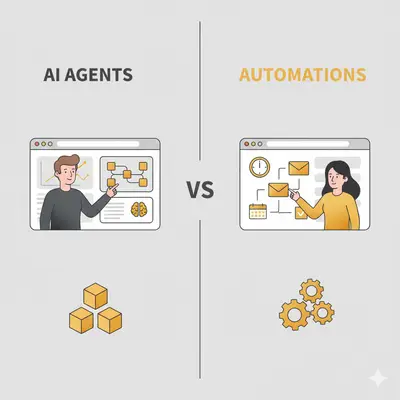
Choosing agents where automations would do, or automations where the task needs judgement, is the expensive mistake here. You either pay for reasoning you never use, or you build a rule tree that breaks on the first input it did not anticipate.
The confusion is understandable. The lines between AI agents and traditional automations are blurring rapidly, and most small business owners struggle to identify which tasks need intelligent agents versus simple rule-based workflows.
This comprehensive guide cuts through the noise with clear frameworks, worked examples, and step-by-step implementation plans. You'll learn exactly when to deploy AI agents vs automations, how they differ in practice, and why hybrid approaches consistently deliver the best ROI for businesses of all sizes.
Quick Win: Hybrid agent-automation systems tend to show workflow efficiency gains within the first 30 days when scoped to a single narrow use case.
Why the Distinction Matters in 2025
As AI evolves, the lines between agents and automations are converging.
Traditional automations (rule-based scripts) are reliable for structured flows, but fail when variability or decisioning is needed. Agents, powered by LLMs, bring adaptability to contexts and tasks. (Forrester Predictions 2025 – Automation)
Benefits of agents + automations:
- Scalability & intelligence: Agents handle reasoning, automations manage repetitive flows.
- Personalization: Agents can adjust responses in real time (e.g., in marketing).
- Cost efficiency: Automations are cheaper to run per transaction; agents yield high ROI in decision-heavy tasks.
- Governance: Automated rules keep agents in check to avoid drift, bias, or runaway actions.
Key Insight: The most successful implementations don't choose between agents and automations—they combine both. Use automations for predictable workflows (data syncs, scheduled reports, notifications) and agents for tasks requiring judgment (lead scoring, personalization, exception handling).
Comparison Table: AI Agents vs Automations
| Aspect | AI Agents | Automations |
|---|---|---|
| Definition | Autonomous reasoning systems that perceive, decide, act | Rule-based workflows with fixed logic |
| Adaptability | High — handles uncertainty, context, exceptions | Low — deterministic, rule-bound |
| Use Cases | Query routing, personalization, complex decisions | Data sync, notifications, fixed logic |
| Cost & ROI | Higher setup cost, but higher returns over time | Lower cost, consistent ROI for volume |
| Examples | Agentic chatbots, pipeline orchestration | Email triggers, data export automations |
| 2025 Trend | Rapid growth, agent wrappers emerging | Evolution into lightweight agent helpers |
Emerging Trends in 2025: Agents + Automations
The landscape is evolving rapidly. Understanding these trends helps you make better decisions today:
Agentic Wrappers: Automations Powering Agents
Automations are increasingly feeding data to agents for decision-making. Think of it as the automation handling the "plumbing" (data collection, formatting, routing) while agents handle the "thinking" (analysis, decisions, recommendations).
Example: A small law firm uses automations to collect client intake forms, extract key information, and structure data. An AI agent then reviews the structured data to assess case complexity, estimate timelines, and route to appropriate attorneys. The automation handles 100+ form submissions daily; the agent makes 20-30 routing decisions.
Impact: Agents only process pre-structured data, not raw inputs, so each agent call is smaller and cheaper.
Multi-Agent Systems: Teams Working Together
Businesses are deploying multiple specialized agents that collaborate. One agent might score leads, another handles follow-up timing, and a third personalizes messaging—all coordinated through automations.
Example: A 25-person marketing agency uses three agents: Agent 1 analyzes website behavior to score leads (0-100), Agent 2 determines optimal email send times based on engagement history, and Agent 3 personalizes subject lines and content. Automations orchestrate the workflow, ensuring each agent receives the right data at the right time.
Benefit: Each agent gets a narrow job, which is easier to prompt, test, and monitor than one agent doing everything.
Low-Code Agent Builders: Democratizing Access
Platforms like AgentGPT, SuperAGI, and Microsoft Copilot Studio let non-technical users build agents without coding. These tools use visual builders and pre-built templates.
Example: A 10-person accounting firm's office manager (no coding background) built an agent in 2 days that categorizes invoices, extracts amounts, and routes to correct accounts. Previously, this took 5 hours weekly; now it's fully automated.
Impact: Small businesses can deploy agents in days, not months, reducing barriers to entry significantly.
Regulatory Guardrails: EU AI Act and Compliance
The EU AI Act is shaping rules around AI agents, especially general-purpose models. Small businesses serving EU customers need to consider compliance requirements, even if based elsewhere.
Implications:
- Transparency requirements for AI decisions
- Risk assessments for high-impact use cases
- Data governance and audit trails
Action: Start documenting your AI use cases and decision processes now, even if full compliance isn't required yet. (EU AI Act Updates 2025)
Voice + Agent Fusion: Conversational Interfaces
Voice agents combine speech recognition, AI reasoning, and automation logic to create natural conversation experiences. Deepgram's State of Voice AI 2025 report shows enterprises adopting voice agents at scale. (Deepgram State of Voice AI 2025)
Example: A property management company uses voice agents for tenant inquiries. Tenants call and speak naturally ("My heat isn't working"), and the agent understands context, checks systems, schedules maintenance, and sends confirmation—all through voice interaction backed by automation workflows.
Adoption: Still early for small businesses, but costs are dropping rapidly. Expect mainstream adoption by 2026.
Pro Tip: Don't chase every trend. Focus on trends that solve real problems for your business. Multi-agent systems and low-code builders offer the best near-term value for most small businesses.
Essential Tools for AI Agents and Automations
The right tools make or break your hybrid implementation. Here are the top platforms for 2025, organized by use case and business size.
Automation Platforms
1. Zapier - Workflow automation leader
- Best for: Small to medium businesses needing quick automation setup
- Key features: 7,000+ app integrations, visual workflow builder, multi-step automations
- Pricing: See Zapier pricing
- Implementation difficulty: Low (2-4 hours for basic workflows)
- Results: Businesses report 10-15 hours saved weekly on repetitive tasks
2. Make.com (formerly Integromat) - Advanced automation platform
- Best for: Mid-size businesses needing complex data transformations
- Key features: Visual scenario builder, data transformation tools, error handling
- Pricing: See Make pricing
- Implementation difficulty: Medium (1-2 days for complex scenarios)
3. n8n - Open-source workflow automation
- Best for: Tech-savvy businesses wanting self-hosted control
- Key features: Self-hosted option, powerful API integrations, custom nodes
- Pricing: Free to self-host; see n8n pricing for Cloud plans
- Implementation difficulty: Medium-High (requires technical knowledge)
- Results: Full control over workflows and data, no per-task pricing limits
AI Agent Platforms
1. OpenAI API - Foundation for custom agents
- Best for: Businesses building custom agent solutions
- Key features: GPT-4 access, function calling, fine-tuning capabilities
- Pricing: Pay per token, from $0.15/1M input on GPT-4o Mini to $1.75/1M input on GPT-5.2 (OpenAI pricing)
- Implementation difficulty: High (requires development resources)
- Results: Most flexible option for custom use cases
2. Anthropic Claude API - Enterprise-grade AI
- Best for: Businesses needing high-quality reasoning and long context
- Key features: 200K token context, strong reasoning, tool use
- Pricing: Pay per token, from $0.10/1M input on Claude Haiku 5.5 to $2/1M input on Claude Sonnet 5.5 (Claude pricing)
- Implementation difficulty: High (requires development resources)
- Results: Superior for complex reasoning tasks and long documents
3. AgentGPT / SuperAGI - No-code agent builders
- Best for: Small businesses wanting agents without coding
- Key features: Visual agent builder, pre-built templates, autonomous agents
- Pricing: See each product's pricing page; plans change often
- Implementation difficulty: Low-Medium (1-2 days for setup)
- Results: Quick deployment of autonomous agents for common tasks
4. LangChain / LangSmith - Agent development framework
- Best for: Developers building production agent systems
- Key features: Agent orchestration, memory management, observability
- Pricing: Open-source framework; see LangSmith pricing for monitoring
- Implementation difficulty: Very High (requires significant development)
- Results: Most powerful for complex multi-agent systems
Hybrid Platforms (Agents + Automations)
1. Microsoft Power Automate - Microsoft ecosystem integration
- Best for: Businesses already using Microsoft 365
- Key features: AI Builder integration, Copilot Studio, extensive Microsoft connectors
- Pricing: See Power Automate pricing
- Implementation difficulty: Low-Medium (3-5 days for complex flows)
- Results: Seamless integration with Teams, Outlook, SharePoint
2. HubSpot Operations Hub - CRM + automation + AI
- Best for: B2B businesses using HubSpot CRM
- Key features: Workflow automation, custom objects, AI-powered insights
- Pricing: See HubSpot pricing
- Implementation difficulty: Medium (1 week for full setup)
- Results: Unified CRM and automation reduces data silos
Pro Tip: Start with one automation platform (Zapier or Make.com) and one AI API (OpenAI or Anthropic) for your first hybrid implementation. Once you prove ROI, expand to more specialized tools. Avoid tool sprawl—too many platforms create integration headaches and increase costs.
Reality Check: Tool costs add up quickly. Price the platform plan and the AI API usage separately, and budget time for setup and monthly maintenance. For businesses without technical resources, agency implementation is often simpler than managing the tools yourself.
Step-by-Step Guide to Implementing Agents + Automations
Step 1: Assess Needs & Complexity (Week 1)
The Challenge: Most teams don't know which tasks need automation vs. AI agents.
How to Do It:
- List your current manual processes: Document every task your team does manually
- Categorize each task:
- Automation candidates: Tasks with clear rules (e.g., "If email contains 'unsubscribe', move to spam folder")
- Agent candidates: Tasks requiring decision-making (e.g., "Determine if this lead is qualified based on multiple factors")
- Score complexity: Rate each task 1-5 for decision complexity
- Identify quick wins: Start with 2-3 simple automation tasks
Tools to Use: Process mapping tools like Lucidchart or simple spreadsheets
Pilot KPI Targets (first 30-45 days):
- Identify 5-10 automation candidates and 2-4 agent candidates
- Document time spent on each process (establish baseline)
- Target: 20-30% time reduction on top 3 manual processes
- Cost baseline: Calculate current hourly cost of manual processes
Measuring Success:
- Time saved per week (track hours before and after)
- Error rate reduction (if applicable)
- Process completion speed improvement (target 30-50% faster)
Pro Tip: Start with tasks your team spends 5+ hours on weekly. These high-time-cost tasks deliver the fastest ROI. Even a 50% time reduction on a 10-hour/week task frees 5 hours a week for strategic work, worth about $1,000-2,000 a month at $50-100/hour.
Step 2: Design Hybrid Architecture (Week 2)
The Challenge: Poor architecture leads to systems that don't work together.
How to Do It:
- Map your data flow: Document how information moves between systems
- Identify integration points: Where do automations hand off to agents?
- Design the handoff: Create clear triggers for when automations should call agents
- Plan error handling: What happens when an agent can't make a decision?
Example Architecture:
Lead comes in → Automation validates email → Agent scores lead → Automation routes to sales rep
Success Metrics:
- Data flow accuracy: 95%+ (all handoffs complete successfully)
- Integration points documented: 100% coverage
- Error handling plans: Defined for each integration point
- Target: Zero manual intervention required for normal workflows
Cost Considerations:
- Architecture design time: 8-16 hours (one-time)
- Integration complexity: Factor 2-3x time for complex systems
- Ongoing maintenance: 2-4 hours monthly
Example: For a 10-person agency handling 200 leads monthly: An automation validates email formats and removes duplicates (saves 2 hours/week), then an AI agent scores each lead based on website behavior, company size, and engagement history. High-scoring leads (70+ points) automatically route to senior sales reps; others enter a nurturing automation sequence. This hybrid approach increases qualified meeting bookings by 35% while reducing manual sorting time by 15 hours monthly ($1,500-3,000 value at $100-200/hour rates).
Step 3: Prototype Both (Weeks 3-4)
The Challenge: Building everything at once leads to failure.
How to Do It:
- Start with one automation: Pick your simplest rule-based task
- Build a basic agent: Use tools like Zapier + OpenAI API for simple decision-making
- Test in isolation: Make sure each component works alone first
- Document what works: Keep notes on successful patterns
Tools to Start With:
- Automation: Zapier, Make.com, or Microsoft Power Automate
- Simple Agents: OpenAI API + Zapier, or Anthropic Claude API
Reality Check: Many businesses expect to build production-ready agents in 1-2 weeks. Realistically, plan 4-6 weeks for initial setup, testing, and refinement. DIY builds often take 3-4x longer than optimistic estimates. For time-constrained businesses, agency implementation (4-8 weeks) or SaaS platforms with built-in agents often deliver faster time-to-value.
Step 4: Integrate & Test (Week 5)
The Challenge: Integration is where most projects fail.
How to Do It:
- Connect your prototype: Link your automation to your agent
- Test data flow: Ensure information passes correctly between systems
- Set up monitoring: Track when automations trigger agents
- Create fallback rules: What happens if the agent fails?
Testing Checklist:
- Data flows correctly from automation to agent
- Agent returns decisions in expected format
- Error handling works when agent fails
- System logs all interactions for debugging
Integration Success Metrics:
- Data accuracy: 95%+ of data passes correctly between systems
- Latency: Agent responses under 3 seconds for 90% of requests
- Error rate: Less than 5% of integrations require manual intervention
- Uptime: 99%+ system availability during business hours
Cost Targets:
- Integration setup: 8-12 hours one-time
- Testing iterations: 4-8 hours
- Target cost per transaction: Under $0.10 per automation-agent handoff
Step 5: Run Simulations & Edge Cases (Week 6)
The Challenge: Real-world scenarios are messier than test data.
How to Do It:
- Create test scenarios: Use real data from your business (anonymized)
- Test edge cases: What happens with incomplete data, unusual requests, or errors?
- Stress test: Run 100+ test cases to see how the agent performs
- Document failures: Keep track of what doesn't work and why
Edge Cases to Test:
- Missing required data
- Unusual input formats
- High-volume scenarios
- Network failures or timeouts
Simulation Success Criteria:
- Accuracy: Agent makes correct decisions 75%+ of the time on edge cases
- Graceful degradation: System handles 90%+ of error scenarios without crashing
- Performance: System handles 2x normal volume without degradation
- Cost per test: Under $0.05 per simulation run
Target Improvements:
- Identify 3-5 failure patterns to address before production
- Document expected behavior for each edge case
- Create runbook for common error scenarios
Step 6: Deploy & Monitor (Week 7)
The Challenge: Deploying without monitoring leads to problems.
How to Do It:
- Start small: Deploy to 10% of your traffic first
- Set up alerts: Get notified when things go wrong
- Track key metrics: Cost per decision, accuracy rate, response time
- Monitor for drift: Watch for declining performance over time
Key Metrics to Track:
- Cost: How much does each agent decision cost?
- Latency: How long does each decision take?
- Accuracy: How often is the agent's decision correct?
- Error Rate: How often does the system fail?
Pro Tip: Establish baseline metrics before deployment. Track manual process costs, time-to-completion, and accuracy rates for 1-2 weeks. Compare these against agent performance to calculate true ROI. Aim for 70%+ accuracy on agent decisions initially—perfect isn't required, but consistent improvement is.
Step 7: Iterate & Scale (Week 8+)
The Challenge: Most teams stop after initial deployment.
How to Do It:
- Review performance weekly: Analyze metrics and identify improvements
- Expand gradually: Add more use cases one at a time
- Refine based on data: Use real performance data to improve agents
- Scale successful patterns: Apply what works to new areas
Monthly Review Process:
- Week 1: Analyze performance metrics
- Week 2: Identify improvement opportunities
- Week 3: Implement changes
- Week 4: Test and prepare for next month's improvements
Scaling Success Metrics:
- Accuracy improvement: Track accuracy month over month against your baseline
- Cost efficiency: Track cost per decision as volume grows
- Expansion rate: Add 1-2 new use cases monthly after initial success
- ROI target: Set one before launch, based on the time cost you measured in Step 1
Expansion Targets:
- Month 2: Double the volume of initial use case
- Month 3: Add second use case with similar architecture
- Month 4-6: Expand to 3-5 total use cases
- Target: 50%+ of manual processes automated by month 6
Pro Tips:
- Start with one use case and master it before expanding
- Keep detailed logs of all agent decisions for analysis
- Set up A/B testing to compare agent vs. human decisions
- Budget for ongoing optimization and maintenance
Reality Check: Ongoing maintenance is often overlooked. Budget 2-4 hours monthly for monitoring, optimization, and adjustments. Agent performance can drift over time as data patterns change, so regular review (weekly for first 3 months, then monthly) is essential. Factor this into your TCO calculations.
Three Hybrid Setups: Where Agents End and Automations Begin
1. SaaS Platform – Hybrid Outreach Automation
A B2B SaaS sales team gets low reply rates on generic sequences and loses hours every week to manual follow-up. The hybrid setup uses LLM-based outreach agents to personalize the sequence (subject lines, openers, objection handling) and pairs them with CRM automations for lead routing, task creation, and SLA alerts.
How the work splits: The agent writes, the CRM enforces. Personalization needs judgement about a specific account, so that goes to the agent. Routing, task creation, and SLA timers are rules with no ambiguity in them, so those stay as automations where they are auditable and cannot drift.
What the split buys: Reps spend their attention on high-intent accounts instead of on follow-up admin, and because governance stays inside the CRM, nothing the agent writes escapes the process the team already trusts.
Key Insight: Agents excel at message personalization and timing—tasks requiring judgment and context. Automations handle the predictable workflow elements like routing, task creation, and SLA monitoring. The combination delivers both intelligence and reliability.
2. Conversational Intelligence Brand
A CX software firm wants faster, more consistent support replies without growing the support team. Agents assist the live dialogue (draft replies, summarize conversation histories, propose next actions) while automations triage by priority, route to the right team, and escalate on SLAs.
How the work splits: Drafting a reply and summarizing a long thread require reading context, which is agent work. Deciding what counts as urgent, who owns it, and when it breaches an SLA are policy decisions, and policy belongs in automation where it is explicit and reviewable.
What the split buys: The human still sends the message, so tone and compliance controls stay where they were. What changes is that the agent removes the blank-page part of every routine reply, which is what frees attention for the genuinely complex tickets.
Key Insight: Let agents handle language and reasoning—areas requiring contextual understanding and human-like communication. Automations excel at guardrails, orchestration, and rule-based routing. This division of labor maximizes both intelligence and operational efficiency.
3. E‑Commerce Journey Orchestration
An online retailer combines rule-based fulfillment flows with prediction agents for product recommendations and cart-recovery messaging. Agents generate context-aware offers (bundles, timing, channel selection) from browsing behavior, purchase history, and seasonal patterns. Automations execute the sends, sync events across platforms, and suppress conflicts so a customer is not messaged three times about the same cart.
How the work splits: What to offer and when is a judgement about one shopper, so it goes to the agent. Whether someone is eligible, whether the send already happened, and whether two campaigns are about to collide are state checks, and those belong in automation.
What the split buys: Conflict suppression is the unglamorous half and the half that protects the result. Personalization without it produces relevant messages sent too often, which is a faster route to an unsubscribe than a generic template ever was.
Key Insight: Use agents for offer logic and content personalization—decisions requiring understanding of customer context and preferences. Use automations for sequencing, eligibility checks, data synchronization, and ensuring operational consistency. The hybrid approach delivers personalization at scale without manual intervention.
Common Mistakes to Avoid
Learning from others' mistakes saves time and money. Here are the most costly errors businesses make when implementing agents and automations:
1. Misusing Agents for Simple Tasks
The Mistake: Deploying expensive AI agents for tasks that simple automations can handle perfectly.
Example: An agency builds a custom AI agent to sort emails into folders (spam, client inquiries, invoices). Every email now costs an API call and takes seconds. Email filter rules would do the same job for free and instantly.
The Cost: Paying for AI compute and development time on a job that rules already handle.
How to Avoid: Use this rule: If you can write a clear "if-then" rule (e.g., "if email contains 'invoice', move to Finance folder"), use automation. If you need judgment or context understanding, use an agent.
Reality Check: Agent costs scale with usage, because every item is a paid model call. Rule-based automation costs mostly stay flat. Always calculate cost per transaction before you choose.
2. Ignoring Data Hygiene
The Mistake: Feeding poor-quality data to agents and automations, then wondering why results are inaccurate.
Example: An e-commerce company automates order fulfillment but does not validate customer addresses. Orders with incomplete addresses go out and come back as failed deliveries.
The Cost: Shipping losses, customer complaints, and lost repeat business.
How to Avoid:
- Validate data at entry points (forms, imports, APIs)
- Set up data quality checks before agents process information
- Clean existing data before migrating to automated systems
- Budget 10-15% of implementation time for data cleanup
3. Skipping Fallback Rules
The Mistake: Assuming agents will always work perfectly, with no backup plan when they fail.
Example: A B2B SaaS company routes support tickets with an AI agent. When the agent's API goes down, tickets pile up unprocessed, leading to complaints and SLA breaches.
The Cost: Unhappy enterprise customers and reputation damage.
How to Avoid:
- Always build fallback automations for when agents fail
- Set up alerts for agent downtime or errors
- Design systems to gracefully degrade (e.g., route to human when agent unavailable)
- Test failure scenarios during development
4. No Monitoring or Auditing
The Mistake: Deploying agents and assuming they'll work correctly forever without oversight.
Example: A lead-scoring agent slowly drifts until it scores almost every lead as low priority. Nobody notices for months, and qualified leads go cold.
The Cost: Lost revenue opportunity, plus the cost of fixing the degraded model.
How to Avoid:
- Set up weekly reviews of agent decisions for first 3 months
- Monitor key metrics (accuracy, cost, latency) with alerts
- Compare agent decisions against human decisions monthly
- Budget 2-4 hours monthly for agent auditing
5. Avoiding Hybrid Approaches
The Mistake: Thinking you must choose either agents OR automations, not both.
Example: A consulting firm automates email sequences but adds no AI personalization. Generic emails get low engagement.
The Cost: Lost pipeline from low email engagement.
How to Avoid:
- Identify where each technology excels
- Combine agents for intelligence with automations for reliability
- Start hybrid from day one rather than retrofitting later
- Don't let perfect be the enemy of good—simple hybrids often outperform complex single-solution systems
Key Insight: The biggest mistake isn't choosing the wrong tool—it's failing to iterate based on real results. Start small, measure everything, and be willing to adjust your approach. Most successful implementations evolve significantly in the first 6 months.
Conclusion
AI agents vs automations isn't a strict choice, but a strategic blend. Use automations for reliable, high-volume tasks; agents for decision-making, personalization, and dynamic logic. The right mix unlocks efficiency, adaptability, and ROI.
Hybrid approaches put each tool where it fits. The businesses failing at AI aren't using the wrong tools—they're using tools in isolation instead of combining them strategically.
Key Takeaways
Start Hybrid: Don't choose between agents and automations—combine both from day one. Automations handle predictable workflows; agents handle decisions requiring judgment.
Focus on ROI: Start with high-time-cost tasks (5+ hours weekly) that deliver the fastest returns. Even a 50% time reduction on a 10-hour/week task frees 5 hours every week.
Measure Everything: Establish baselines before deployment. Track time savings, accuracy improvements, and cost per transaction. Aim for 70%+ agent accuracy initially—perfect isn't required, but consistent improvement is.
Plan for Failure: Always build fallback automations and monitoring systems. Agent performance can drift, APIs can fail, and data quality can degrade. Robust systems handle these gracefully.
Iterate Continuously: Most successful implementations evolve significantly in the first 6 months. Review performance weekly initially, then monthly. Add new use cases gradually as you prove ROI.
Budget Realistically: Factor in platform plans, AI API usage, setup time (4-6 weeks for DIY, 4-8 weeks for agency), and ongoing maintenance (2-4 hours monthly).
Your Next Steps
-
Audit your current processes: Document every manual task your team performs. Identify 5-10 automation candidates and 2-4 agent candidates.
-
Calculate time costs: Track hours spent on manual processes for 1-2 weeks. Calculate the opportunity cost using your team's real hourly cost. This becomes your ROI baseline.
-
Start with one use case: Pick the highest-time-cost task with clear automation or agent potential. Don't try to automate everything at once.
-
Choose your tools: Select one automation platform (Zapier or Make.com) and one AI API (OpenAI or Anthropic) for your first implementation. Avoid tool sprawl.
-
Prototype and test: Build a simple version, test with real data, and iterate. Plan 4-6 weeks for initial setup and refinement.
-
Measure and scale: Track metrics weekly for first 3 months. Once you prove ROI on your first use case, expand gradually to additional processes.
-
Consider professional help: If you lack technical resources or time, agency implementation (4-8 weeks) often delivers better ROI than DIY, especially for complex hybrid systems.
Ready to transform your workflows with hybrid agent-automation systems? Book a consultation with Evalics to discover which AI strategies will work best for your business.
FAQ
What’s the difference between AI agents and automations?
Agents act independently with reasoning; automations follow fixed rules.
When should I use an agent vs automation?
Use agents for tasks requiring decisioning or context; automations for repetitive flows.
How much do agents cost vs automations?
Automations are lighter and cheaper to run; agents require more compute but deliver higher value in decision contexts.
Are agents riskier than automations?
They can be if unmanaged — add guardrails, monitoring, and fallback rules.
Can small businesses adopt agents now?
Yes — low-code tools and hybrid patterns allow gradual adoption with reduced risk. Platforms like AgentGPT and SuperAGI let non-technical users build agents in days, not months. Start with one use case, prove ROI, then expand gradually.